
Workflow automation is the systematic use of technology to execute repetitive business tasks without manual intervention, and its benefits for professional services firms are measurable and immediate. Law firms, accounting practices, and consulting groups lose significant billable time to manual handoffs, approval chasing, and status reporting. Automation addresses all three. Teams that automate standardized processes can reclaim roughly 2.5 hours of productive time per employee daily. For a 50-person firm, that compounds into a material shift in capacity and profitability without adding headcount.
What are the core benefits of workflow automation?
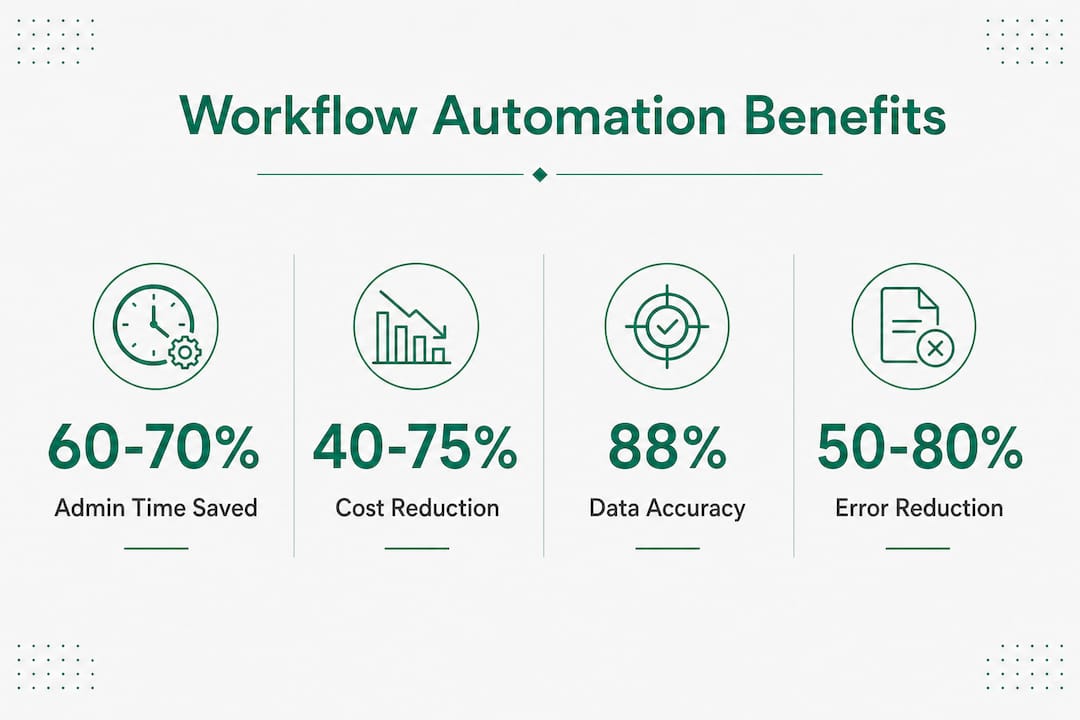
Workflow automation, known in process management circles as business process automation (BPA), delivers three primary advantages: time savings, cost reduction, and error minimization. These are not theoretical. Operational costs drop 40–75% in processes that move from fully manual to automated execution. That range reflects differences in process complexity and how well firms standardize before they automate.
The efficiency gains are equally concrete. Automation reduces administrative time per process by 60–70%, and teams can handle up to ten times more tasks without increasing headcount. For a mid-market accounting firm managing client onboarding, tax filing workflows, or audit preparation cycles, that multiplier translates directly into more clients served per billing period.

Professional services firms carry a structural disadvantage: their core product is human judgment, which means every hour spent on administrative coordination is an hour not billed. Automation removes that drag. The advantages of automation are not about replacing professionals. They are about protecting the time those professionals spend doing work that actually generates revenue.
How does workflow automation increase efficiency and productivity?
Automation accelerates processes by removing the waiting time between steps. In a manual workflow, a document moves from drafter to reviewer to approver through email chains, calendar coordination, and follow-up messages. An automated workflow routes the document instantly, sends deadline alerts, and escalates if no action is taken within a defined window.
The types of tasks that benefit most in professional services include:
- Client intake and onboarding forms, conflict checks, and engagement letter generation
- Invoice approval and billing cycles that require multi-step sign-off
- Compliance reporting with fixed deadlines and audit trails
- Document review routing across practice groups or service lines
- Status update notifications that currently require manual email drafts
The last item deserves attention. Invisible manual tasks like chasing approvals and sending status updates represent some of the largest efficiency gains once automated. Most managers do not track how much time their teams spend on coordination versus actual work. Automation makes that cost visible and then eliminates it.
Pro Tip: Start with the workflows that have the most handoffs between people or departments. Each handoff is a delay point. Automating those first produces the fastest, most visible time savings.
Automation also scales capacity without scaling cost. A consulting firm that automates its project kickoff workflow can onboard three new clients simultaneously using the same administrative resources that previously handled one. That is the core of the workflow efficiency benefit: capacity grows without a proportional increase in labor.
What cost savings and error reductions result from workflow automation?
The financial case for automation rests on two pillars: lower labor intensity and fewer costly mistakes. Both are well documented in 2026 operational data.
Data accuracy improves by up to 88% when manual data entry is replaced by automated validation and routing. Error rates fall between 50% and 80%. In professional services, where a single billing error or missed compliance deadline can trigger client disputes or regulatory penalties, those reductions carry significant financial weight.
The table below summarizes the primary cost and error reduction metrics from current industry data:
| Metric | Impact |
|---|---|
| Operational cost reduction | 40–75% per automated process |
| Administrative time saved | 60–70% per process |
| Data accuracy improvement | Up to 88% |
| Error rate reduction | 50–80% |
| Approval cycle speed | Days reduced to hours |
Approval cycles deserve specific focus. Manual routing of contracts, invoices, or compliance documents through email often takes days. Automated routing with deadline triggers compresses that to hours. For law firms managing matter approvals or accounting firms closing monthly books, that cycle compression directly reduces work-in-progress balances and accelerates cash flow.
Rework costs are the hidden expense that automation eliminates most effectively. When an error in a manually processed document requires correction, review, and re-approval, the labor cost multiplies. Automated validation catches errors at the point of entry, before they propagate downstream. That prevention model is far cheaper than the correction model it replaces.
How does automation improve collaboration, visibility, and decision-making?
Automated workflows generate data as a byproduct of execution. Every step, timestamp, and outcome is logged. That log transforms management from reactive to proactive.
Real-time visibility into process performance replaces subjective status reporting. Instead of asking a team member where a deliverable stands, a manager checks a live dashboard. That shift has a compounding effect on decision quality. Managers who see bottlenecks as they form can intervene before they become delays. Managers who rely on manual status updates always respond after the fact.
The collaboration benefits are equally direct:
- Cross-departmental handoffs become trackable and accountable, with clear ownership at each stage
- Deadline visibility is shared across teams rather than siloed in individual inboxes
- Escalation rules trigger automatically when tasks stall, removing the need for manual follow-up
- Audit trails document every action, supporting compliance reviews without additional reporting effort
For professional services firms where multiple practice groups or service lines collaborate on client engagements, these features reduce the coordination overhead that currently consumes partner and manager time.
Pro Tip: Use the process data your automation generates to run quarterly workflow reviews. Bottlenecks that appear in the data often reveal process design problems that no one noticed when the work was done manually.
The ROI of Microsoft Copilot and similar AI-assisted automation tools is most visible in firms that use the resulting data to drive continuous improvement, not just initial efficiency gains. Automation that runs without review gradually drifts out of alignment with current business needs.
What are the best practices and challenges for realizing automation benefits?
The most common automation failure is not technical. It is process. Firms that automate a broken workflow do not fix the problem. They accelerate it.
Automating broken processes accelerates waste and error propagation. A manual approval process with unclear ownership becomes an automated approval process with unclear ownership, except now errors move faster and affect more downstream steps. The fix is to simplify and standardize the workflow before any automation tool touches it.
Best practices for sustainable automation in professional services:
- Map the current process completely before selecting any tool or building any automation. Document every step, every decision point, and every person involved.
- Eliminate unnecessary steps first. If a step exists because of a legacy habit rather than a business requirement, remove it before automating the rest.
- Assign clear ownership to each automated workflow. Someone must be accountable for monitoring performance and updating the workflow when business rules change.
- Start with pilot workflows that are high-volume, low-risk, and well-understood. Prove the model before scaling it.
- Build governance into the design. Automation requires active ownership and continuous monitoring. It is not a set-and-forget solution.
The governance point is underappreciated. Business rules change. Regulatory requirements shift. Client expectations evolve. An automated workflow that was accurate at deployment can become inaccurate six months later if no one reviews it. Firms that treat automation as a one-time project rather than an ongoing practice consistently underperform on ROI.
Process discipline is the foundation of automation success. Firms that invest in standardization before deployment realize the full range of efficiency and cost benefits. Firms that skip that step often automate their problems rather than solve them.
Key Takeaways
Workflow automation delivers measurable gains in efficiency, cost, and accuracy only when firms standardize processes first and maintain active governance after deployment.
| Point | Details |
|---|---|
| Time savings are immediate | Automation reduces administrative time per process by 60–70% and frees roughly 2.5 hours per employee daily. |
| Cost reductions are substantial | Operational costs fall 40–75% per automated process, with error rates dropping 50–80%. |
| Standardize before automating | Automating a flawed workflow accelerates errors; simplify and map processes before deployment. |
| Visibility drives better decisions | Real-time process data replaces reactive status reporting with proactive management. |
| Governance sustains ROI | Automated workflows require ongoing ownership and review to stay aligned with business needs. |
What I’ve learned about automation ROI in professional services
Most firms approach automation as a cost-cutting exercise. That framing produces modest results. The firms that realize the largest gains treat automation as a capacity-building exercise. The goal is not to reduce headcount. The goal is to free your best people from work that does not require their judgment.
I have seen accounting firms automate their client onboarding workflow and immediately redirect two senior staff members from administrative coordination to client advisory work. The revenue impact of that redeployment exceeded the cost of the automation project within the first quarter. That is the pattern worth pursuing.
The other lesson I would pass on: do not underestimate the value of Copilot telemetry data in identifying where your team’s time actually goes before you automate anything. Most managing partners are surprised by what the data shows. The tasks consuming the most time are rarely the ones anyone expected.
Pilot workflows are not a compromise. They are the fastest path to firm-wide adoption. A single successful automation in one practice group creates internal advocates who do the change management work for you. That is far more effective than a top-down rollout with a training program attached.
The firms that struggle with automation share one trait: they automate before they govern. They build workflows without assigning owners, without defining review cycles, and without connecting the automation to a measurable business outcome. Six months later, the workflow is running but no one knows if it is running correctly. Start with governance. The technology is the easy part.
— Mad
How Gozera helps professional services firms capture automation ROI
Gozera works with mid-market law, accounting, and consulting firms to turn Microsoft 365 Copilot licenses into measurable productivity gains. Many firms carry dormant Copilot licenses that generate cost without generating output. Gozera measures actual usage through telemetry, identifies where workflows can be rebuilt using tools like Python and n8n, and demonstrates clear ROI through process reengineering rather than generic training programs.
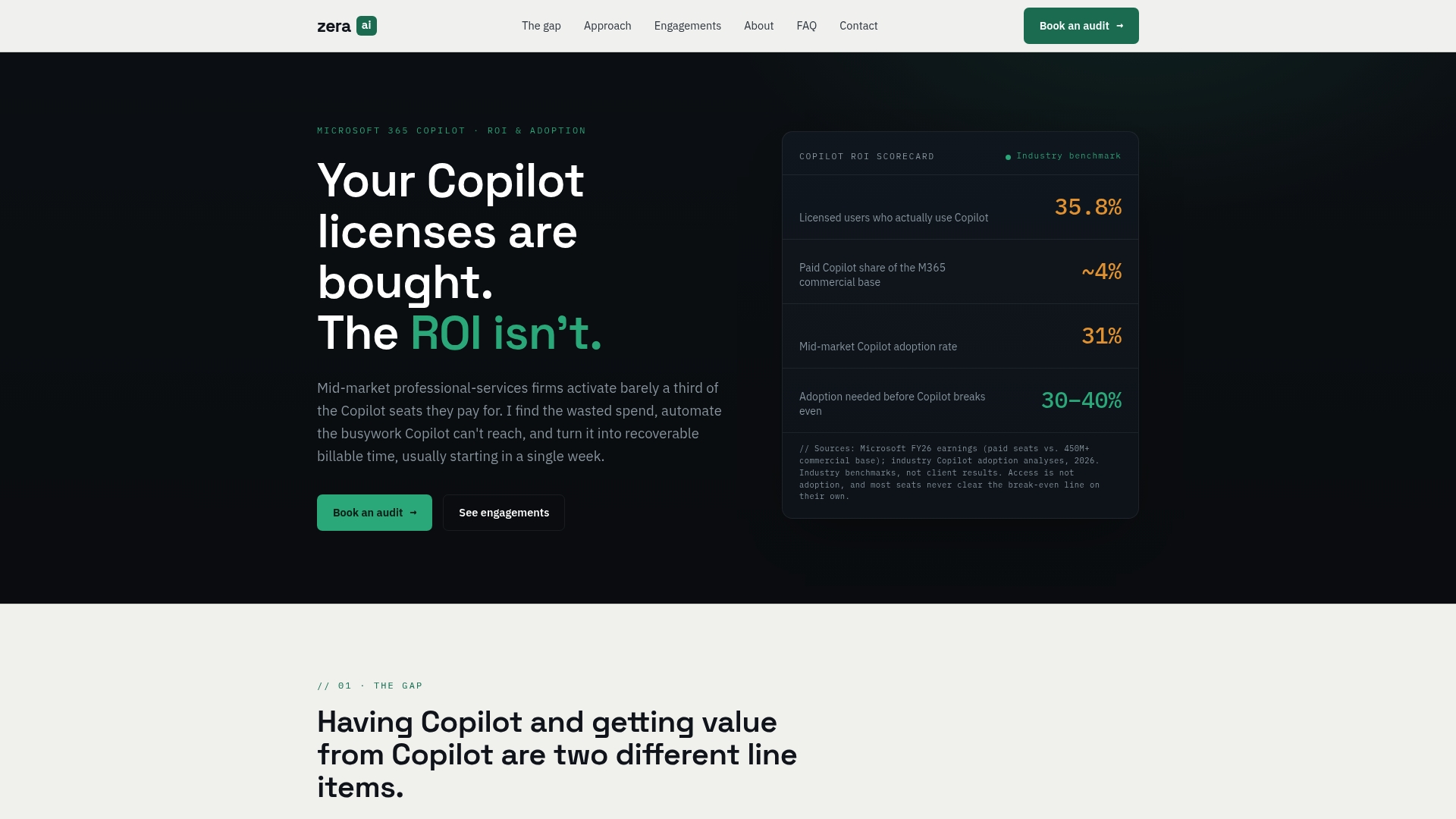
The approach is data-driven and outcome-anchored. Gozera establishes a baseline, rebuilds the workflows that matter most, and tracks recoverable billable time as the primary success metric. For firms that want faster results without lengthy change management, Gozera’s consulting services provide a direct path from idle licenses to realized value.
FAQ
What is workflow automation in professional services?
Workflow automation is the use of technology to execute repetitive business tasks, such as document routing, approval cycles, and compliance reporting, without manual intervention. In professional services, it frees billable staff from administrative coordination so they can focus on client-facing work.
How much time can automation save per employee?
Employees can reclaim approximately 2.5 hours of productive time daily by automating repetitive tasks. Across a 50-person firm, that represents a substantial increase in available capacity without adding staff.
What is the biggest risk when implementing workflow automation?
The biggest risk is automating a flawed process. Firms that skip process standardization before deployment accelerate existing errors rather than eliminating them. Map and simplify every workflow before building any automation.
How does automation reduce errors in business processes?
Automated validation and routing improve data accuracy by up to 88% and cut error rates between 50% and 80%. Errors are caught at the point of entry rather than discovered downstream during review or audit.
Does workflow automation require ongoing maintenance?
Automation requires active ownership and continuous monitoring because business rules, regulatory requirements, and client expectations change over time. A workflow that was accurate at deployment can drift out of alignment without regular review.