
Workflow automation is the software-driven execution of repeatable, rule-based business processes without manual intervention. For law firms, accounting practices, and consulting organizations, the most impactful workflow automation examples include employee onboarding, invoice approval routing, sales follow-up sequences, and customer support ticket classification. These are not theoretical wins. Automated processes reduce manual time by up to 50% on tasks that previously consumed hours of staff attention each week. That figure represents recoverable capacity, which in professional services translates directly to billable time.
1. Workflow automation examples across core business functions
The strongest place to start is where the volume is highest and the rules are clearest. The following examples cover the functions where mid-market professional services firms see the fastest return.

Employee onboarding
Manual onboarding is one of the most expensive coordination failures in professional services. HR and IT onboarding workflows automatically generate IT tickets, grant folder access, and assign training the moment a new employee record enters the system. That single trigger eliminates 2–3 day provisioning delays and reduces coordination time by over 60%.
A typical automated onboarding flow includes:
- New hire record created in the HR system triggers the workflow
- IT ticket auto-generated for device provisioning and system access
- Training modules assigned in the learning management system
- Welcome email and first-week schedule sent to the new hire
- Manager notified with a checklist of day-one responsibilities
Sales follow-up and lead routing
Sales teams lose deals not because of poor pitches but because of slow follow-up. Sales automation workflows trigger reminders when prospects do not respond within a defined period, marking deals “stale” after 14 days and sending reminders at the 7-day mark. That kind of rule-based cadence removes the need for manual CRM hygiene.
Common sales automation steps include:
- New lead enters CRM and is scored against defined criteria
- Lead routed to the correct account manager based on territory or deal size
- Automated quote follow-up sent if no response within 7 days
- Deal flagged as stale after 14 days of inactivity
- Closed-lost trigger initiates a re-engagement sequence after 90 days
Invoice processing and approval routing
Invoice processing is the clearest example of a task that is high-volume, rule-driven, and painful when done manually. An automated invoice workflow receives the document, extracts key fields, routes it to the correct approver based on dollar threshold, and sends payment confirmation once approved. Accounting teams at mid-market firms typically process dozens of invoices weekly. Automating the routing and approval steps alone removes the back-and-forth email chains that delay payment cycles.
Customer support ticket classification
Support teams waste significant time triaging tickets that could be classified and routed automatically. An automated support workflow reads incoming tickets, applies category labels based on keywords or AI classification, assigns them to the right team, and triggers SLA timers. If a ticket breaches its SLA window, an escalation alert fires automatically. Post-resolution, a feedback survey goes out without any manual action.
Marketing nurture sequences
Marketing automation is one of the most mature examples of automated processes in business. A new contact subscribes to a newsletter and immediately enters a welcome series. Behavior triggers, such as clicking a pricing page or downloading a guide, shift the contact into a more targeted nurture track. This kind of conditional branching is impossible to manage manually at scale.
Time-off approvals and expense routing
Operations teams spend disproportionate time on approvals that follow identical rules every time. A time-off request submitted in an HR system can trigger an automatic check against team capacity, route to the manager for one-click approval, and update the shared calendar without any additional steps. Expense reports follow the same logic: submitted, checked against policy thresholds, routed for approval, and logged in the accounting system.
Pro Tip: Select workflows with a clear trigger, a defined action, and a measurable outcome before you build anything. If you cannot describe the workflow in three sentences, it is not ready to automate.
2. How AI-enhanced automation goes beyond rule-based workflows
Traditional robotic process automation, commonly called RPA, follows fixed rules. It breaks when inputs change. AI-enhanced automation uses machine learning and natural language processing to interpret unstructured data like contract text or support ticket sentiment, enabling decisions that go beyond what a static rule can handle.
The practical difference shows up in these capabilities:
- Contract review: NLP models extract key clauses, flag non-standard terms, and summarize risk areas without a lawyer reading every page
- Sentiment analysis: Support tickets are scored for urgency based on tone, not just keywords, so genuinely frustrated clients get escalated faster
- Dynamic lead scoring: AI models update lead scores in real time based on behavioral signals, not just form fills
- Document classification: Incoming emails and attachments are sorted and filed automatically based on content, not sender rules
The next evolution is agentic automation. Agentic AI workflows allow AI agents to plan, reason, and coordinate multi-step processes with minimal human intervention. A single agent can receive a client request, pull relevant data from multiple systems, draft a response, and route it for human review before sending.
“The trend toward agentic workflows, where AI agents autonomously handle complex, multi-step processes with minimal human intervention, is reshaping business automation in 2026. Professional services firms that adopt this model early will recover capacity that currently disappears into manual coordination.”
For mid-market professional services firms already using Microsoft 365, Copilot telemetry provides the visibility needed to understand which workflows are performing and where AI-assisted steps are stalling. That data is the foundation for continuous improvement.
3. Common challenges and best practices for implementing automation
The most common automation failure is not a technology problem. Automating broken workflows only accelerates inefficiency and errors. The process must be standardized and working before automation touches it.
Pro Tip: Map the manual process completely before building the automated version. Every exception you discover on paper is an exception you will not have to debug in production.
Three principles separate successful automation programs from failed ones:
First, focus on high-volume, rule-based tasks with clear ownership. Automating judgment-heavy work early leads to failed runs and frustrated teams. Invoice approvals, onboarding checklists, and lead routing are good starting points. Performance reviews and client strategy decisions are not.
Second, build error logging and manual overrides into every workflow from day one. Business rules change. APIs update. A workflow that ran perfectly for six months can break silently when a vendor changes their data format. Without logging, no one knows why it stalled.
Third, measure ROI continuously. Automation is not a one-time implementation. The firms that get the most value treat it as an ongoing program with regular reviews of performance data, exception rates, and time savings.
4. How to identify and prioritize automation opportunities
The best automation candidates share four characteristics: they are repeatable, rule-driven, involve handoffs between systems, and have a visible bottleneck. Processes like onboarding, invoice approval, lead routing, and support escalation meet all four criteria and deliver measurable results quickly.
Use this prioritization framework to rank candidates in your organization:
- List every process that requires manual data entry or copy-paste between systems
- Estimate the weekly time cost per person involved
- Identify the trigger event and the desired end state
- Check whether the rules are consistent enough to automate without constant exceptions
- Confirm there is a clear owner who will maintain the workflow after launch
Workflow management with real-time visibility lets team leaders track performance and catch bottlenecks as they happen, not after a quarterly review surfaces the problem. That shift from retrospective reporting to live monitoring changes how quickly teams can respond to failures.
| Automation candidate | Trigger | Estimated time saved per week |
|---|---|---|
| Employee onboarding | New hire record created | 3–5 hours per hire |
| Invoice approval routing | Invoice received | 2–4 hours per week |
| Lead routing and follow-up | New lead enters CRM | 1–3 hours per rep |
| Support ticket classification | Ticket submitted | 2–3 hours per week |
| Time-off and expense approvals | Request submitted | 1–2 hours per week |
For firms using Microsoft 365, Copilot ROI metrics provide a data-driven baseline for measuring the impact of each automation before and after implementation.
Key takeaways
Workflow automation delivers the highest ROI when applied to high-volume, rule-based processes with clear triggers, defined owners, and measurable outcomes.
| Point | Details |
|---|---|
| Start with standardized processes | Automate only workflows that already work consistently; broken processes scale their problems. |
| Prioritize quick wins | Onboarding, invoice routing, and lead follow-up deliver fast, measurable time savings. |
| Build in error handling | Manual overrides and error logging prevent silent failures when systems or rules change. |
| Use telemetry to track ROI | Real-time performance data replaces guesswork and supports continuous improvement decisions. |
| Evolve toward AI-enhanced flows | NLP and agentic automation handle unstructured data that rule-based systems cannot process. |
What I have learned from watching firms automate the wrong things first
Most professional services firms I work with come in with the same instinct: automate the most painful process first. That instinct is usually wrong. The most painful process is often painful because it is poorly defined, full of exceptions, and owned by three people who disagree on the rules. Automating it first guarantees a messy, expensive failure.
The firms that build durable automation programs start with the boring stuff. Onboarding checklists. Invoice routing. Expense approvals. These are not glamorous, but they are consistent, well-understood, and easy to measure. A law firm I worked with recovered nearly four hours per new hire in IT provisioning time alone by automating a single onboarding trigger. That is not a headline number, but it compounds across every hire for the rest of the year.
The other mistake I see constantly is treating automation as a project with a finish line. It is not. Business rules change, APIs break, and the workflows you built last year may not match how your team actually works today. The firms that get lasting value from automation treat it as an ongoing program, not a one-time build. Microsoft 365 Copilot telemetry has made this easier by giving IT leaders and managing partners live workflow performance data rather than quarterly summaries. That visibility changes the conversation from “why did this fail?” to “here is what we are fixing next week.”
— Mad
Gozera helps mid-market firms turn automation into measurable ROI
Professional services firms often have the right tools in place but lack the visibility to know which workflows are actually working. Gozera specializes in Microsoft 365 Copilot ROI and adoption consulting for law, accounting, and consulting firms with 50–500 employees.
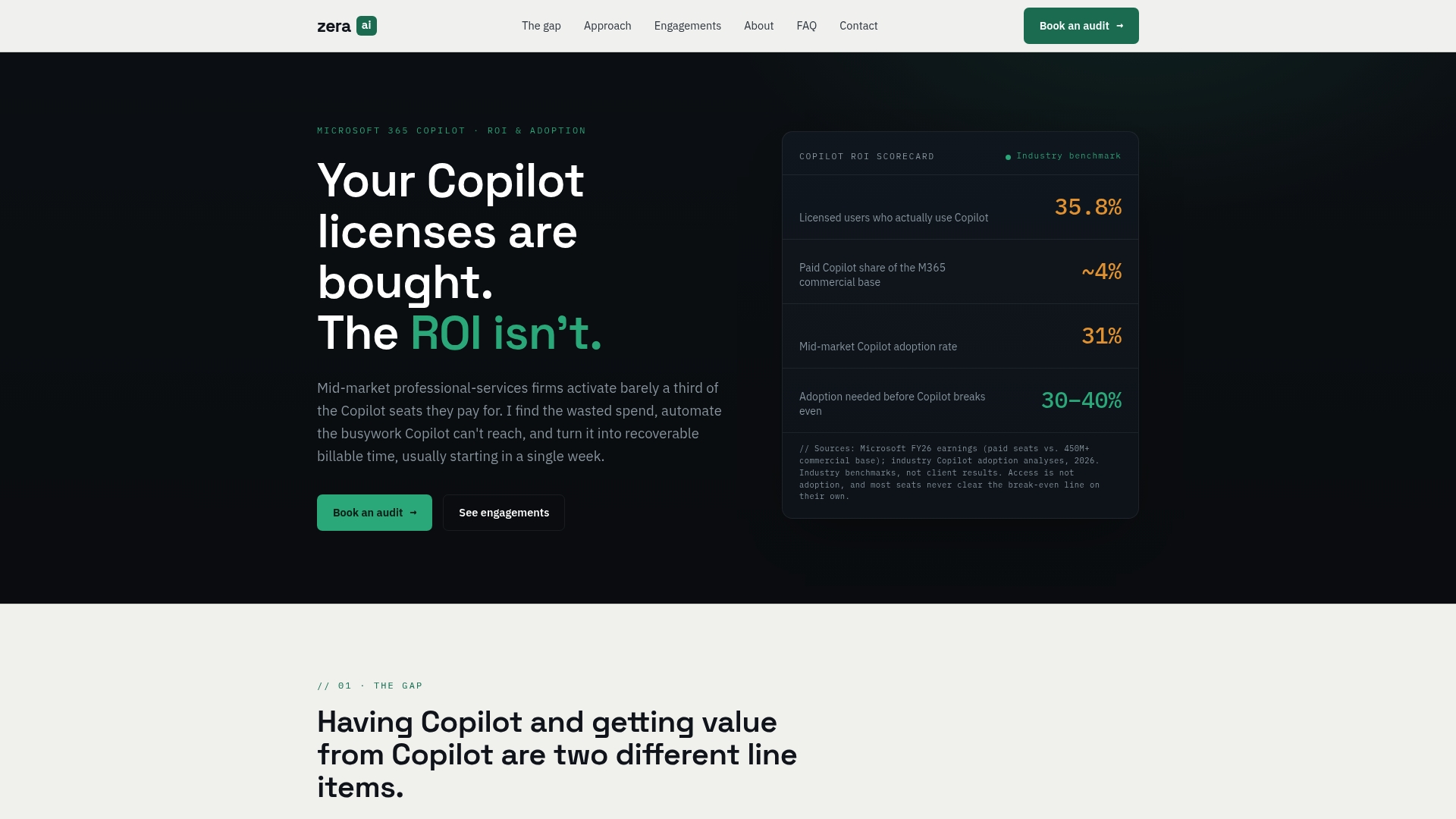
Gozera measures actual Copilot usage through telemetry, identifies dormant licenses, and rebuilds workflows that generate recoverable billable time. The approach is data-driven and outcome-anchored, so firms see measurable results without lengthy change management programs. If your Copilot licenses are sitting idle or your automation efforts have stalled, Gozera’s consulting services provide the baseline measurement and workflow design expertise to move from cost to return.
FAQ
What are the best workflow automation examples for professional services?
Employee onboarding, invoice approval routing, lead follow-up sequences, and support ticket classification are the strongest starting points. These processes are high-volume and rule-based, which makes them reliable automation candidates with fast payback.
How do I know if a process is ready to automate?
A process is ready when it has a clear trigger, consistent rules, and a measurable outcome. If the process requires frequent judgment calls or has no defined owner, standardize it manually before automating.
What is the difference between RPA and AI-enhanced automation?
RPA follows fixed rules and breaks when inputs change. AI-enhanced automation uses machine learning and NLP to handle unstructured data and make dynamic decisions, making it suitable for tasks like contract review and sentiment-based ticket escalation.
How do I measure the ROI of workflow automation?
Track time saved per process, error rates before and after automation, and exception frequency. Microsoft 365 Copilot telemetry gives mid-market firms real-time data on workflow performance, which supports faster and more accurate ROI calculations.
What is the biggest mistake firms make when automating workflows?
Automating broken or poorly defined processes is the most common failure. Standardize and test the manual version of a workflow before building the automated version.