
For most mid-market firms, a purpose-built engagement-letter platform gets you live in weeks and cuts signature turnaround immediately. Firms needing deeper practice-management integration and audit-grade governance should pair document automation with a Copilot-enabled workflow instead. Either path beats manual drafting: less time chasing signatures, fewer version-control errors, and a faster client onboarding cycle.
TL;DR:
- Most firms can launch purpose-built engagement-letter platforms within two to four weeks, but integrations with practice management systems are essential for reducing errors.
- Supporting features like live data pulling, bulk renewal support, and compliance audit logs are critical for effective automation in recurring engagements.
- Successful adoption requires involving senior partners in template creation, thorough testing of data connections, and managing change with pilots and clear success metrics.
- Implementation duration increases significantly when consolidating messy templates and building custom logic in more advanced automation stacks, often taking up to sixteen weeks.
- Prioritizing integration and workflow redesign over feature count prevents costly re-implementations and ensures practical ROI from engagement letter automation.
Table of Contents
- What Are the Main Types of Engagement Letter Automation Software?
- Which Features Actually Matter for Engagement Letter Templates?
- How Do You Choose the Right Vendor for Your Firm?
- How Do You Roll Out Engagement Letter Automation?
- What Do Real Results From Automated Engagement Letters Look Like?
- How Long Does Implementation Actually Take?
- What Slows Down Adoption, and How Do You Fix It?
- Why Most Firms Get This Decision Backwards
- Need Guided Implementation Instead of Another Software Decision?
- Sources
What Are the Main Types of Engagement Letter Automation Software?
Four distinct categories compete for this job, and they solve different problems. Confusing them is the single biggest reason procurement teams pick the wrong tool.
Purpose-built engagement-letter platforms exist specifically for accounting and legal scope letters. Think TaxDome or Canopy: these tools bake tax and advisory service templates directly into a client portal, with billing and engagement tracking built in from day one.
Proposal and contract platforms with template libraries like PandaDoc trade some industry specificity for flexibility. They handle engagement letters fine, but they were built first for sales proposals, which shows up in how conditional logic and clause libraries are organized.
Document automation plus e-signature stacks such as DocuSign CLM sit at the enterprise end. They offer serious contract lifecycle management, version control, and workflow routing, but usually need a systems integrator to configure for engagement-letter-specific logic.
Practice-management platforms with embedded letter generation, like Karbon, take a different angle entirely: the letter is a byproduct of a workflow already tracking the client relationship, deadlines, and team capacity.
| Solution type | Template & logic depth | Bulk/renewal support | Typical time to value |
|---|---|---|---|
| Purpose-built engagement platform | High, industry-specific clause libraries | Strong, built for annual renewals | 2 to 4 weeks |
| Proposal platform with templates | Moderate, general-purpose logic | Moderate | 3 to 6 weeks |
| Document automation + e-sign stack | Very high, but needs configuration | Strong once configured | 8 to 12 weeks |
| Practice-management with embedded letters | Moderate, tied to workflow triggers | Strong, native to renewal cycles | 4 to 8 weeks |
A few practical notes on each:
- Purpose-built platforms win on speed to launch but can lock you into their own client portal ecosystem.
- Proposal tools are easiest for non-technical staff to edit but weaker on compliance-grade locked clauses.
- Document automation stacks scale to thousands of letters but rarely pay off below a few hundred engagements a year.
- Practice-management platforms reduce double entry the most, since the letter pulls straight from data you already have on file.
Which Features Actually Matter for Engagement Letter Templates?
Demos are where vendors oversell. Here’s the checklist that separates a real capability from a slide with a checkmark on it.
Template engine. Confirm the platform supports dynamic variables (client name, fee schedule, scope description) alongside locked sections that staff cannot edit without admin approval. Ask specifically whether conditional logic (if this service line, then this clause) lives inside the template editor or requires a separate rules engine. Vendors split on this, and it changes how much technical support you’ll need for routine template updates.
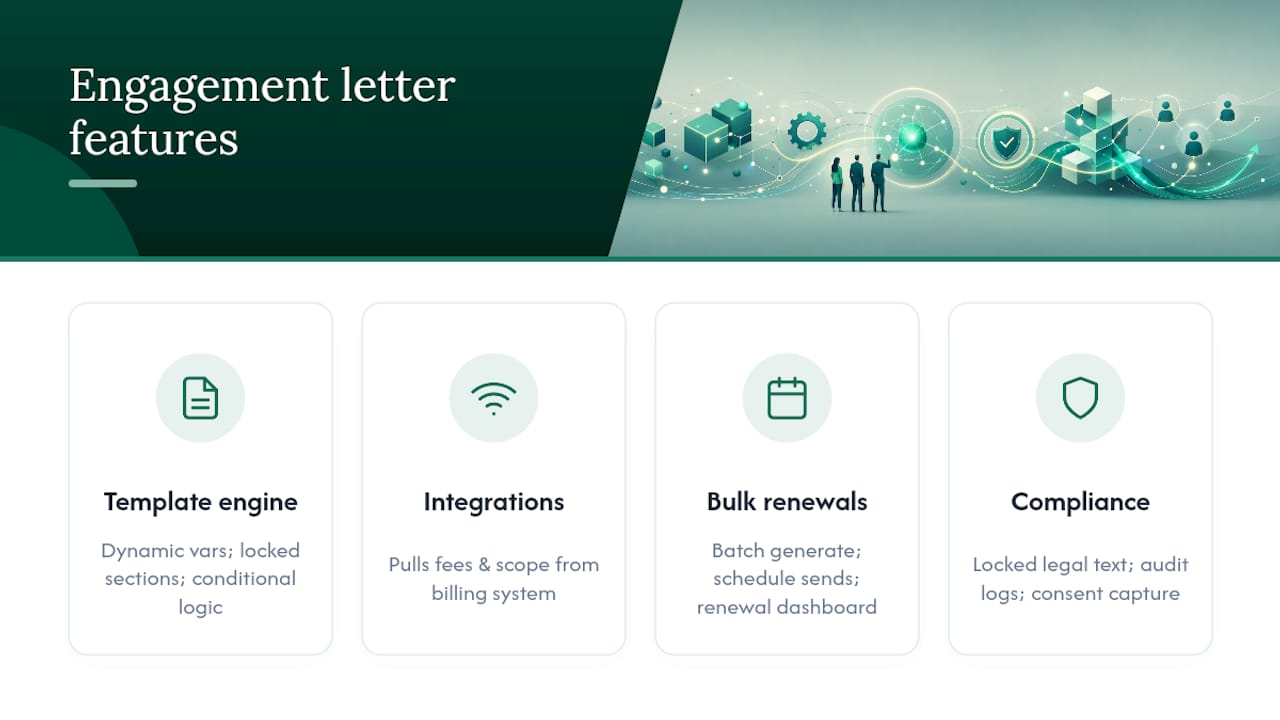
Integrations. The connector needs to move real data, not just a client name. Confirm it pulls fee arrangements and project scope from your practice-management system, not just from a CRM contact record. Ask for a live example, not a screenshot, of data flowing from your billing system into a generated letter. Integration compatibility with your existing Microsoft 365 workflow tools is often the deciding factor between two otherwise similar platforms.
Bulk and renewal capability. Batch generation for annual renewals matters more than any single feature on this list if your firm handles recurring engagements. Confirm the platform can schedule renewal sends automatically and show a dashboard of what’s outstanding, signed, or overdue.
Compliance and audit trail. Locked legal language, timestamped audit logs, and consent capture for AML or identity verification where applicable are non-negotiable for regulated practices.
Pro Tip: Ask the vendor to generate 25 sample letters from a spreadsheet during the demo, live, not pre-recorded. If it takes more than a few minutes or breaks on a formatting edge case, that’s your bulk-renewal experience in six months.
How Do You Choose the Right Vendor for Your Firm?
Selection criteria should be weighted, not treated as a flat checklist. For a 50 to 500 employee firm, integration depth and total cost of ownership usually matter more than raw feature count.
- Integration compatibility first. Confirm the tool connects to your practice-management, billing, and document management (DMS or SharePoint) systems before you evaluate anything else.
- Ask for connector documentation, not marketing claims. Request the actual API reference or a named integration partner who has built the connection before.
- Test bulk limits explicitly. Ask how many letters can be generated and sent in a single batch, and what happens when that limit is hit mid-renewal season.
- Confirm data residency and security certifications. SOC 2 Type II, GDPR compliance for any EU client data, and clear data retention policies should be documented, not verbally promised.
- Price the total cost, not the sticker price. Per-user, per-letter, and tiered SaaS models all shift dramatically at scale, so model your actual annual letter volume against each pricing structure. Also confirm whether AI-drafting features carry usage limits or per-query costs, since unit economics on AI features can erode margins fast once volume climbs.
- Watch for contract red flags. Auto-renewal clauses with short cancellation windows, per-seat minimums that don’t match your actual usage, and vague SLA language around uptime are common traps.
Frame the pricing conversation with stakeholders around hours recovered per partner, not software cost alone. A platform priced higher but saving four hours a week per partner pays for itself in a quarter.
How Do You Roll Out Engagement Letter Automation?
A phased rollout beats a big-bang launch every time. Start with baseline measurement: track current time-per-letter and average signature lag before touching any new software.
- Week 1 to 2: Baseline measurement and template audit. Identify your five most common engagement types and draft locked-clause templates for each.
- Week 3 to 4: Build integrations to practice management and billing systems, then run a pilot with one partner or team.
- Week 5 to 8: Expand to the full practice, monitoring rework rate and signature turnaround weekly.
- Ongoing: Review renewal batches quarterly and retrain templates as service lines change.
A practical Copilot-enabled example: draft the scope-of-work language in Microsoft Word using Copilot, pull client and fee variables directly from your practice-management system, then trigger the send-and-sign workflow automatically once a partner approves. That single sequence eliminates most manual copy-paste between systems.
Microsoft’s own research on SMB Copilot integration found some firms reporting up to 353% ROI with measurable productivity gains once workflows were rebuilt around the tool, not just layered on top of it. The same research links Copilot-assisted process redesign to significantly higher employee satisfaction and lower turnover, a real factor when the staff drafting engagement letters are often your most overworked administrative team.
Protect that ROI by measuring adoption at the workflow level, not license count. Track who actually uses Copilot to draft scope language, how much time that saves versus the manual baseline, and where staff still revert to old habits.
What Do Real Results From Automated Engagement Letters Look Like?
Firms that move from manual drafting to batch-generated engagement letters consistently report the same pattern: renewal season stops being a fire drill. Instead of a partner spending an entire weekend individually customizing 80 letters before a January deadline, templated batch generation with locked clauses turns that into an afternoon of review and approval.
The recurring theme across firms that automate successfully isn’t the software itself. It’s the integration depth. Firms that connected their letter platform directly to practice-management data (client names, fee schedules, service scope) saw far fewer errors than firms that kept manually re-entering that information into a separate templating tool. Double entry is where most engagement-letter mistakes originate, not in the drafting itself.
Renewal cycles are the clearest proof point. A firm handling several hundred annual engagements that shifts from one-by-one manual drafting to scheduled batch renewals typically reclaims dozens of partner and staff hours during the exact weeks when capacity is tightest. That capacity recovery, more than any single feature, is what firms point to when asked whether the switch was worth it.
How Long Does Implementation Actually Take?
Expect a real range depending on which solution type you picked, not a single universal timeline. Purpose-built engagement platforms with pre-built accounting or legal templates can go live in two to four weeks, including staff training on the client portal.

Document automation and e-signature stacks configured for engagement-letter-specific logic take considerably longer, often eight to sixteen weeks, because someone has to build the conditional logic and integration connectors from scratch rather than adopting something pre-configured.
The honest bottleneck in almost every rollout isn’t the software vendor. It’s your own template cleanup. Firms that arrive with a messy library of forty slightly different Word documents for the same five service lines spend most of the timeline consolidating and rewriting clauses, not configuring software. Do that consolidation work before you sign a contract, and your actual implementation window shrinks dramatically.
What Slows Down Adoption, and How Do You Fix It?
The most common failure mode isn’t technical. It’s that firms buy the software and never rebuild the workflow around it, so staff keep drafting letters the old way and treat the new platform as an afterthought.
Partner resistance is the second-biggest hurdle. Partners who’ve drafted their own engagement letters for twenty years often distrust locked templates, worried that automation will strip out language they consider essential for liability protection. The fix isn’t to override them. It’s to involve two or three senior partners in building the locked clauses themselves, so the templates reflect language they already trust rather than a generic default.

Integration gaps cause the third major stall. If the connector to your practice-management or billing system isn’t tested with real data before rollout, staff hit a wall the first time a fee arrangement doesn’t map cleanly, and they revert to manual drafting out of frustration.
Finally, firms underestimate change management. A two-week pilot with one team, clear success metrics, and a named internal champion consistently outperforms a firmwide rollout with no pilot phase. Tools like email-to-task automation can also reduce the manual follow-up burden that often causes staff to abandon new signature workflows halfway through adoption.
Why Most Firms Get This Decision Backwards
Most advice on this topic treats engagement letter automation as a software purchase decision. It isn’t. It’s a workflow redesign decision that happens to require software, and firms that buy first and redesign later almost always end up with expensive shelfware.
The conventional wisdom says pick the platform with the most features. That’s backwards for a 50 to 500 employee firm. Integration depth with your existing practice-management and billing systems matters more than any single feature on a vendor’s checklist, because a beautifully designed template engine that can’t pull live fee data just creates a second manual data-entry job.
What gets underestimated most is the partner buy-in problem. Software rollouts fail on people, not code. A locked clause library that ignores how your senior partners actually think about liability language will get quietly bypassed within a quarter.
Prioritize this in order: fix your templates and clause library first, confirm real integration with a live data test, then choose the platform. Do it backwards, and you’ll be re-implementing in eighteen months.
— Mad
Need Guided Implementation Instead of Another Software Decision?
Gozera is the alternative to buying a platform and hoping it sticks: instead of another subscription your team half-adopts, you get a consulting engagement that measures actual Copilot usage, finds the licenses sitting idle, and rebuilds the specific workflows around engagement letters, client onboarding, and document generation that are actually costing you billable hours.

If your firm already owns Microsoft 365 Copilot licenses and you’re trying to decide between buying a dedicated engagement-letter platform or building the workflow yourself, that’s exactly where Gozera fits. Rather than adding another vendor contract, Gozera measures which Copilot licenses are dormant, rebuilds the scope-drafting and variable-population workflow around the tools you’re already paying for, and layers in automation with Python and n8n where Copilot alone can’t close the gap. The team behind Gozera, led by Cale Werake, focuses on outcome-anchored engagements: baseline measurement, workflow rebuild, and ROI reporting your managing partners can actually defend to the board. For firms comparing that path with a standalone platform like Karbon or TaxDome, a Copilot ROI audit is worth booking first. Start with a Microsoft 365 Copilot ROI and adoption audit to see exactly where your current licenses stand before committing to new software.