
Yes, mid-market consulting firms should evaluate Microsoft 365 Copilot, but only through a short proof of value tied to a measurable goal: recovering billable hours or lifting deliverable quality on a specific workflow. PA Consulting reported early Copilot usage scaling to an estimated 45,000+ hours saved annually across roughly 300 employees, a number that only materialized because the firm measured usage from day one. Microsoft’s own Copilot documentation recommends tenant readiness and data grounding before any wide rollout, not after.
The headline number: consulting firms that run a scoped pilot and track telemetry from week one report the clearest path to recoverable billable time.
Your next move, in order:
- Pick one or two high-volume workflows (proposals, decks, research synthesis).
- Baseline current telemetry and Copilot license usage before changing anything.
- Confirm tenant readiness and data governance before granting broad access.
Key Takeaways
Copilot delivers measurable ROI for consulting firms only when baseline telemetry, a scoped PoV, and governance controls precede any firm-wide rollout.
| Point | Details |
|---|---|
| Start with telemetry, not licenses | Baseline current time spent on target workflows before granting Copilot access. |
| Pick one or two use cases | Meeting summaries and deck drafting deliver the fastest measurable wins. |
| Run a gated PoV | Scope 6 to 8 weeks, set KPIs upfront, and build in a go/no-go decision. |
| Govern connectors narrowly | Scope data access by client matter and role before widening tenant search. |
| Reassign dormant licenses fast | Audit utilization at day 30 and move idle seats to engaged pilot users. |
| Bring in Gozera for the measurement gap | Gozera builds the telemetry baseline and PoV framework mid-market firms often lack internally. |
Table of Contents
- What Is Copilot for Consulting and Why It Matters Now
- Which Copilot Use Cases Deliver the Fastest ROI in Consulting?
- How Should a Consulting Firm Deploy Microsoft Copilot?
- What Governance and Security Controls Does Copilot Need in a Consulting Firm?
- How Do You Measure Copilot ROI With Telemetry?
- What Adoption Tactics Actually Drive Copilot Usage?
- What Should Your 30/90/180-Day Copilot Rollout Look Like?
- How Gozera Runs Copilot Adoption Engagements
- Why Does Copilot Adoption Stall in Consulting Firms?
- Should You Run a PoV Yourself or Hire a Copilot Adoption Consultant?
- The Overlooked Truth About Copilot ROI in Consulting
- The Copilot Adoption Engagement Gozera Offers
- Frequently Asked Questions
- Sources
What Is Copilot for Consulting and Why It Matters Now
Copilot for consulting means embedding Microsoft 365 Copilot into the specific, repeatable work that eats a consultant’s week: proposal drafting, slide production, research synthesis, and meeting follow-up. Microsoft describes Copilot as integrating Microsoft 365 apps with Microsoft Graph and a large language model to produce context-aware drafts and summaries inside the tools consultants already use. That distinction matters for firms deciding whether this is a productivity experiment or a line item worth budgeting for.
The business case rests on four outcomes firms can actually track: billable hours recovered, faster proposal and deck turnaround, better utilization of senior staff (less time on formatting, more on client-facing analysis), and improved win rates on time-boxed proposals. None of these show up automatically. They show up when a firm decides in advance what “better” looks like and measures against it.
Microsoft has pushed Copilot toward smaller commercial buyers, expanding it to businesses of all sizes with admin and telemetry controls built for exactly this kind of measurement. That’s a meaningful shift for a 150-person consultancy that couldn’t previously justify enterprise-scale AI tooling.
Metrics worth targeting in a first pilot:
- Hours saved per consultant per week on drafting and formatting tasks.
- Reduction in time-to-first-draft for proposals or client decks.
- Client turnaround time on deliverables from brief to first review.
- License utilization rate among assigned Copilot seats.
Own those four KPIs before you own anything else. A firm that can’t answer “how many of our 40 Copilot licenses were used this week” has no basis for an ROI conversation with partners.
Which Copilot Use Cases Deliver the Fastest ROI in Consulting?
Not every workflow deserves a pilot slot. Rank candidates by expected benefit against deployment complexity, and start with the cheapest wins.
- Meeting summaries and action items. Best for client calls and internal syncs. Expected benefit: 15 to 30 minutes saved per meeting on note-taking and follow-up drafting. Deployment complexity is low since it works inside Teams with minimal setup. Measure it by comparing time-to-distributed-notes before and after.
- Proposal drafting. Best for business-development teams responding to RFPs on tight deadlines. Expected benefit: faster first drafts, freeing senior staff to focus on strategy rather than formatting. Complexity is moderate, since it requires grounding Copilot in approved proposal templates and past-win language. Measure time-to-first-draft and proposal cycle time.
- Slide and deck generation. Best for engagement teams producing client-ready decks weekly. Input a brief plus source data; output is a formatted first-draft deck a consultant refines rather than builds from scratch. Complexity is moderate because brand templates need to be fed in correctly. Measure hours saved per deck.
- Research synthesis and literature scans. Best for teams doing market or competitive research. Expected benefit: faster synthesis of multiple documents into a working summary. Complexity is higher, since output quality depends heavily on the quality of source documents fed to Copilot. Measure synthesis time and reviewer edit volume.
- Contract and statement-of-work drafting. Best for firms with repeatable SOW structures. Complexity is higher due to legal review requirements. Measure time from kickoff to signed SOW.
- CRM and contact follow-ups. Best for client-facing partners managing large books of business, particularly where Copilot for Sales is already in play. Complexity is low to moderate.
Start with meeting summaries and one deck or proposal workflow. Save contract drafting and research synthesis for phase two, once your team trusts the outputs.
How Should a Consulting Firm Deploy Microsoft Copilot?
A rushed, firm-wide Copilot rollout is how licenses end up idle six months later. Microsoft’s guidance points toward a phased approach that treats adoption as a series of gated decisions, not a single purchase.
- Envisioning (week 1 to 2). Identify the one or two workflows with the clearest time-savings case. Interview the team that owns that workflow today. Set a hypothesis: “Copilot cuts deck-drafting time by X hours per week.”
- Proof of value (week 3 to 8). Run a 6 to 8 week PoV with one or two teams, not the whole firm. Set measurable KPIs up front, review results weekly, and build in a go/no-go decision gate at the end.
- Tenant and data readiness. Before granting access, confirm connector scope, data classification, and role-based permissions are in place. This can run parallel to envisioning rather than blocking it.
- Controlled pilot. Expand from the PoV group to a broader but still bounded set of users, refining templates and grounding sources based on PoV findings.
- Scale and optimize. Roll out to the full eligible population, reallocate unused licenses, and establish an ongoing review cadence.
Phase checklist items worth locking down before you start: workflow scope, which data connectors are enabled, which documents serve as grounding sources, who has role-based access, training windows for pilot users, and the specific metrics that define success.
- Keep the PoV to one or two teams, never the whole firm.
- Set KPIs before day one, not after you see results.
- Review weekly, not monthly. Six weeks disappears fast.
- Build a hard go/no-go gate, not an assumed continuation.
What Governance and Security Controls Does Copilot Need in a Consulting Firm?
Client confidentiality is the one thing a consulting firm cannot treat as an afterthought, and Copilot governance has to be designed around it from day one.
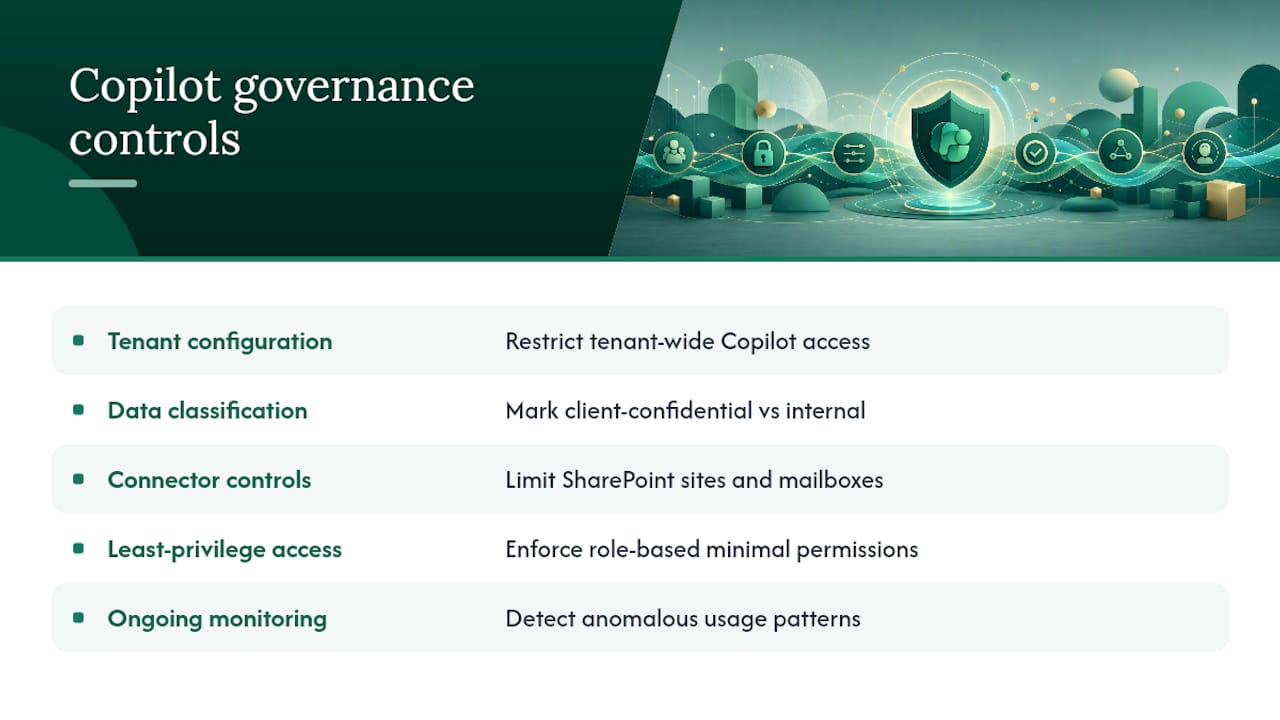
Lock down five things before granting broad access: tenant configuration, data classification (what’s client-confidential versus internal), connector controls (which SharePoint sites and mailboxes Copilot can actually see), least-privilege access by role, and ongoing monitoring for anomalous usage patterns. Microsoft’s own guidance treats data grounding as a prerequisite, not a nice-to-have, because outputs are only as reliable as the sources Copilot can reach.
Prompt design matters more than most firms expect. A consultant asking Copilot to “summarize the client relationship” without specifying approved sources risks pulling in outdated or unauthorized documents. Ground every consulting-facing prompt in named, approved sources rather than an open search across the tenant.
Client-facing outputs need an approval workflow, no exceptions. A draft proposal or summary Copilot generates should pass through the same review a human-drafted one would, at least until your team has months of pattern data on output quality.
Pro Tip: Scope connectors narrowly at first, one client matter or practice group at a time, rather than granting Copilot tenant-wide search from day one. It’s far easier to widen access later than to explain a confidentiality breach after the fact.
Pro Tip: Build a short prompt library for common consulting deliverables (proposal sections, meeting recaps, SOW clauses) so consultants aren’t improvising prompt structure on client-sensitive material.
How Do You Measure Copilot ROI With Telemetry?
ROI measurement follows a simple structure: establish a baseline before rollout, run the intervention, then calculate the delta. Skip the baseline step and you’re left arguing about impressions instead of numbers.
The KPIs that matter for consulting firms are billable hours recovered, time-to-deliver on proposals and decks, proposal throughput per month, and senior staff time freed from low-value drafting work. Microsoft’s admin and telemetry controls exist specifically to support this kind of calculation for commercial customers, not just enterprise accounts.
Telemetry to capture includes active Copilot query volume, estimated time saved per query type, weekly and monthly adoption rates by team, document generation counts, and, most importantly, how many Copilot-assisted deliverables clients actually accepted without major rework.
| KPI | Telemetry Source | How to Calculate |
|---|---|---|
| Billable hours recovered | Time-tracking system + Copilot usage logs | Compare hours logged on target tasks pre and post rollout |
| Time-to-deliver | Document metadata + project management tool | Measure days from brief to client-ready draft |
| License utilization | Microsoft admin telemetry | Active users divided by assigned licenses per month |
| Proposal throughput | CRM + proposal tracking log | Count proposals completed per consultant per month |
- Pull admin telemetry weekly during the PoV, not just at the end.
- Cross-reference Copilot usage logs against time-tracking data for the same consultants.
- Flag any team with under 20% weekly license utilization for a workflow review, not a license cut.
What Adoption Tactics Actually Drive Copilot Usage?
Licenses sitting idle are the single most common failure mode in Copilot rollouts, and it’s rarely a technology problem. It’s an adoption problem.
Four levers move usage: executive sponsorship that visibly uses Copilot in partner meetings, role-based playbooks (a proposal-writer’s prompts differ from a project manager’s), templates embedded directly into the workflow rather than a separate tool to remember, and incentive structures that tie license usage to billable-hour recovery goals partners already care about.
Training works best in short bursts tied to real work, not a one-time onboarding webinar. Blended learning sprints of 30 to 45 minutes, recurring office hours where consultants bring live client materials, and in-app tips linked to the exact workflow a consultant is running beat generic training every time.
Structurally, three changes matter: a champion network of two or three power users per practice group, active license reallocation so idle seats move to engaged pilot users within 30 days, and a small Center of Excellence that owns governance, prompt libraries, and ongoing optimization.
Pro Tip: Run office hours around actual client deliverables in progress, not hypothetical examples. A consultant who sees Copilot cut 20 minutes off today’s deck retains that lesson far better than one who watched a demo.
Pro Tip: Audit license usage at day 30 and reassign any seat with zero weekly activity to someone on the pilot waitlist. Dormant licenses are the clearest early warning sign of an adoption problem.
What Should Your 30/90/180-Day Copilot Rollout Look Like?
Day 30 goals: finalize use-case selection, capture baseline telemetry, remediate any tenant readiness gaps, and onboard the pilot team.
- Deliverable: documented baseline metrics for the target workflow.
- Deliverable: tenant readiness checklist signed off by IT.
- Owner: IT lead plus one practice group sponsor.
Day 90 goals: complete the PoV, evaluate results against your original KPIs, refine grounding sources and templates, and make the scale-or-iterate call.
- Deliverable: PoV results report with go/no-go recommendation.
- Deliverable: refined prompt library based on pilot feedback.
- Owner: PoV lead plus operations director.
Day 180 goals: plan broader rollout, align license counts to actual demand, stand up a Center of Excellence, and set a recurring optimization cadence.
- Deliverable: firm-wide rollout plan with license reallocation.
- Deliverable: quarterly optimization review scheduled.
- Owner: managing partner plus Center of Excellence lead.
How Gozera Runs Copilot Adoption Engagements
Gozera’s engagements follow the same structure this article recommends: baseline telemetry first, then a scoped PoV, then workflow rebuilds, then automation. That order isn’t accidental. Firms that skip the baseline step end up guessing at ROI instead of proving it.
A typical engagement covers telemetry baselining against current license usage, PoV design around one or two consulting workflows, workflow rebuilds that embed Copilot into existing templates, automation of the gaps Copilot alone can’t close using Python and n8n, and an ongoing optimization retainer once the pilot proves out.
The clients who see the clearest ROI are the ones who let us measure before we change anything. Guessing at adoption problems wastes more license spend than the licenses themselves.
Outcomes clients typically track after an engagement:
- Recovered billable hours per consultant per month.
- Reduced time-to-deliver on proposals and client decks.
- License spend reallocated away from dormant seats.
- Documented before-and-after telemetry for partner reporting.
Why Does Copilot Adoption Stall in Consulting Firms?
Consulting firms have a specific change management problem Copilot exposes fast: billable-hour culture makes experimentation feel like a cost, not an investment. A consultant asked to “try Copilot” on a live client matter often reverts to familiar habits under deadline pressure, because the perceived risk of a bad output outweighs the unproven time savings.
The most common stall points aren’t technical. They’re behavioral. Partners who don’t visibly use Copilot themselves signal, intentionally or not, that it’s optional. Teams handed licenses without role-specific prompts default to generic use that produces underwhelming results, then quietly stop trying. And firms that measure adoption only at the license level, active seats versus assigned seats, miss the deeper problem: a consultant can open Copilot daily and still not use it on anything that matters.
Strategies that actually address this: tie a small part of practice-group incentives to documented time savings rather than raw usage counts, pair every new user with a champion for their first two weeks, and require senior partners to model usage in client-facing work before asking associates to do the same. Firms that treat this as a workflow change rather than a software rollout see adoption stick past the 90-day mark. Firms that treat it as an IT deployment usually see usage fall by half once the training team leaves.
Should You Run a PoV Yourself or Hire a Copilot Adoption Consultant?
The decision usually comes down to three questions, not budget alone.
First, does your firm already have clean baseline telemetry, current utilization by team, current time spent on target workflows, before touching Copilot? If the answer is no, that gap alone justifies bringing in outside help, since a PoV without a baseline can’t prove anything afterward.
Second, do you have someone internally who can own governance, connector scoping, and prompt design without pulling a partner off billable work for weeks? Many mid-market firms don’t, and the opportunity cost of a managing partner spending 15 hours a week on tenant configuration is rarely worth it.
Third, how fast do you need a defensible answer? An external Copilot adoption consultant, working from a repeatable telemetry and PoV framework, typically compresses a 6 to 8 week PoV into a tighter timeline than a firm building the process from scratch. If your board or managing partners need an ROI answer in one quarter, that speed matters more than the incremental cost of outside help.
Ask any consultant you’re evaluating for their measurement framework before their sales pitch. If they can’t describe exactly what telemetry they’ll capture and how they’ll calculate the delta, they’re offering enthusiasm, not a plan.
The Overlooked Truth About Copilot ROI in Consulting
Most Copilot coverage treats adoption as a training problem: get people comfortable with the tool and usage will follow. That’s backwards for consulting firms specifically. The real barrier is that billable-hour culture punishes visible experimentation, so consultants default to old habits under deadline pressure regardless of how good the training was.
The conventional advice, roll it out firm-wide and let people find their own use cases, produces exactly the dormant-license problem most firms end up calling a consultant to fix. Scoped pilots with a hard measurement framework outperform broad rollouts every time, not because the technology differs, but because a bounded pilot creates permission to experiment without billable-hour guilt.
What should mid-market firms prioritize first? Not training, not licenses, not even use-case selection. Baseline telemetry. You cannot prove Copilot recovered ten hours a week if you never measured what those ten hours looked like beforehand. Firms that skip this step end up making the ROI argument on vibes, and partners can smell that from across the room.
The Copilot Adoption Engagement Gozera Offers
Gozera runs fixed-price engagements built around the same phased approach outlined above: a Copilot readiness audit, a PoV sprint scoped to one or two workflows, an integration sprint that rebuilds those workflows around Copilot and automation, and an ongoing optimization retainer once the pilot proves value.
In the first 30 days, expect three concrete deliverables: a telemetry baseline showing current license utilization and time spent on target workflows, a tenant readiness assessment flagging any governance gaps, and a documented PoV plan with KPIs and a go/no-go date already set. No open-ended discovery, no vague “AI strategy” deck.
If your firm has Copilot licenses sitting idle, or you’re weighing whether to buy them at all, Gozera’s Copilot ROI and adoption consulting starts with exactly the baseline measurement this article recommends. Schedule a discovery call to scope a PoV around your highest-friction workflow before your next license renewal.
Frequently Asked Questions
What is copilot for consulting, exactly?
It refers to deploying Microsoft 365 Copilot inside consulting-specific workflows, proposal drafting, deck production, research synthesis, and client communication, rather than treating it as a generic productivity add-on.
How long does a Copilot proof of value typically take?
Most effective PoVs run 6 to 8 weeks, scoped to one or two teams and one or two workflows, with a hard go/no-go decision at the end rather than an open-ended trial.
What’s the biggest reason Copilot licenses go unused?
Adoption tactics that treat rollout as a software deployment instead of a workflow change. Firms that skip baseline measurement and role-specific training see the highest rate of dormant licenses.
Do we need a Copilot adoption consultant, or can we run this internally?
If your firm already has clean workflow telemetry and someone who can own governance without pulling a partner off billable work, you can run it internally. Most mid-market firms lack one or both.
What telemetry should we track before rolling out Copilot firm-wide?
Active query volume, license utilization by team, time-to-deliver on target workflows, and how many Copilot-assisted deliverables clients accepted without major rework.