Category: Uncategorized

  • Cut Copilot Spend in 30–90 Days for Mid-Market Professional Services

    Cut Copilot Spend in 30–90 Days for Mid-Market Professional Services

    Cutting wasted Copilot spend comes down to three moves: measure who actually uses their license, reclaim the seats sitting dormant, and reassign the freed-up budget to roles where drafting, summarizing, and analysis happen daily. Firms that skip the measurement step almost always overspend, because unused $30 seats are invisible until someone pulls the usage report.


    TL;DR:

    • Focus pilot programs on high-value workflows like drafting, summarizing, and Excel analysis before scaling to gain quick ROI and build credibility.
    • Run a permissions audit to fix outdated sharing links, restrict sensitive file access, and ensure proper classification before expanding Copilot deployment.
    • Measure license efficiency using active user rates and prompts submitted, with automated APIs enabling weekly reporting to inform reallocations.
    • Calculate ROI by comparing time saved, billed rates, and billable days, aiming for workflows where time savings exceed license costs within a month.

    Table of Contents

    What Steps Optimize Copilot Spend This Quarter?

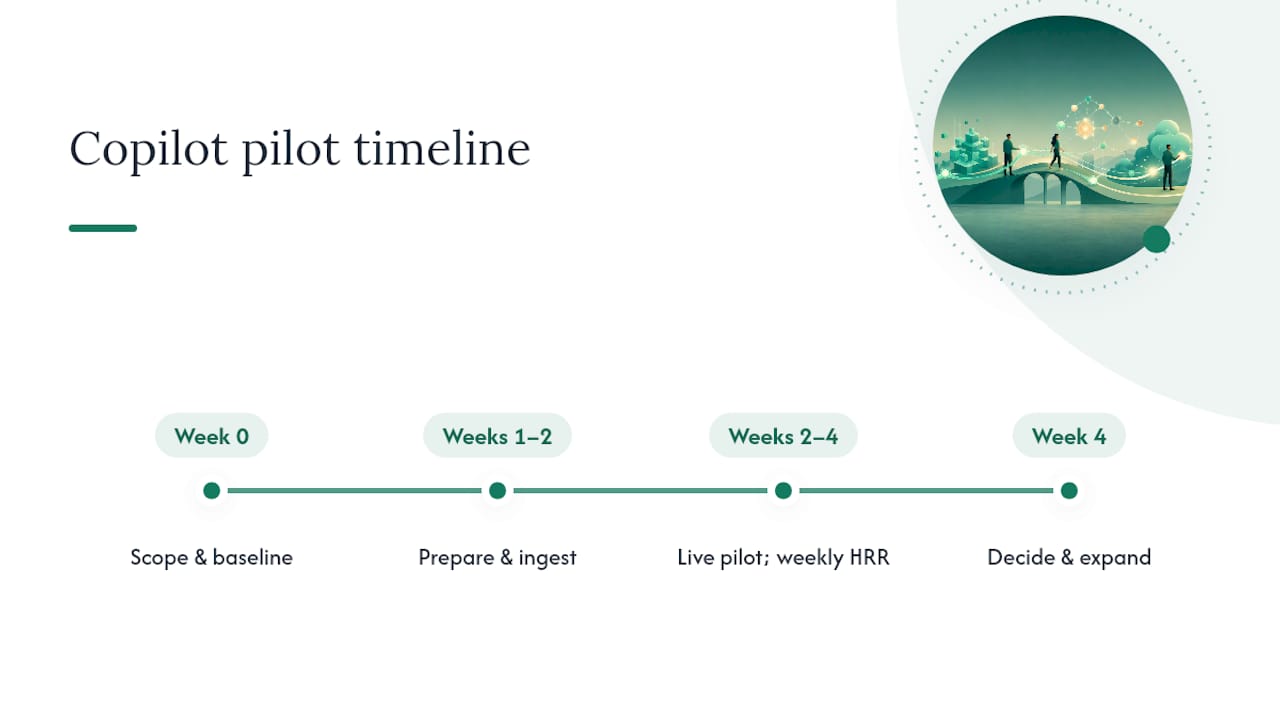
    You do not need a six-month change program to stop the bleeding. A tight 30 to 90 day push, run by IT with Ops handling communication, gets most of the waste out of the system.

    1. Pull the Copilot usage export and flag every license with zero activity in the reporting window.
    2. Notify license holders and run a transparent pause or reassign process, no surprise cutoffs.
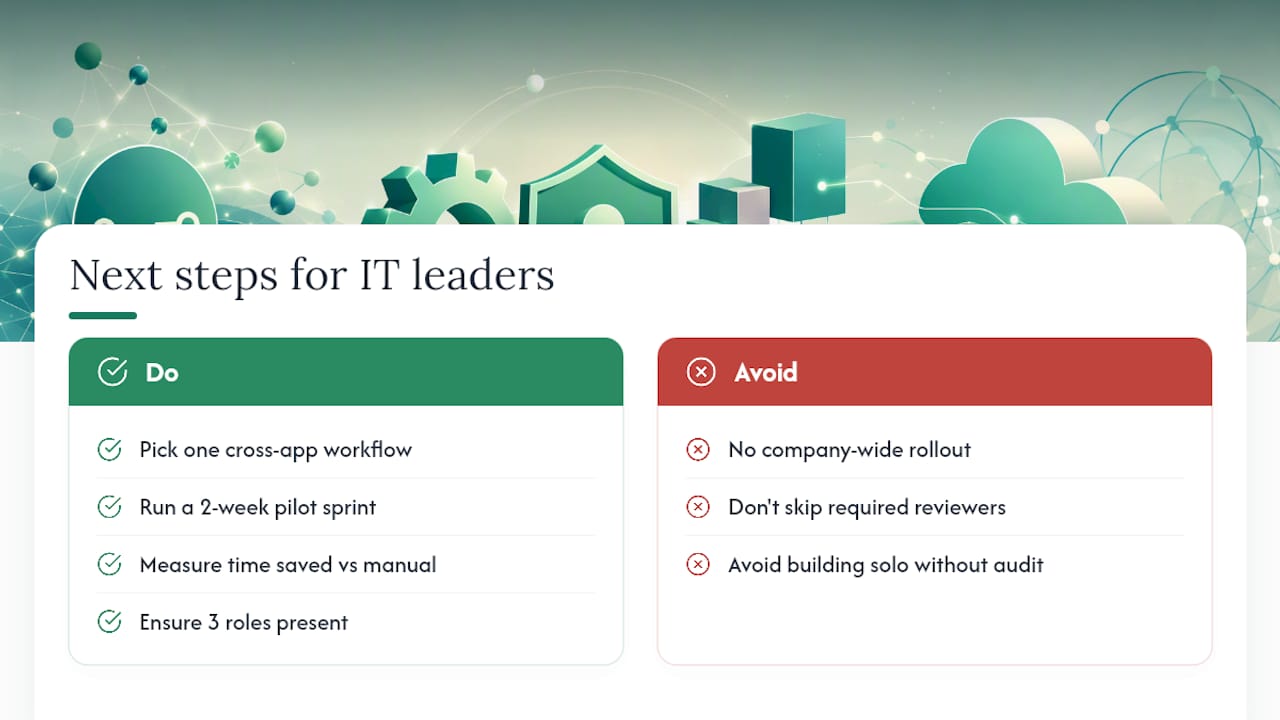
    3. Launch a 2 to 6 week role-based pilot around three high-value workflows, not a company-wide rollout.
    4. Lock down oversharing on flagged sites and apply sensitivity labels where content is sensitive.
    5. Stand up a weekly adoption dashboard and a one-page executive ROI snapshot.
    6. Assign ownership clearly: IT owns measurement, Ops owns communication, partners set expectations with their teams.

    Pro Tip: Run the pilot on the three workflows with the most repetitive written output first, drafting templates, meeting summaries, client intake, before you touch anything else. That’s where the fastest, most visible ROI shows up, and it buys you credibility for the harder rollout decisions later.

    How Do You Measure Copilot Usage Reliably?

    Start in the Microsoft 365 admin center. The Copilot usage report shows Enabled Users, Active Users, Active User Rate, Prompts Submitted, and Adoption by App, and it exports to CSV, which matters when finance wants an audit trail. Data typically refreshes within 48 hours, so this is not a real-time feed, but it’s close enough for weekly decisions.

    A few definitions matter more than people assume:

    • Enabled users hold a license, whether or not they’ve opened the app.
    • Active users submitted at least one prompt in the reporting period.
    • Active user rate is the ratio between the two, and it’s the number that should drive your reclaim decisions.
    • Prompts per user and active days tell you whether use is habitual or a one-time curiosity click.

    For a strategic view across roles and time, the Copilot Dashboard inside the Copilot Control System pulls in Viva Insights data and lets you customize metrics against your own operational benchmarks, not just Microsoft’s defaults.

    If you want this automated instead of pulled manually every Friday, Microsoft Graph’s Copilot usage APIs return user-level detail, including last activity date and prompts submitted, which you can schedule into your own reporting pipeline. That single change turns license audits from a quarterly scramble into a standing report someone glances at every Monday.

    How Do You Reclaim Dormant Copilot Licenses Without Disrupting Teams?

    Set a dormancy threshold before you touch a single seat. Sixty days with zero prompts submitted is a reasonable line for most professional-services firms, tight enough to catch waste, loose enough to avoid punishing someone who was on parental leave or a slow month.

    1. Identify every license below the threshold using the usage export.
    2. Notify the license owner directly, explain why, and give them a short window to respond.
    3. Pause licenses with no response, don’t delete access outright.
    4. Reassign or re-provision the freed seat to a pilot workflow or a waitlisted team member.

    Log every action. Keep the exports. Offer a 30-day reactivation window for anyone who genuinely needs the seat back. Reclaiming licenses without this kind of paper trail is how firms lose staff trust fast, people assume IT is coming for their tools next, and adoption stalls everywhere else in the building.

    Where Does Copilot Actually Produce Billable-Time ROI?

    License spend only pays off when it lands on roles doing the same kind of writing over and over. That’s paralegals drafting motions, junior associates summarizing depositions, audit staff writing findings memos, and proposal teams assembling boilerplate-heavy documents. Practitioner analysis of professional-services deployments consistently points to drafting, meeting summarization, and Excel narrative generation as the workflows with the clearest payoff, far more than general-purpose chat use.

    The rollout sequence that works:

    • Pick the workflow first, not the department. “Meeting summaries for client-facing partners” beats “give Copilot to the litigation team.”
    • Time the task before Copilot touches it. You need a baseline, five timed samples of the same task with the same person is enough to get a usable average.
    • Run short, hands-on enablement sessions built around that specific task, not a generic product tour.
    • Name two or three champions per department who answer questions in real time instead of routing everything to IT.
    • Build sample prompt templates tied to the actual document types your teams produce, engagement letters, findings memos, client update emails.

    Pro Tip: Skip the “explore what Copilot can do” training session entirely. Show one associate cutting a 90 minute summary down to 20 minutes in a live demo, and the rest of the team asks for training on their own.

    What Governance Gaps Should You Fix Before Scaling Copilot?

    Copilot surfaces whatever it can access, which means permission debt you’ve ignored for years suddenly becomes visible and uncomfortable. Run a permissions audit before you expand beyond the pilot group.

    • Check for broken inheritance in SharePoint and Teams sites, old sharing links nobody remembers granting.
    • Find anonymous or “anyone with the link” shares and shut them down.
    • Review broad security groups, especially ones like “All Employees” that got attached to sensitive libraries years ago and never got trimmed.
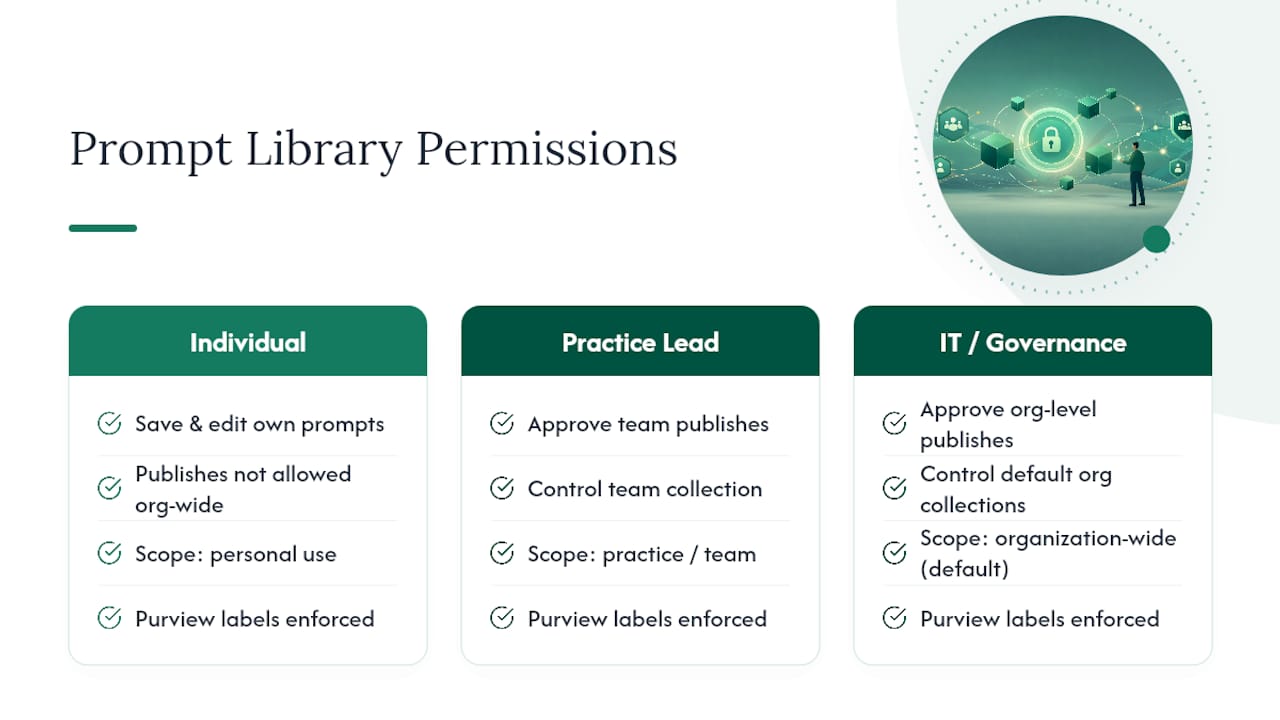
    • Apply sensitivity labels and Microsoft Purview rules so Copilot cannot surface classified client files, HR records, or unfiled deal documents in a summary or search result.
    • Clean up overshared libraries as a precondition, not a follow-up, to any firm-wide rollout.

    This is also where a governance guide focused on document and permission hygiene is worth a read, since the same principles that keep AI tools from surfacing the wrong file apply directly to how Copilot indexes your firm’s content. Skipping this step is the single most common reason professional-services firms stall Copilot adoption after a promising pilot.

    How Do You Calculate Copilot ROI and Break-Even?

    Three numbers decide whether a license pays for itself: time saved per workflow, the billing rate of the person doing the work, and how many billable days a month that workflow actually runs. Forrester’s Total Economic Impact analysis frames license and implementation cost as a real, material line item, but finds it’s outweighed by measured productivity gains when firms actually define their use cases instead of deploying blind.

    The break-even formula is simple:

    (Minutes saved per user per day × billing rate × billable days per month) ≥ license cost per user per month

    A paralegal saving 20 minutes a day at a $150 billing rate, across 20 billable days, generates roughly $1,000 a month in recoverable time against a license that costs a fraction of that. That math is why targeting the right roles matters more than expanding seat count.

    Track these on a fixed cadence:

    • Weekly: adoption dashboard, active user rate by role.
    • Monthly: ROI check against the break-even formula.
    • Quarterly: executive review tying license spend to recovered billable time.

    A tool like Zera’s workflow tooling breakdown can help you track which integrations actually move these numbers instead of guessing.

    The Zera Perspective on Optimizing Copilot Spend

    Most firms treat Copilot licensing as a set-and-forget purchase, then wonder eighteen months later why adoption never climbed past 20%. An expert consulting firm’s view, shaped by experience with mid-market professional-services firms, is that the license itself was never the product. The workflow rebuild around it is.

    The Zera Perspective on Optimizing Copilot Spend — overview diagram

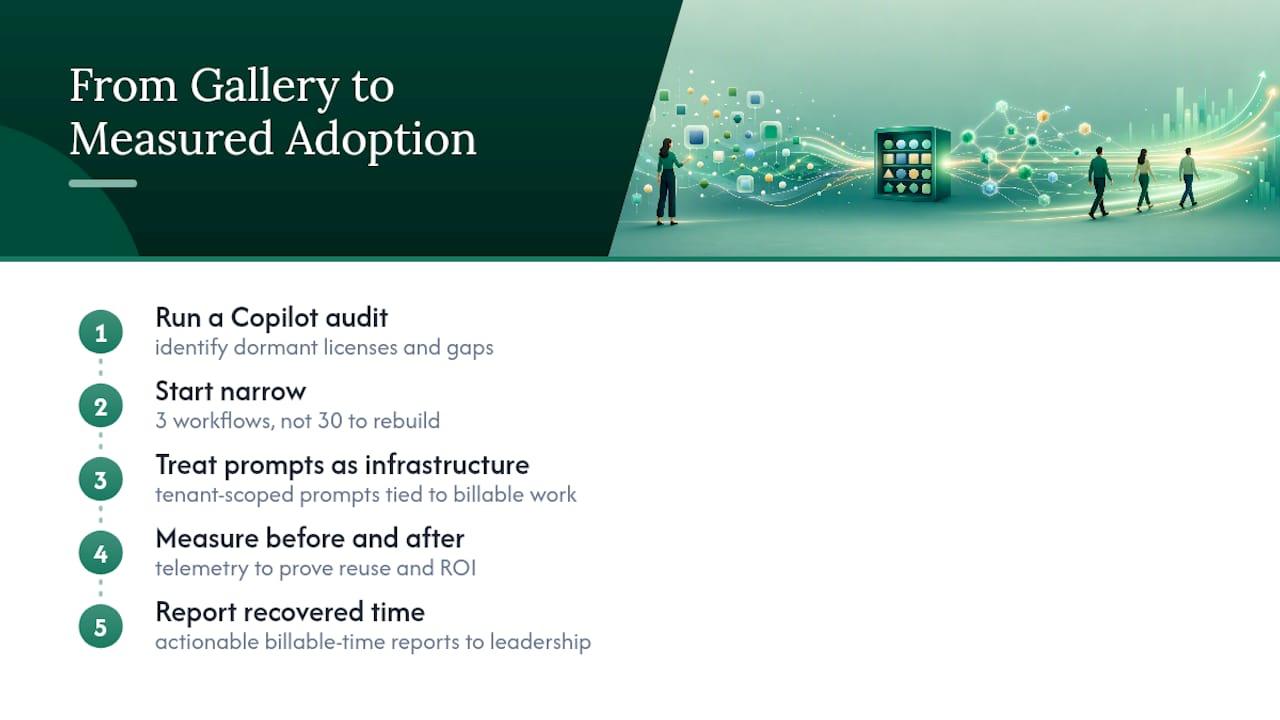
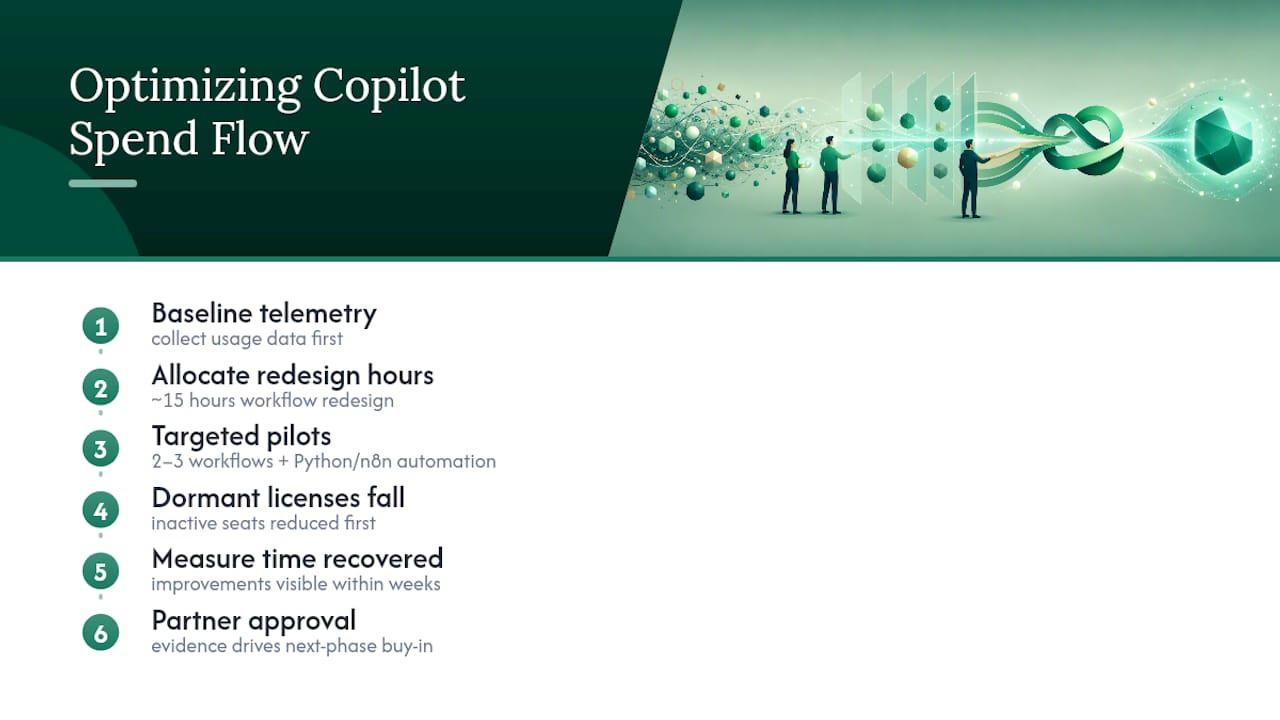
    Baseline telemetry comes first, always, before a single training session gets scheduled. From there, targeted pilots on two or three workflows, backed by automation built in Python and n8n for the gaps Copilot leaves behind, tend to move active-use rates faster than firm-wide rollouts ever do. The pattern that shows up repeatedly: dormant licenses drop first, then time recovered on priority workflows becomes measurable within weeks rather than quarters, and that evidence is what actually gets a managing partner comfortable approving the next phase.

    The mistake isn’t overspending on licenses. It’s underinvesting in the fifteen hours of workflow redesign that would have made those same licenses worth every dollar.

    — Mad

    Fixed-Price Copilot Audit: What Zera Delivers and How to Start

    A consulting firm runs an alternative to open-ended change management for firms trying to optimize Copilot spend, offering a fixed-price audit with a defined scope and a defined end date, not a retainer that drags on for a year while adoption stays flat.

    Gozera

    The engagement pulls your telemetry export, builds a dormant-license report, and identifies three priority workflows with a real ROI estimate attached to each one, drafting, summarization, analysis, whatever fits your practice mix. You walk away with a CSV export of current usage, a list of recommended seat actions, a pilot roadmap, and a time-to-value estimate you can bring straight to a partner meeting. No guessing at what a rollout should look like six months from now.

    Before requesting the audit, pull your current license count, your most recent usage export if you have one, and a short list of the two or three roles you suspect are getting the least value from their seats. Visit the Zera Copilot consulting page to request the audit and see what a fixed-price engagement looks like for a firm your size.

    Sources

  • Telemetry First Copilot Adoption vs Usage for Mid Market IT

    Telemetry First Copilot Adoption vs Usage for Mid Market IT

    Adoption tells you how many Microsoft 365 Copilot or GitHub Copilot licenses are switched on. Usage tells you how many people actually submitted a prompt and got something back. If you’re a mid-market IT leader trying to justify the license spend, stop watching enabled-user counts and start watching active-user rate alongside cohort progression, since that combination is what actually predicts recovered billable hours. Open the Microsoft 365 admin Copilot usage report or the GitHub Copilot usage metrics API first, not the invoice.


    TL;DR:

    • Tracking active-user rate alongside cohort progression better predicts ROI than simply monitoring enabled-user counts or total prompts submitted.
    • Usage metrics like prompt acceptance and recent activity filter out superficial engagement signals often mistaken for true adoption.
    • Developers’ progression through adoption phases correlates with significant increases in pull request volume, indicating higher actual productivity gains.
    • Reallocating dormant licenses and focusing pilots on specific workflows with measurable KPIs improves engagement and accelerates ROI realization.
    • Combining telemetry-based insights with targeted workflow rebuilds and automation drives meaningful billable-hour recovery and clarifies true tool value.

    Table of Contents

    Adoption vs Usage for Copilot: What Each Term Actually Measures

    Adoption and usage sound like synonyms in most vendor decks. In telemetry, they’re different questions entirely. Adoption asks: how many people have a Copilot license and could use it? Usage asks: how many of them did something intentional with it this week?

    Microsoft’s own reporting draws this line precisely. An Enabled User is anyone assigned a Copilot license. An Active User is someone who performed a deliberate action, most commonly submitting a prompt, inside a Copilot-enabled app during the reporting window. Divide active users by enabled users and you get the active-user rate, the single number that separates real adoption from shelfware.

    Here’s where most internal reporting goes wrong. Opening the Copilot pane, launching Word with Copilot visible in the ribbon, or signing into Teams does not count as an active action in Microsoft’s Copilot usage report. Only a submitted prompt, and in some cases an accepted suggestion, registers as usage. Firms that count pane opens as “adoption” routinely overstate engagement by a wide margin and miss the workflow friction actually stalling their rollout.

    A few measurement traps worth flagging for anyone building an internal dashboard:

    • Sign-in counts and app launches are not usage signals; they’re proximity signals.
    • Per-app adoption varies widely. A firm can show strong Copilot activity in Outlook while Word and Excel sit untouched.
    • “Prompts submitted” and “prompts accepted” are different metrics. A high submission count with a low acceptance rate usually points to a training gap, not a tool problem.
    • License counts pulled from procurement records rarely match enabled-user counts in the admin report, since provisioning timing differs.

    Get these definitions wrong at the start and every ROI number built on top of them is fiction.

    What Telemetry Fields Actually Predict Copilot ROI

    Six fields matter more than the rest, and most firms track maybe two of them. Here’s the working list IT teams should pull every reporting cycle:

    1. Enabled users — total licensed seats, the denominator for every adoption calculation.
    2. Active users — users who submitted at least one prompt in the period.
    3. Active-user rate — active divided by enabled; this is the number that belongs in the boardroom deck.
    4. Prompts submitted — raw engagement volume, useful for trend lines, weak on its own.
    5. Prompts accepted — the quality signal behind the volume; low acceptance with high submission usually means bad prompting habits, not a bad tool.
    6. Assisted hours / time saved — a derived estimate, built from feature usage patterns, that maps most directly to billable-hour recovery.

    For engineering and software teams running GitHub Copilot, add developer-specific metrics: PR throughput, time-to-merge, and lines-of-code deltas mapped against adoption phase. These matter because code-related productivity gains show up in cycle time long before they show up in a survey.

    Statistic Callout: Microsoft’s Copilot usage report typically becomes available within 48 hours of activity occurring, which means a weekly review cadence captures real signal without chasing same-day noise.

    On cadence and timeframe: pull data weekly for pilot monitoring, but report monthly to leadership. Weekly numbers swing too much with vacation schedules and single-team pushes to mean much on their own. When choosing a timeframe filter in the admin report, remember the user-level table populates from anyone licensed within the trailing 180 days, including people who left the program or never touched the tool. Filter for recent activity, not just license history, or you’ll understate the active-user rate without realizing it.

    Why Cohort Progression Matters More Than a Single Usage Number

    A 40% active-user rate tells you almost nothing about depth. Two firms can hit that same number, one with everyone lightly dabbling and one with a smaller group deeply embedded, and their ROI outcomes will look completely different. This is where cohort analysis earns its place in the reporting stack.

    GitHub’s Copilot usage metrics API classifies developers into four adoption cohorts: No cohort, Code first, Agent first, and Multi-agent. Assignment isn’t based on a single session. It follows a 2-day-in-28 engagement rule, meaning a developer needs activity on at least two separate days within a rolling 28-day window to land in a meaningful cohort at all. That threshold filters out one-off curiosity clicks and isolates people who’ve actually built the tool into their routine.

    Why this matters for ROI: progression between phases correlates with measurable output gains, not just survey sentiment. Analyzed datasets show developers moving from phase one to phase two produced roughly 78% more pull requests, and phase-one to phase-three progression showed gains near 151% more PRs in the same tracked cohorts. That’s not a rounding error. That’s the difference between a license that pays for itself and one that doesn’t.

    For non-developer teams, the same logic applies conceptually even without GitHub’s exact phase labels: track how many users go from occasional prompt submission to daily habitual use, and treat that migration as the metric to optimize.

    • No cohort: licensed but no meaningful engagement pattern.
    • Code first: uses Copilot primarily for inline code suggestions.
    • Agent first: relies on agent-mode workflows for larger tasks.
    • Multi-agent: coordinates multiple agent workflows, the deepest adoption tier.

    Pro Tip: Before buying more licenses, pull your cohort mix. If most of your active users sit in the lowest tier, the problem is enablement, not seat count, and more seats will just create more dormant licenses.

    How to Pull Adoption and Usage Numbers from Microsoft and GitHub

    Knowing the right metrics doesn’t help if you can’t find them. Here’s the practical path to each report.

    1. Microsoft 365 admin Copilot usage report. Sign into the Microsoft 365 admin center with global admin or reports-reader permissions, navigate to Reports, then Usage, and select the Microsoft 365 Copilot tab. You’ll see enabled users, active users, active-user rate, and a per-app breakdown showing which tools (Word, Excel, Teams, Outlook) drive activity.
    2. Viva Insights / Copilot Dashboard. This layer adds organizational context: usage trends by team or department, correlation with meeting load, and manager-level rollups the raw admin report doesn’t surface. Use it when leadership wants a narrative alongside the numbers, not just a table.
    3. GitHub Copilot usage metrics API. For engineering teams, query the API directly for fields like ai_adoption_phase and totals_by_ai_adoption_phase. The API beats the UI whenever you need to join Copilot data with your own PR or ticketing data, or when you’re reporting across dozens of repositories at once.
    4. Watch the denominator. The user-level table in the Microsoft admin report includes anyone licensed in the trailing 180 days, even people who’ve since had licenses revoked. Filter by recent activity date, not license status, before calculating your active-user rate.
    5. Confirm permissions before the reporting cycle starts. Reports-reader access differs from full admin access, and Viva Insights often requires a separate license tier. Sort this out ahead of your first board update, not during it.

    Timeframe selection matters more than people expect. A 7-day window flatters pilot teams and punishes slower-moving departments; a 90-day window smooths seasonal dips but hides recent momentum. Pull both when you’re building a business case.

    A Practical Framework for Turning Telemetry into ROI

    The translation from usage data to dollars follows a simple chain: feature usage becomes assisted minutes, assisted minutes become recoverable hours, recoverable hours become either billable revenue or a direct cost offset. The mistake most firms make is skipping straight from “people are using it” to a big ROI number without walking that chain explicitly.

    Build the calculation this way:

    • Start with active users in a given app, not enabled users.
    • Estimate assisted minutes per active user per week, based on feature usage patterns rather than self-reported guesses.
    • Convert assisted minutes to hours per month, then multiply by a blended billable rate (for law and accounting firms, this is usually the most defensible number in the model).
    • Apply a conservative discount, 20 to 30%, to account for time that would have been spent on the task anyway without Copilot.
    • Report a range, not a single figure, and flag your assumptions explicitly for finance.

    For a developer-focused example, tie the calculation to cohort progression instead of raw prompt counts.

    Statistic Callout: Forrester-style vendor research on Microsoft 365 Copilot cites faster time to market and operating-cost reductions for SMBs integrating Copilot into daily workflows, but treat vendor-commissioned figures as directional, not a substitute for your own telemetry-based model.

    For a full worked template, the ROI framework for mid-market firms walks through the billable-hour math step by step.

    How to Move Users from Trial to Daily, Productive Usage

    Enablement work is where the active-user rate actually moves. Generic training decks rarely change behavior. Specific, role-anchored pilots do.

    Start by designing pilots around a single role and a single measurable outcome, not the whole firm at once. A litigation support team piloting Copilot for deposition summaries needs a different success metric than an audit team piloting it for workpaper drafts. Set the KPI before the pilot starts, not after.

    Embed Copilot into the artifacts people already touch daily. Engagement letter templates, proposal skeletons, recurring client reports, these are where prompt habits stick. A generic “here’s what Copilot can do” slide deck rarely survives contact with a billable-hour culture; a prompt built directly into the firm’s engagement letter template does.

    • Set a 90-day KPI per pilot group before rollout, not after.
    • Build 2 to 3 high-frequency templates with prompts pre-loaded, rather than training on open-ended use cases.
    • Use telemetry to trigger nudges when a user’s last-activity date crosses a threshold, then measure reactivation over the following 28 days.
    • Reassign licenses sitting dormant for 90-plus days to new pilot participants instead of buying additional seats.
    • Scale the rollout only when a pilot group hits its stated KPI twice in a row; stop and redesign if it doesn’t.

    Pro Tip: Track prompt-to-deliverable conversion, not just prompt volume. A team submitting 500 prompts a month that produces 12 finished deliverables has a different problem than a team submitting 100 prompts that produces 40.

    What a Telemetry-First Consulting Engagement Actually Looks Like

    Some firms run this measurement work internally with success. Others don’t have the bandwidth, and that gap is exactly where a firm’s IT team should decide whether to bring in outside help.

    Gozera’s approach starts with a telemetry baseline: pulling actual usage data before recommending anything, rather than assuming licenses equal engagement. From there, the work identifies dormant licenses sitting unused for 90 days or more, rebuilds two or three high-frequency workflows around Copilot instead of leaving adoption to chance, and fills automation gaps with Python and n8n where Copilot alone can’t close the loop.

    The target outcome is recoverable billable time backed by a measurable ROI report, not a vague productivity claim.

    • Baseline telemetry audit against enabled-user and active-user data.
    • Dormant-license identification and reallocation planning.
    • Workflow rebuilds tied to specific templates and deliverables.
    • Automation layered on top using Python scripting and n8n workflows.
    • ROI reporting anchored to billable-hour recovery, reviewed on an ongoing basis.

    Engaging outside help makes the most sense when internal IT lacks the bandwidth to run a proper telemetry audit alongside daily operations, or when the firm needs an outcome report credible enough to bring to partners.

    My 90-Day Priority Checklist for IT Leaders

    If you’re inheriting a Copilot rollout that’s stalled, resist the urge to buy more licenses or run another training webinar. Fix the measurement first.

    Month zero through one: pull your baseline telemetry from the Microsoft 365 admin report, identify every license that’s gone dormant for 90 days, and reallocate two or three of them to a pilot group with a defined KPI. That’s your quick win, and it costs nothing extra.

    Month two through three: run targeted pilots around specific templates, not generic training. Recruit two or three champions per department and let their usage patterns, not their opinions, guide the rollout.

    By day 90, report three numbers to leadership: active-user rate change, cohort mix shift (if you’re tracking developer usage), and an estimated hours-recovered figure with your assumptions attached. Skip the vanity metrics. Nobody upstairs cares how many licenses are enabled if the active-user rate hasn’t moved.

    — Mad

    Get an Outside Audit of Your Copilot Usage Gap

    Gozera exists for the exact problem this article walks through: firms paying for hundreds of Copilot seats while active-user rate sits in the single digits. Where a generic training vendor sells a workshop and moves on, Gozera runs a telemetry-first audit, finds the dormant licenses actually draining your budget, and rebuilds two or three real workflows so the tool sees daily use instead of quarterly curiosity.

    Gozera

    Engagements scale to the problem. A standalone audit maps your current enabled-versus-active gap and dormant-license count. An integration sprint rebuilds specific high-frequency workflows, like engagement letters or recurring client reports, around Copilot with automation support where needed. A monthly retainer keeps the ROI reporting current as usage patterns shift. This fits mid-market law, accounting, consulting, and engineering firms in the 50 to 500 employee range specifically, where a handful of workflow rebuilds move the active-user rate more than a firm-wide license refresh ever would. Explore the Copilot adoption consulting services Gozera offers and book a baseline audit to see where your dormant licenses are actually sitting.

    Primary Sources for Pulling Your Own Numbers

    Sources

  • Seven Pillars to Prove Copilot Readiness for Mid Market Firms

    Seven Pillars to Prove Copilot Readiness for Mid Market Firms

    Most mid-market firms are not ready for Microsoft 365 Copilot, and the gap almost always comes down to permissions and licensing, not the AI itself. A proper copilot readiness assessment ends with three things: a prioritized fix list, a pilot plan, and measurable ROI targets. The immediate next step is simple. Run the Microsoft Copilot Readiness report in the admin center or an automated tenant scan today, before you assign another license.


    TL;DR:

    • Most firms are held back by permissions and licensing issues, not the AI capabilities, making readiness assessments crucial before deployment.
    • Ensuring all users have the correct licenses, accounts are in Exchange Online, and network endpoints are unblocked is essential for a smooth Copilot experience.
    • Permissions and content hygiene heavily influence Copilot’s answer quality, as it only surfaces content users can already access through existing permissions.
    • Automated scans using APIs from Graph, Defender XDR, and Purview provide faster, more objective readiness evaluations than manual checklists.
    • Effective pilots require deliberate task-based measurements, involving both enthusiastic and skeptical users, to generate meaningful usage data and ROI.

    Table of Contents

    What Are the Minimum Technical Prerequisites for Copilot?

    Copilot has non-negotiable technical gates, and missing any one of them produces a degraded or broken experience rather than a clean failure. That’s worse than an outright block, because users blame the AI when the real problem is infrastructure.

    Microsoft’s own documentation lays out the baseline clearly. Every user needs a qualifying Microsoft 365 base plan and a Copilot add-on license, plus a handful of identity and mailbox conditions that get overlooked constantly during rollout planning.

    • A qualifying Microsoft 365 or Office 365 base plan (E3/E5, Business Standard/Premium, or equivalent) with the Copilot add-on assigned.
    • A primary mailbox hosted in Exchange Online. Hybrid or on-premises mailboxes silently degrade grounding.
    • An active Microsoft Entra ID account tied to the tenant.
    • A supported client on a current update channel, meeting minimum desktop OS, browser, and mobile OS versions.
    • Unblocked network endpoints for Copilot and Microsoft Graph traffic.

    Firms mid-migration to Exchange Online are the most common failure case. Users technically hold a license, but their mailbox sits on-premises, so Copilot can’t ground responses in their email or calendar history. The result looks like a bad product. It’s actually a sequencing problem, and it’s why pilot users should be pulled from tenants already fully migrated, not from whichever department volunteers first.

    How Does the Semantic Index Affect Copilot’s Answers?

    Copilot’s answer quality depends almost entirely on what it can see, not on the model behind it. Microsoft builds a tenant-level semantic index for Copilot from SharePoint Online content, and that index, combined with Microsoft Graph, is what grounds a response in your actual documents, emails, and chats instead of generic training data.

    The permission model is the part IT teams underestimate. Copilot only surfaces content a user can already access through their existing SharePoint and OneDrive permissions. It doesn’t grant new access. That sounds safe, but it means years of oversharing (link-shared folders, “everyone” groups, stale project sites) turn into instantly discoverable answers the moment Copilot goes live.

    Pro Tip: If a partner at your firm has never audited who can open a client folder, assume Copilot will find and surface it. Grounding exposes bad permission hygiene faster than any manual audit ever did.

    Well-tagged libraries and consistent metadata improve scoped query results measurably, since the index can match intent to content more precisely. Admins have real levers to pull here: sensitivity labels, Restricted Content Discovery to exclude specific sites, Purview DLP policies, and IRM protections, though IRM-protected files carry their own indexing caveats worth testing before rollout. Microsoft confirms that semantic indexing does not train foundation models on your content and stays inside your tenant boundary, which matters when legal asks the obvious question.

    Semantic index filtering authorized content

    Building a Reproducible Readiness Scoring Model

    A copilot readiness checklist only earns its keep if it produces a number someone can act on, not just a pile of observations. The most useful models score across seven pillars and map the total to a rollout decision.

    1. Licensing — Percentage of intended pilot users with a qualifying base plan and Copilot add-on assigned.
    2. Identity & access — Entra ID hygiene, conditional access coverage, and multifactor enforcement.
    3. Permissions & content — Rate of overshared sites, orphaned permissions, and external sharing links.
    4. Purview & DLP — Sensitivity label coverage and active DLP policies on regulated content types.
    5. Security posture — Defender findings tied to identity and endpoint risk.
    6. Power Platform governance — Environment strategy and data loss prevention policies for connected apps.
    7. Adoption & telemetry — Baseline usage data and a plan to capture it during pilot.

    Readiness scorecards commonly weight these pillars and translate the total into four tiers: Not Ready, Pilot Only, Controlled Rollout, and Strong Readiness. A firm scoring low on permissions but strong everywhere else typically lands in Pilot Only. A firm with clean identity and content controls but no telemetry plan still can’t justify Controlled Rollout, because nobody will be able to prove the ROI afterward.

    Each pillar needs a pass or fail check with evidence you can export to CSV or Excel, not a gut feeling from the IT director. Reassess quarterly, and report the delta to managing partners in the same format each time, so a shrinking overshare count or rising license utilization rate becomes a visible trend rather than a one-off snapshot.

    Should You Automate the Assessment or Run It Manually?

    Automated, API-driven scans beat manual checklists on every dimension that matters to a governance committee: speed, objectivity, and reproducibility. Microsoft’s own automated readiness assessment tool pulls from Graph, Defender XDR, and Purview to analyze licensing, identity, permissions, and Power Platform governance in one pass, then exports a timestamped report.

    • Microsoft Graph for license assignment and identity data.
    • Defender XDR for security posture and risk signals.
    • Purview DLP for sensitivity labels and policy coverage.
    • Copilot admin APIs for readiness and usage metrics.

    A practical setup runs a PowerShell or Python orchestrator that calls each API in sequence, normalizes the output, and writes a dated CSV or Excel file. Pro Tip: Keep every scan output. A timestamped trail is what lets you prove remediation actually worked, instead of just asserting it in a slide.

    Manual review still matters for anything contextual: judging whether a shared client folder should stay open, or whether a department’s workflow justifies an exception. Automation finds the problems; humans still decide the policy.

    How Do You Design a Pilot That Produces Real Signal?

    A pilot that just hands out licenses and waits produces almost no usable data. Effective pilots need structure from day one, borrowing from Microsoft’s own adoption planning checklist, which recommends an executive sponsor, a mix of enthusiasts and skeptics, and task-based measurement rather than open-ended exploration.

    1. Pick departments deliberately. Include at least one group likely to resist, not just your most enthusiastic team. Skeptics surface friction that champions miss.
    2. Assign 2 to 3 measurable tasks per group. Meeting summaries, first-draft client deliverables, or email triage work well because they’re easy to time before and after.
    3. Track a defined KPI set: active users, weekly retention, time saved per task, and license-to-active-user conversion.
    4. Pull telemetry from Teams, Outlook, and Word, not self-reported surveys.
    5. Review the Readiness and Usage tabs weekly. The Copilot readiness report covers a rolling 28-day window and flags a quarter of nonlicensed users as suggested candidates, though the dashboard can lag up to 72 hours.

    Export the CSV each week and compare cohorts, not just aggregate numbers. A department stuck at low retention after week three is telling you something training alone won’t fix.

    What Should You Fix First, and How Long Does It Take?

    Remediation has a natural order, and skipping ahead wastes effort. Fix the fast, mechanical items first; save the slow, political ones for later.

    • Priority 1, days not weeks: Correct license assignments and confirm every pilot user’s mailbox sits in Exchange Online. This is a data cleanup task, not a project.
    • Priority 2, one to three weeks: Find, contain, remediate. Run a Purview data risk assessment to locate overshared sites, apply Restricted Content Discovery to keep them out of Copilot immediately, then fix ownership and inheritance underneath.
    • Priority 3, four to eight weeks: Sensitivity labels and DLP policy rollout. This needs business input from legal and practice leads, so build in review time rather than treating it as an IT-only task.

    Pro Tip: Contain before you rewrite. Applying site-level exclusions while you sort out permissions is faster and safer than attempting a wholesale permission overhaul before you actually know where the damage is.

    Re-run the automated scan after each priority tier closes. Improved grounding quality and rising pilot adoption are your two honest signals that remediation worked.

    A Data-Driven Way to Turn an Assessment Into ROI

    An assessment only earns its cost if it changes what happens next. Gozera’s approach starts with baseline telemetry, identifies dormant licenses draining budget, rebuilds the two or three workflows that actually matter to billable work, and closes remaining gaps with targeted automation using Python and n8n.

    • Baseline usage measurement before touching a single workflow.
    • Dormant license identification tied to real cost recovery.
    • Workflow rebuilds around high-value, repeatable tasks.
    • ROI reporting that maps directly back to the readiness score.

    DIY works when governance gaps are minor and someone internal has bandwidth. A consultancy earns its fee when governance is genuinely messy or leadership needs measurable ROI on a fixed timeline.

    The Overlooked Truth About Readiness Scores

    The conventional advice treats a copilot readiness assessment like a compliance gate: pass it, deploy, move on. That framing misses the point entirely. A high score on licensing and identity hygiene tells you almost nothing about whether Copilot will generate recoverable billable hours at a law firm or an engineering practice. Those are two separate questions, and most vendors collapse them into one report because a single number is easier to sell.

    Separate technical and business value tracks

    What the research actually supports is a two-stage view. Technical readiness (licensing, Entra ID, mailbox placement, permissions) is a gate you either clear or you don’t. Adoption readiness (whether a mixed pilot group of skeptics and enthusiasts produces measurable time savings on real tasks) is a separate, ongoing measurement problem that never fully closes. Firms that treat the second stage as an afterthought end up with a clean readiness score and a stack of idle licenses six months later.

    Prioritize the boring stuff first: mailbox migration, permission cleanup, sensitivity labels. Then measure adoption like you’d measure any other operational change, with real telemetry, not survey sentiment. The score gets you in the door. It doesn’t buy you the ROI.

    — Mad

    Ready to Turn Your Readiness Score Into Measurable ROI?

    Gozera is the alternative to guessing whether your Copilot investment is working: instead of a generic checklist, you get a data-driven scan that traces licenses, permissions, and usage to actual billable-hour recovery for professional-services firms.

    Gozera

    The engagement covers a full tenant scan, a prioritized remediation plan mapped to the pillars above, a pilot design built around your practice groups, and ROI reporting that tracks time saved against license cost. Gozera also builds on findings from a detailed Copilot license audit and telemetry instrumentation work already published for IT managers running similar rollouts. Firms comparing tooling ecosystems for their broader AI stack can also look at partners like Prowl for market-intelligence tooling that complements a Copilot deployment.

    Request a scoping call at Gozera to get a sample deliverable and a straight answer on where your firm actually stands before you renew another batch of Copilot licenses.

    Sources

  • Recover Billable Hours in 90 Days with an AI CoE for Mid Market Firms

    Recover Billable Hours in 90 Days with an AI CoE for Mid Market Firms

    An AI Center of Excellence (AI CoE) is the internal team that owns AI strategy, governance, and reusable infrastructure so adoption doesn’t happen ad hoc across departments. The single best first move is securing an executive sponsor and drafting a charter that names the mission, decision rights, and the first three metrics you’ll report on. Everything else, staffing, operating model, tooling, follows from that one decision.


    TL;DR:

    • Establishing an AI CoE requires securing executive sponsorship and drafting a clear charter focused on mission, decision rights, and initial metrics.
    • Staffing should include an executive sponsor, AI strategy lead, technical specialists, and legal or compliance reps to ensure balanced oversight and effective deployment.
    • Transition from centralized control to an advisory model gradually, with a focus on embedding standards in workflows and maintaining oversight for high-risk use cases.
    • Early pilot projects should focus on automating routine workflows with measurable before-and-after impact, avoiding high-complexity or uncertain-use cases initially.
    • Measuring license utilization and active adoption is crucial, as low engagement indicates workflow issues that need fixing before governance or strategic scaling.

    Table of Contents

    What Is an AI Center of Excellence?

    An AI CoE is the group inside your organization responsible for turning scattered AI experiments into a governed, repeatable capability. IBM defines it as a hub for expertise, governance, and best practices that aligns AI initiatives with strategic goals, and that definition holds up in practice.

    The core functions are consistent across industries: set the AI strategy, prioritize which use cases get built first, establish governance and risk controls, standardize data practices, build reusable assets, and measure business impact. Microsoft’s Cloud Adoption Framework frames the CoE as the mechanism that prevents fragmented, ungoverned AI adoption, where every department buys its own tool and nobody tracks results.

    Six connected AI CoE core functions

    Without a CoE, you get shadow AI: employees pasting client data into consumer chatbots, teams duplicating the same automation five different ways, and IT discovering a new AI vendor contract during the annual budget review. The CoE closes that gap by giving strategy a delivery mechanism.

    Why Build an AI Center of Excellence Now?

    The business case isn’t theoretical anymore. A 2024 industry observation cited by AWS found that 37% of large US companies have already established an AI/ML Center of Excellence, and that number keeps climbing as boards ask harder questions about AI spend.

    A CoE typically delivers on four fronts:

    • Faster time from pilot to production because teams reuse vetted templates instead of rebuilding governance from scratch
    • Lower compliance risk through consistent data handling, access controls, and audit trails
    • Reduced duplicate spend when departments stop buying overlapping tools independently
    • Clearer ROI reporting tied to specific business outcomes rather than license counts

    Pro Tip: Track cost-per-automated-task alongside license utilization from day one. A firm paying for 200 Copilot seats but seeing active use in only 60 has a utilization problem, not an AI strategy problem, and that distinction changes what you fix first.

    For a professional-services firm with 50 to 500 employees, the fastest proof point usually isn’t a flashy generative AI pilot. It’s recovering billable hours lost to manual drafting, document review, and status reporting, work Copilot already touches every day if it’s configured and adopted correctly.

    Why Build an AI Center of Excellence Now? — overview diagram

    Who Should Sit on the AI Center of Excellence Team?

    Staffing a CoE doesn’t require a dozen new hires. Most mid-market firms run lean, cross-functional teams pulled from existing staff plus a few targeted additions.

    • Executive sponsor: A managing partner or C-level leader who unblocks budget and resolves cross-department disputes; without this role, the CoE has no teeth.
    • AI strategy lead: Owns the roadmap, prioritizes use cases, and reports outcomes to leadership.
    • Data and platform specialists: Handle data quality, integration, and the technical plumbing behind any automation (this is often where Python and workflow tools like n8n enter the picture).
    • Security and compliance representative: Reviews data handling, access controls, and regulatory exposure before anything touches client data.
    • Legal counsel or risk officer: Especially critical for law and accounting firms handling privileged or regulated information.
    • Business champions: Practice-area leads who translate technical capability into workflows people actually use, and who catch adoption friction early.

    Skip any of these roles and you’ll find out the hard way. Firms that launch without legal or compliance involvement tend to discover data-handling problems only after a client asks pointed questions.

    Centralized, Federated, or Hybrid: Which Operating Model Fits?

    Responsibilities split into a few consistent buckets regardless of model: governance and risk, platform and infrastructure, use-case intake and prioritization, and training. How you distribute those buckets across the organization determines whether you’re running a centralized, federated, or hybrid CoE.

    • Centralized: One team owns everything, strategy, platform, and delivery. Works best for firms under roughly 150 employees or those just starting out, since it keeps governance tight while nobody has built local AI muscle yet.
    • Federated: Practice groups run their own AI projects, but the central CoE sets standards, approves risk thresholds, and provides shared infrastructure. Fits larger firms with distinct practice areas (say, litigation versus transactional law) that need different workflows.
    • Hybrid: Central team owns governance and platform; delivery teams embedded in each department own execution. This is where most firms land within 18 to 24 months, because pure centralization becomes a bottleneck once demand outpaces the CoE’s bandwidth.

    Responsibilities evolve as maturity increases. A firm two years into its AI program should be pushing more delivery authority to business units while keeping governance, security review, and KPI tracking centralized. Trying to centralize everything indefinitely usually produces a backlog nobody’s happy with.

    How Do You Structure an AI Governance Committee Charter?

    A governance committee is what turns “we have AI principles” into something an auditor can actually verify. Neither ISO 42001 nor the EU AI Act names a specific committee structure, but both require demonstrable accountability, and a chartered committee is the most efficient way organizations satisfy that requirement, a point reinforced by adoption research tying executive sponsorship directly to program success.

    A working charter should specify:

    1. Authority and scope: What the committee can approve versus what escalates to the board
    2. Membership and quorum: Permanent seats (legal, security, IT, a business unit lead) plus rotating members for specific reviews
    3. Meeting cadence: Monthly is typical for active programs; quarterly for mature, stable ones
    4. KPIs the committee tracks: Adoption rate, incident count, model performance drift, cost per use case
    5. Escalation thresholds: What risk level or spend amount triggers mandatory committee review before launch

    Aona AI’s committee charter template offers a ready structure covering membership, authority, and KPIs that firms can adapt rather than build from scratch. University governance models offer a useful parallel too: the University of Washington’s AI governance committee was built specifically to define human oversight and transparency policies, which is close to what a mid-market firm needs for client-data handling.

    Pro Tip: Document every committee decision, even the “no” decisions, with a one-line rationale. Auditors and regulators care less about what you approved and more about whether you can show you had a consistent process for evaluating risk.

    How Do You Build an AI Center of Excellence Step by Step?

    The first 90 days should focus on foundations, not features. Here’s a realistic sequence:

    Days 1 to 30:

    1. Secure an executive sponsor and get budget authority in writing
    2. Draft the charter (mission, scope, decision rights) and get it signed
    3. Inventory every AI tool already in use, including shadow deployments nobody officially approved
    4. Stand up the governance committee with at least legal, IT, and one business unit represented

    Days 30 to 90:
    5. Build an intake form scoring use cases on business value versus implementation complexity
    6. Select two or three pilot use cases that score high on value and low on complexity
    7. Run pilots with defined success criteria set before launch, not after

    Months 4 to 12:
    8. Move successful pilots to production with governance controls embedded, not bolted on afterward
    9. Publish a 90-day results summary to leadership showing adoption numbers and early ROI
    10. Expand intake to a second wave of use cases and start building reusable templates

    Enterprise playbooks consistently recommend classifying risk early and building reusable MLOps templates so pilots don’t stall in a governance review that should have happened before the pilot even started.

    Watch for these traps:

    • Picking pilots that are technically interesting but have no clear business sponsor
    • Skipping the intake criteria and letting the loudest department jump the queue
    • Declaring success without a baseline measurement to compare against

    Pro Tip: Your first pilot should be boring. Pick the use case with the clearest before/after metric, hours saved on a specific task, not the one that sounds most impressive in a board deck.

    What Technology Stack Should the CoE Provide?

    The CoE doesn’t need to build every tool itself, but it should own the standards everyone else builds against.

    • Reference architectures: A documented pattern for how retrieval-augmented generation (RAG), model access, and data pipelines connect, so every team isn’t reinventing plumbing
    • A shared model and use-case catalog: A living inventory of what’s approved, what’s in pilot, and what’s retired
    • MLOps and monitoring: Tooling to track model performance, drift, and failure rates over time
    • Access controls and data guardrails: Role-based permissions so sensitive client data never flows into an unapproved tool
    • Cost tracking with showback or chargeback: Visibility into which department is driving AI spend, tied back to the value it’s generating

    For firms already running Microsoft 365, this often means governing Copilot access alongside any custom automation built with tools like Python or workflow platforms such as n8n, rather than treating them as separate systems with separate rules.

    How Do You Measure Whether the CoE Is Working?

    KPIs split into two categories: technical health and business outcome. Track both, because a technically flawless pilot that nobody uses is still a failure.

    • Adoption rate: Percentage of licensed users actively engaging with the tool weekly, not just logged in
    • Time-to-production: How long it takes a use case to move from pilot to live deployment
    • Cost-per-inference or cost-per-task: What each automated action actually costs versus the manual alternative
    • Model quality and drift: Whether output accuracy holds steady over time
    • Business outcome metrics: Hours recovered, error rates reduced, client turnaround time improved

    The 37% adoption figure for large-company AI CoEs cited by AWS is a useful benchmark, but the number that actually matters to your board is your own baseline. Measure license utilization and task-level telemetry before you launch anything new, so the “after” number means something.

    Report to executives monthly during the first year, then shift to quarterly once the program stabilizes. A one-page dashboard showing adoption trend, top three use cases by ROI, and open risk items beats a 40-slide deck every time.

    When Should the CoE Shift From Control to Advisory?

    Centralized control makes sense early because nobody else has built the muscle to manage AI risk yet. That changes as practice groups build their own literacy and track record.

    Microsoft’s Cloud Adoption Framework recommends shifting from centralized control to an advisory model once business units demonstrate consistent, compliant delivery on their own. The signals to watch: pilots consistently passing governance review on the first submission, business units requesting fewer hands-on interventions, and incident rates staying flat even as usage grows.

    The transition itself should be gradual. Start by embedding CoE-approved standards directly into platform teams’ existing workflows, so compliance becomes default behavior rather than a separate checkpoint. Keep the governance committee’s review authority intact for high-risk use cases (anything touching client-privileged data or regulated decisions) even after delivery authority moves outward. Auditability doesn’t disappear just because control does. It just moves from manual review to automated guardrails and periodic spot checks.

    What Templates and Next Steps Should You Use First?

    You don’t need to build every artifact from scratch. A governance charter template, an intake scoring form, and a one-page pilot checklist cover most of what a new CoE needs in its first quarter.

    Three starter projects tend to prove ROI fastest for professional-services firms: automating a recurring status report, streamlining first-pass document review, and cleaning up meeting-to-action-item workflows. Each has a clear before/after time metric that’s easy to defend to a partner group skeptical of AI spend.

    For governance grounding beyond the charter itself, ISO 42001 compliance guidance offers a practical framework for aligning CoE policies with recognized management-system standards, useful groundwork before your first audit ever happens.

    Gozera’s Approach to AI CoEs for Professional-Services Firms

    Most AI CoE advice is written for enterprises with dedicated data science teams. Mid-market law, accounting, and consulting firms don’t have that luxury, and they shouldn’t try to copy that playbook wholesale.

    Gozera’s approach starts narrower: measure actual Copilot usage through telemetry before building anything new. We routinely find firms with dozens of dormant licenses sitting alongside teams that never got workflow support to use the tool well. That gap, not a lack of AI strategy, is usually the first problem worth solving. Our Copilot playbook for governance walks through how mid-market firms structure oversight without hiring a compliance department.

    A typical 90-day engagement starts with a usage audit and license utilization baseline, moves into rebuilding two or three high-value workflows around Copilot, and closes with automation (often built with Python or n8n) to handle the gaps Copilot can’t close alone. The deliverable partners care about isn’t a strategy deck. It’s recovered billable hours and a dashboard showing exactly where they came from.

    If your firm has more Copilot seats than active users, that’s the CoE conversation worth having first. Talk to Gozera about a Copilot ROI audit built for firms your size.

    The Part Nobody Tells You About AI CoEs

    Most AI CoE guidance treats governance and adoption as sequential: build the committee, write the charter, then worry about whether anyone actually uses the thing. That order is backwards for mid-market firms, and following it is why so many CoEs stall out after an impressive launch memo.

    Here’s the uncomfortable truth: a law firm with 150 employees doesn’t have the luxury of a six-month governance runway before showing results. Partners want to see recovered hours or reduced errors within a quarter, not a well-documented risk framework. That doesn’t mean skip governance. It means run adoption measurement and governance design in parallel, with the same urgency, instead of treating governance as the prerequisite that delays everything else.

    The other thing the standard playbooks underweight: license utilization is a leading indicator of CoE health, not a side metric. If half your Copilot seats sit idle six months after rollout, no charter or committee cadence will fix that. The problem is workflow integration, not oversight. Fix utilization first. Governance sticks better once people are actually using the tool you’re governing.

    — Mad

    Sources

  • 6 Copilot Workflows That Save Time for Mid Market Accounting Teams

    6 Copilot Workflows That Save Time for Mid Market Accounting Teams

    Copilot for accounting works best as a productivity layer inside tools your team already uses: Excel, Outlook, Teams, and, through Finance Agent, your ERP. It won’t close your books or replace a CPA’s sign-off, but it will cut hours off reconciliation, variance write-ups, and collections outreach when paired with human review. The fastest path to value is a single pilot, not a firmwide rollout: pick one recurring workflow, like bank reconciliation or AR follow-ups, and test one prompt against a real (but isolated) dataset this week.


    TL;DR:

    • Using Copilot for reconciliation can save hours by matching bank statements with general ledger data and flagging exceptions for manual review.
    • Effective prompts require specifying objectives, frameworks, periods, and audiences to produce useful, actionable outputs without heavy rework.
    • Governance measures, including data controls and human review checkpoints, are essential for CPA compliance and protecting client information during AI-assisted workflows.
    • Rollout success depends on measuring baseline processes, identifying idle licenses, and automating workflows, with a focus on re-billable time recovery.
    • Most firms discover unused licenses and fragmented data after initial implementation, making telemetry analysis vital to maximizing ROI and adoption.

    Table of Contents

    Top Copilot Use Cases for Accounting and Finance Teams

    The tasks that eat the most staff hours also happen to be the ones Copilot handles well, because they follow patterns: pull data, compare it, flag exceptions, write a summary. Here’s where mid-market accounting and finance teams see the fastest returns.

    • Reconciliation and bank statement matching. Feed Copilot an Excel export of the bank statement and the general ledger extract; it returns a matched summary and a flagged exception list for manual review.
    • Variance and trend analysis. Ask for a month-over-month comparison against budget, and Copilot drafts both the chart and a plain-language explanation of what moved and why, as well as strategies covered in Month End Close Automation: Cut Days Off Your Close.
    • Accounts receivable collections. Copilot ranks overdue accounts by risk and age, drafts outreach emails, and can suggest payment plan language based on account history.
    • Accounting document evaluation and standards updates. When a standard changes, Copilot can summarize requirements, locate affected documents, and draft the necessary edits, a workflow Microsoft’s own adoption scenario library walks through step by step.
    • Technical memos and audit narratives. Give it the facts and the audience, and it produces a first draft of a technical memo or client communication in the right tone and format.
    • Meeting recaps and action items. Pulled directly from Teams calls or Outlook threads, so nothing said in a client call gets lost by Thursday.

    None of these replace judgment. They replace the blank page and the first hour of manual data-wrangling that usually precedes it.

    How Does Copilot Integrate With Microsoft 365 and Finance Systems?

    Microsoft Copilot for Finance is the role-specific layer built for this exact job. It connects to Dynamics 365 and SAP and surfaces workflow automation and recommendations directly inside Outlook, Excel, and Teams, rather than living in a separate app your team has to remember to open.

    The specific component doing ERP work is Finance Agent. It acts as a query layer over your invoice and payment data, and it lets finance staff ask natural-language questions about AR and AP status directly inside Copilot chat instead of running a report and exporting it. Behind the scenes, Finance Agent and similar tools increasingly rely on the Model Context Protocol (MCP), an emerging standard for connecting AI assistants to external data sources and systems without custom integration work for every connector.

    Not every Copilot experience is the same one, though, and this distinction trips up a lot of firms during rollout:

    • Copilot Chat is the general-purpose assistant, useful for drafting and summarizing but with limited direct access to your line-of-business systems.
    • Microsoft 365 Copilot adds in-document actions inside Word, Excel, and Outlook, with broader tenant data access governed by your existing permissions.
    • Finance Agent sits on top of either, purpose-built for ERP queries, and often requires separate licensing.

    One licensing detail firms miss: Finance Agent and some Copilot for Finance capabilities may require additional licenses and admin-level tenant configuration beyond a standard Microsoft 365 Copilot seat. Confirm exact availability with Microsoft or your reseller before promising the capability to a partner or client, since role-based permissions also determine what each employee’s Copilot can actually see.

    Practical Workflows and Example Prompts for Common Accounting Tasks

    A good Copilot prompt for accounting work needs four things almost every time: the objective, the accounting framework, the period, and the intended audience. Skip any one of those and you tend to get a generic answer that sounds confident and says nothing useful. Here are six recipes worth keeping on hand.

    1. Bank reconciliation. Input: bank statement CSV plus GL extract. Prompt: “Match these two extracts by date and amount, list unmatched items over $500, and flag likely timing differences.” Output: a matched summary and a short exception list.
    2. Variance analysis. Input: actuals vs. budget by account. Prompt: “Compare actuals to budget for Q1 2026 under U.S. GAAP, flag variances over a $10,000 materiality threshold, and explain the top three drivers in plain language for a non-finance partner.” Output: a written variance narrative plus a chart.
    3. Accounting document update. Input: the policy document and the new standard summary. Prompt: “Summarize what changed in this standard, identify which sections of our policy document need edits, and draft the revised language.” Output: tracked-change suggestions.
    4. Collections email sequence. Input: AR aging report. Prompt: “Rank accounts over 60 days by balance, and draft a three-email escalation sequence, professional tone, for the top ten.” Output: prioritized list plus draft emails.
    5. Monthly close summary. Input: close checklist status and key metrics. Prompt: “Summarize close progress for the controller, flag open items, and estimate days to complete.” Output: a status memo.
    6. Board or partner-ready executive summary. Input: financial statements and prior period comparison. Prompt: “Draft a one-page summary for managing partners, focused on cash position and margin trend, no jargon.” Output: an executive brief.

    Pro Tip: Start a new Copilot conversation for each distinct task. Long threads that mix reconciliation questions with drafting requests tend to drift, and Copilot starts pulling context from the wrong task.

    Always name the framework (IFRS or U.S. GAAP), the exact period, and a materiality threshold in the prompt itself. Vague context is the single most common reason accounting professionals get outputs that need heavy rework.

    What Are the Risks and Governance Requirements for CPAs?

    Copilot drafts. It does not exercise professional skepticism, and it does not sign anything. CPA Canada’s guidance is blunt on this point: Copilot can increase efficiency, but it does not replace professional obligations, and firms need to build governance and human review into the workflow, not bolt it on afterward.

    That means every Copilot-assisted output needs a documented human checkpoint before it reaches a client or regulator. A workable structure: Copilot drafts, a senior accountant performs technical review and records acceptance or revision, and only the licensed professional’s final signature makes it a deliverable. Automate the repeatable handoffs between those steps, never the approval itself.

    A governance checklist worth adopting before scaling past a pilot:

    • Tenant-level access controls that match each role’s actual data needs, not blanket access.
    • Data minimization: don’t feed client PII into prompts when a redacted extract will do.
    • A written retention policy for AI-assisted drafts and the prompts that generated them.
    • Client disclosure where AI assistance materially shaped a deliverable.
    • An audit trail linking each AI-assisted output to its human reviewer.

    One licensing note that matters more than firms expect: for anything touching client financial data, use organization-grade Copilot experiences with enterprise data protection, not personal or consumer versions. The difference isn’t marketing language. It determines whether your prompts and data stay inside your tenant’s compliance boundary.

    Getting Started: A Compact Adoption and ROI Playbook

    Most Copilot rollouts fail the same way: licenses get purchased, a training webinar happens, and adoption quietly plateaus. A telemetry-driven pilot avoids that trap by measuring instead of guessing.

    1. Pick one workflow. Reconciliation and AR collections are the two fastest wins, because their inputs are structured and their time cost is easy to measure.
    2. Baseline before you touch anything. Time the current process by hand for two weeks before introducing Copilot, so your ROI claim later has a real comparison point.
    3. Find the dormant licenses. Usage telemetry, not survey responses, tells you which of your existing Copilot seats are sitting idle, which is where most firms are already losing money.
    4. Map the workflow to specific Copilot actions, using the prompt recipes above as a starting template rather than building from scratch.
    5. Automate the handoffs Copilot doesn’t cover, using tools like n8n or Python scripts to move data between systems Copilot can’t reach directly.
    6. Measure and report. Track time saved per workflow, reduction in close-cycle days, and license utilization rate, then expand to the next workflow only once the first shows a measurable result.

    Pro Tip: Track “recovered billable time,” not just “time saved.” A partner who reclaims four hours a week only creates value if that time gets rebilled or reinvested in client work, not absorbed into longer lunch breaks.

    and belong here once your pilot completes, because a specific before-and-after number does more to win partner buy-in than any vendor pitch deck.

    What We’ve Learned Rolling Out Copilot at Mid-Market Firms

    The biggest blocker isn’t the AI. It’s undocumented spreadsheets built by one person who left three years ago, and firms that skip telemetry never find out which licenses are actually idle. Reconciliation and AR collections deliver the fastest wins, but governance has to come before scale, not after.

    — Mad

    How Zera Helps Firms Turn Copilot Licenses Into Billable Hours

    Gozera exists for the exact gap most firms hit after go-live: licenses purchased, adoption stalled, and no clear number to show for the spend. We start with telemetry to find which Copilot seats sit unused, then run focused workflow sprints, reconciliation, AR collections, document review, mapped to the prompt patterns covered above and automated where needed with Python and n8n.

    Gozera

    An initial engagement gets you three concrete things: a usage baseline, a recommended pilot workflow chosen from your actual data, and an estimated ROI figure your managing partners can evaluate before committing further. If your firm has more Copilot seats than active users, that’s the signal worth acting on. Book an audit with Zera to see where your licenses are actually going.

    Sources

  • Reconcile Copilot Usage Analytics to Prove ROI for Midsize Firms

    Reconcile Copilot Usage Analytics to Prove ROI for Midsize Firms

    Four sources hold the answer: the Microsoft 365 admin center usage report, the Viva Insights Copilot Dashboard (with Advanced Insights for analysts), Microsoft Purview audit logs, and GitHub’s Copilot usage metrics with NDJSON exports for developer teams. Before pulling a single number, confirm every licensed seat has Copilot enabled and telemetry turned on, since a misconfigured tenant will quietly undercount your real adoption. Once that’s verified, exporting and interpreting the data becomes straightforward.


    TL;DR:

    • The Microsoft 365 admin center usage report provides a quick snapshot of Copilot adoption, including active versus enabled users and prompts submitted per app.
    • Cross-referencing multiple data sources, like Viva Insights, Purview logs, and GitHub metrics, is essential since each answers different questions and uses different attribution methods.
    • Proper access roles, timely exports, and consistent data verification are critical to accurately measure and interpret Copilot usage over chosen timeframes.
    • Usage counts alone do not predict ROI; tracking engagement ratios, prompts per user, acceptance rates, and development cycle metrics offers deeper insights into value generated.
    • Rebuilding workflows around Copilot, rather than just training, drives sustained adoption and measurable billable time recovery, especially when data is reconciled beforehand.

    Table of Contents

    Where to Find Copilot Usage Analytics Across Microsoft and GitHub

    Each reporting surface answers a different question, and mixing them up is the fastest way to misread your adoption story. The Microsoft 365 Copilot reports for admins documentation lays out four primary sources, and knowing which one to open first saves hours of chasing the wrong dashboard.

    • Microsoft 365 admin center usage report. This is your readiness check. It shows enabled users versus active users, total prompts submitted, average prompts per-user, and adoption broken down by app (Word, Excel, Teams, Outlook). If you need a fast answer to “how many of our 200 licenses are actually being touched,” this is the report.
    • Viva Insights Copilot Dashboard and Advanced Insights. This layer goes past raw counts into productivity impact and ROI indicators. Advanced Insights adds an analyst workbench with prebuilt Power BI templates, letting an Insights Analyst blend Copilot data with calendar, email, and collaboration signals to see whether usage is actually changing how people work.
    • Microsoft Purview audit logs. When you need prompt-level detail (who asked what, when, and through which app) for a compliance review or a security investigation, Purview’s AIApp workload logs are the only source with that granularity.
    • Copilot Studio, Power Platform analytics, and GitHub Copilot usage metrics. For firms building custom agents or using GitHub Copilot in engineering teams, these are separate telemetry universes entirely. Power Platform analytics track agent performance and usage inside Copilot Studio, while GitHub’s dashboards report developer-centric numbers like acceptance rate and Lines of Code.

    The mistake most IT teams make is treating these as interchangeable. They’re not. The admin center tells you if people are using Copilot. Viva Insights tells you whether it’s working. Purview tells you exactly what happened. GitHub tells you a completely separate story for your engineering staff, if you have one. A managing partner asking “is this thing paying for itself” needs at least two of these sources cross-referenced, not one dashboard glanced at in isolation.

    How Do You Access and Export These Reports?

    Getting to the data requires the right role and a bit of navigation, since Microsoft and GitHub split admin permissions differently. Here’s the sequence that works for most mid-market IT teams:

    1. Confirm your role. You’ll need AI Administrator or Global Administrator access for the Microsoft 365 admin center report, an Insights Analyst role for Viva Insights Advanced Insights features, and an Audit Reader (or Compliance Administrator) role for Purview. GitHub requires organization owner or a designated Copilot metrics viewer role.
    2. Sign in to the right portal. Microsoft 365 admin center for usage reports, the Viva Insights app for productivity dashboards, the Microsoft Purview compliance portal for audit search, and your GitHub organization settings for Copilot metrics.
    3. Select your timeframe. Most Microsoft reports let you toggle between 7, 28, 90, and 180 day windows. GitHub’s dashboard defaults to a rolling 28 day view with historical comparison.
    4. Export the data. Microsoft reports typically export to CSV directly from the browser. GitHub’s Copilot usage metrics can be pulled as NDJSON through the REST API for teams that want raw, machine-readable records.
    5. Load into your BI tool. Import CSV or NDJSON into Power BI, or set up a scheduled API pull if you want the dashboard to refresh automatically instead of manually re-exporting every week.

    Pro Tip: Set up your first Power BI import as a scheduled refresh, not a one-time pull. Copilot adoption data changes fast in the first 90 days after rollout, and a stale export from week two will make your steering committee think adoption stalled when it actually just kept climbing.

    Which Copilot Metrics Actually Predict ROI?

    Raw usage counts tell you almost nothing on their own. What matters is how the numbers move relative to each other over time.

    • Enabled users vs. active users. Enabled means licensed and provisioned. Active means they opened Copilot and did something with it in the reporting window. The gap between these two numbers is your dormant license count, and at most firms, it’s larger than leadership expects.
    • DAU/WAU (daily/weekly active users). Tracking this ratio over time shows whether Copilot is becoming a daily habit or an occasional novelty.
    • Prompts per active user. A rising average suggests people are finding more use cases, not just testing the tool once and moving on.
    • Acceptance rate. For GitHub Copilot specifically, this tracks how often a developer accepts a suggested completion. A climbing acceptance rate over successive weeks is one of the clearest trust signals in the whole toolkit.
    • Lines of Code (LoC) and pull request lifecycle metrics. These GitHub-specific measures show whether Copilot suggestions are shortening the actual development cycle, not just generating code that gets deleted later.
    • Adoption cohorts and the adoption multiplier. GitHub’s interpretation guidance describes an “adoption multiplier” that compares engaged users against passive ones on output and cost-per-developer. It’s a directional signal, not a precise ROI number, so cross-check it against your own team context before quoting it to a partner.

    A smaller group of deeply engaged users often produces clearer ROI than a large group of shallow users. That’s the single biggest misread IT leaders make when they report adoption to the partners. Twenty attorneys running 40 prompts a week each on contract review is a stronger ROI story than 200 licensed employees averaging two prompts a month.

    To turn any of this into a dollar figure, multiply estimated time saved per active user by an internal hourly rate (billable rate for client-facing staff, loaded cost for support roles), then compare that recovered time against total license spend. If 30 associates each recover four hours a month at a $200 billable rate, that’s $24,000 in monthly recoverable capacity against a Copilot license bill that’s almost certainly a fraction of that.

    Why Do Copilot Dashboards Show Different Numbers?

    If your admin center report, your Viva Insights dashboard, and your GitHub metrics don’t match, that’s normal, not a bug. Each pipeline collects and attributes usage differently.

    • Telemetry source differences. GitHub Copilot dashboards rely primarily on IDE and client-side telemetry, supplemented by server-side data. If a developer’s IDE extension is outdated or telemetry is disabled locally, their usage undercounts even though they’re actively using Copilot.
    • Reporting latency. Most Microsoft 365 usage reports become available within roughly 48 hours of the activity date, measured in UTC. GitHub’s dashboard can lag up to three full UTC days behind, according to GitHub’s own guidance, which recommends the Copilot usage metrics API for anyone building a live integration rather than relying on the dashboard’s cached view.
    • Attribution rules differ by product. Purview counts a prompt event differently than the admin center counts an “active user day,” so don’t expect the raw numbers to reconcile perfectly even when they’re describing the same week.

    When numbers look wrong, run this checklist before assuming the data is broken: verify license assignment is current, confirm telemetry is actually enabled at the tenant and device level, check that the person pulling the report has the correct role (AI Administrator, Insights Analyst, or Audit Reader), and confirm IDE extension versions are current for any GitHub Copilot users. One overlooked detail, a stale extension across a dev team, can silently throw off engagement figures for weeks.

    Pro Tip: If DAU looks flat right after rollout, resist the urge to blame the product. GitHub’s rollout tracking guidance notes that early flat lines almost always point to enablement gaps, missing IDE setup, or licenses that were assigned but never activated by the end user.

    Building a Weekly and Monthly Copilot Reporting Cadence

    A reporting habit beats a one-time audit every time. Here’s a cadence that keeps IT and leadership aligned without turning into a full-time job:

    1. Weekly check (15 minutes). Pull enabled vs. active users and flag any team where active usage dropped more than 15% week over week.
    2. 28-day executive dashboard. Compile prompts per active user, acceptance rate trend, adoption cohort movement (are casual users becoming regulars?), and a rough ROI estimate based on recovered time.
    3. Set automated alert thresholds. A DAU drop greater than 15% week over week, an acceptance rate decline greater than 10% over 28 days, or a license-to-active ratio falling below your target (most firms aim for 60 to 70% active usage of assigned licenses) should all trigger a review, not just a note in a spreadsheet.
    4. Build the Power BI visualization set. Include a trend line for active users over time, a bar chart of adoption by department or app, an acceptance rate line chart, and a drillpath from department-level summary down to individual user detail for troubleshooting low adopters.

    This cadence turns Copilot from a line item nobody watches into a metric that shows up in the same conversation as billable utilization and realization rates, which is exactly where a managing partner wants to see it.

    Turning Telemetry Into ROI: Exports, Joins, and the Fields That Matter

    The raw usage report only becomes a business case once you join it against data Copilot doesn’t know about, like who bills at what rate and which team they sit on.

    Keep these fields in every export: user identifier, activity timestamp, feature or app used, prompt count, acceptance flag (for GitHub Copilot), and lines added or accepted. Then join that data against your HR system for team assignment and against your billing system for hourly rate, so a query can answer something like “how many recoverable hours did the corporate law group generate this quarter.”

    Telemetry field Joins to ROI input it feeds
    User identifier HR/team roster Department-level adoption rate
    Prompt count / active days Time tracking Estimated hours saved per user
    Billable rate (external) Billing system Dollar value of recovered time
    Acceptance rate (GitHub) Sprint/PR data Development cycle time impact

    This is the step most firms skip, and it’s the exact gap Zera’s engagements are built to close.

    How Zera Turns Copilot Telemetry Into Recoverable Billable Time

    Most firms stop at “we bought the licenses.” Zera’s engagements start where that leaves off, with a four-step sequence built specifically for professional services firms carrying 50 to 500 Copilot seats.

    • Baseline measurement. Pull admin center, Viva Insights, and Purview data together to establish a true starting point, not just a licensing invoice.
    • Identify dormant licenses. Flag the seats sitting unused so budget conversations are grounded in real numbers instead of guesswork.
    • Rebuild high-value workflows. Replace generic Copilot prompting with templated workflows built around the firm’s actual document types, client intake steps, or research patterns.
    • Automation sprint. Fill the gaps Copilot can’t reach using Python scripts and n8n workflows, connecting Copilot output to the firm’s existing systems.
    • Ongoing optimization. Revisit the telemetry monthly to catch adoption drift before it becomes a renewal-time surprise.

    Pro Tip: A workflow rebuild almost always outperforms more training. Teaching someone to write a better prompt helps for one task. Rebuilding the underlying workflow around Copilot helps for every task like it, going forward.

    What the Data Actually Tells You About Copilot Adoption

    Most Copilot advice treats adoption as a training problem. It isn’t, mostly. The telemetry consistently points somewhere else: firms that struggle with adoption usually have a workflow problem, not a skills problem. Employees don’t lack the ability to write a decent prompt. They lack a reason to open Copilot instead of doing the task the old way, because nobody rebuilt the workflow around it.

    What the Data Actually Tells You About Copilot Adoption — overview diagram

    That’s the gap conventional adoption advice keeps missing. Training sessions move the needle for a week, then usage drifts back down, because the underlying process never changed. The firms that see real, sustained adoption are the ones that treat the first 90 days of telemetry as a diagnostic tool, not a report card. They use it to find which three or four workflows would benefit most from a rebuild, and they fix those before spending another dollar on general training.

    If you take one thing from this article, prioritize reconciling your data sources before you present anything to leadership. A managing partner who sees the admin center number, the Viva Insights number, and the GitHub number all disagree will trust none of them. Get the story straight first, then make the case.

    — Mad

    Get Help Turning Copilot Telemetry Into Billable Time Recovered

    Reading four dashboards and reconciling their numbers is one thing. Turning that reconciled data into a workflow rebuild that actually recovers billable hours is a different job entirely, and it’s the one Zera specializes in for mid-market law, accounting, consulting, and engineering firms.

    Gozera

    Zera’s engagements start with a telemetry audit across your admin center, Viva Insights, and Purview data to find exactly where your dormant licenses and adoption gaps sit. From there, the Copilot business case work moves into workflow rebuilds and automation sprints using Python and n8n, so the tool fits how your firm actually works instead of forcing your staff to adapt to generic prompts. Firms considering managed security alongside their Copilot rollout should also look at partners like ArchiTECH MSP for cloud governance support. If your telemetry is already showing dormant seats or flat adoption curves, book a Copilot ROI audit with Zera and get a clear read on what those licenses are actually costing you.

    Official Copilot Reporting Docs Worth Bookmarking

    Keep these close for whenever you need to double check a metric definition or pull a fresh export.

    Sources

  • Mid Market Firms: Engagement Letter Automation, 2–4 Weeks with Copilot

    Mid Market Firms: Engagement Letter Automation, 2–4 Weeks with Copilot

    For most mid-market firms, a purpose-built engagement-letter platform gets you live in weeks and cuts signature turnaround immediately. Firms needing deeper practice-management integration and audit-grade governance should pair document automation with a Copilot-enabled workflow instead. Either path beats manual drafting: less time chasing signatures, fewer version-control errors, and a faster client onboarding cycle.


    TL;DR:

    • Most firms can launch purpose-built engagement-letter platforms within two to four weeks, but integrations with practice management systems are essential for reducing errors.
    • Supporting features like live data pulling, bulk renewal support, and compliance audit logs are critical for effective automation in recurring engagements.
    • Successful adoption requires involving senior partners in template creation, thorough testing of data connections, and managing change with pilots and clear success metrics.
    • Implementation duration increases significantly when consolidating messy templates and building custom logic in more advanced automation stacks, often taking up to sixteen weeks.
    • Prioritizing integration and workflow redesign over feature count prevents costly re-implementations and ensures practical ROI from engagement letter automation.

    Table of Contents

    What Are the Main Types of Engagement Letter Automation Software?

    Four distinct categories compete for this job, and they solve different problems. Confusing them is the single biggest reason procurement teams pick the wrong tool.

    Purpose-built engagement-letter platforms exist specifically for accounting and legal scope letters. Think TaxDome or Canopy: these tools bake tax and advisory service templates directly into a client portal, with billing and engagement tracking built in from day one.

    Proposal and contract platforms with template libraries like PandaDoc trade some industry specificity for flexibility. They handle engagement letters fine, but they were built first for sales proposals, which shows up in how conditional logic and clause libraries are organized.

    Document automation plus e-signature stacks such as DocuSign CLM sit at the enterprise end. They offer serious contract lifecycle management, version control, and workflow routing, but usually need a systems integrator to configure for engagement-letter-specific logic.

    Practice-management platforms with embedded letter generation, like Karbon, take a different angle entirely: the letter is a byproduct of a workflow already tracking the client relationship, deadlines, and team capacity.

    Solution type Template & logic depth Bulk/renewal support Typical time to value
    Purpose-built engagement platform High, industry-specific clause libraries Strong, built for annual renewals 2 to 4 weeks
    Proposal platform with templates Moderate, general-purpose logic Moderate 3 to 6 weeks
    Document automation + e-sign stack Very high, but needs configuration Strong once configured 8 to 12 weeks
    Practice-management with embedded letters Moderate, tied to workflow triggers Strong, native to renewal cycles 4 to 8 weeks

    A few practical notes on each:

    • Purpose-built platforms win on speed to launch but can lock you into their own client portal ecosystem.
    • Proposal tools are easiest for non-technical staff to edit but weaker on compliance-grade locked clauses.
    • Document automation stacks scale to thousands of letters but rarely pay off below a few hundred engagements a year.
    • Practice-management platforms reduce double entry the most, since the letter pulls straight from data you already have on file.

    Which Features Actually Matter for Engagement Letter Templates?

    Demos are where vendors oversell. Here’s the checklist that separates a real capability from a slide with a checkmark on it.

    Template engine. Confirm the platform supports dynamic variables (client name, fee schedule, scope description) alongside locked sections that staff cannot edit without admin approval. Ask specifically whether conditional logic (if this service line, then this clause) lives inside the template editor or requires a separate rules engine. Vendors split on this, and it changes how much technical support you’ll need for routine template updates.

    Checklist of engagement letter template features

    Integrations. The connector needs to move real data, not just a client name. Confirm it pulls fee arrangements and project scope from your practice-management system, not just from a CRM contact record. Ask for a live example, not a screenshot, of data flowing from your billing system into a generated letter. Integration compatibility with your existing Microsoft 365 workflow tools is often the deciding factor between two otherwise similar platforms.

    Bulk and renewal capability. Batch generation for annual renewals matters more than any single feature on this list if your firm handles recurring engagements. Confirm the platform can schedule renewal sends automatically and show a dashboard of what’s outstanding, signed, or overdue.

    Compliance and audit trail. Locked legal language, timestamped audit logs, and consent capture for AML or identity verification where applicable are non-negotiable for regulated practices.

    Pro Tip: Ask the vendor to generate 25 sample letters from a spreadsheet during the demo, live, not pre-recorded. If it takes more than a few minutes or breaks on a formatting edge case, that’s your bulk-renewal experience in six months.

    How Do You Choose the Right Vendor for Your Firm?

    Selection criteria should be weighted, not treated as a flat checklist. For a 50 to 500 employee firm, integration depth and total cost of ownership usually matter more than raw feature count.

    1. Integration compatibility first. Confirm the tool connects to your practice-management, billing, and document management (DMS or SharePoint) systems before you evaluate anything else.
    2. Ask for connector documentation, not marketing claims. Request the actual API reference or a named integration partner who has built the connection before.
    3. Test bulk limits explicitly. Ask how many letters can be generated and sent in a single batch, and what happens when that limit is hit mid-renewal season.
    4. Confirm data residency and security certifications. SOC 2 Type II, GDPR compliance for any EU client data, and clear data retention policies should be documented, not verbally promised.
    5. Price the total cost, not the sticker price. Per-user, per-letter, and tiered SaaS models all shift dramatically at scale, so model your actual annual letter volume against each pricing structure. Also confirm whether AI-drafting features carry usage limits or per-query costs, since unit economics on AI features can erode margins fast once volume climbs.
    6. Watch for contract red flags. Auto-renewal clauses with short cancellation windows, per-seat minimums that don’t match your actual usage, and vague SLA language around uptime are common traps.

    Frame the pricing conversation with stakeholders around hours recovered per partner, not software cost alone. A platform priced higher but saving four hours a week per partner pays for itself in a quarter.

    How Do You Roll Out Engagement Letter Automation?

    A phased rollout beats a big-bang launch every time. Start with baseline measurement: track current time-per-letter and average signature lag before touching any new software.

    • Week 1 to 2: Baseline measurement and template audit. Identify your five most common engagement types and draft locked-clause templates for each.
    • Week 3 to 4: Build integrations to practice management and billing systems, then run a pilot with one partner or team.
    • Week 5 to 8: Expand to the full practice, monitoring rework rate and signature turnaround weekly.
    • Ongoing: Review renewal batches quarterly and retrain templates as service lines change.

    A practical Copilot-enabled example: draft the scope-of-work language in Microsoft Word using Copilot, pull client and fee variables directly from your practice-management system, then trigger the send-and-sign workflow automatically once a partner approves. That single sequence eliminates most manual copy-paste between systems.

    Microsoft’s own research on SMB Copilot integration found some firms reporting up to 353% ROI with measurable productivity gains once workflows were rebuilt around the tool, not just layered on top of it. The same research links Copilot-assisted process redesign to significantly higher employee satisfaction and lower turnover, a real factor when the staff drafting engagement letters are often your most overworked administrative team.

    Protect that ROI by measuring adoption at the workflow level, not license count. Track who actually uses Copilot to draft scope language, how much time that saves versus the manual baseline, and where staff still revert to old habits.

    What Do Real Results From Automated Engagement Letters Look Like?

    Firms that move from manual drafting to batch-generated engagement letters consistently report the same pattern: renewal season stops being a fire drill. Instead of a partner spending an entire weekend individually customizing 80 letters before a January deadline, templated batch generation with locked clauses turns that into an afternoon of review and approval.

    The recurring theme across firms that automate successfully isn’t the software itself. It’s the integration depth. Firms that connected their letter platform directly to practice-management data (client names, fee schedules, service scope) saw far fewer errors than firms that kept manually re-entering that information into a separate templating tool. Double entry is where most engagement-letter mistakes originate, not in the drafting itself.

    Renewal cycles are the clearest proof point. A firm handling several hundred annual engagements that shifts from one-by-one manual drafting to scheduled batch renewals typically reclaims dozens of partner and staff hours during the exact weeks when capacity is tightest. That capacity recovery, more than any single feature, is what firms point to when asked whether the switch was worth it.

    How Long Does Implementation Actually Take?

    Expect a real range depending on which solution type you picked, not a single universal timeline. Purpose-built engagement platforms with pre-built accounting or legal templates can go live in two to four weeks, including staff training on the client portal.

    Hands organizing digital cables and USB drives on desk

    Document automation and e-signature stacks configured for engagement-letter-specific logic take considerably longer, often eight to sixteen weeks, because someone has to build the conditional logic and integration connectors from scratch rather than adopting something pre-configured.

    The honest bottleneck in almost every rollout isn’t the software vendor. It’s your own template cleanup. Firms that arrive with a messy library of forty slightly different Word documents for the same five service lines spend most of the timeline consolidating and rewriting clauses, not configuring software. Do that consolidation work before you sign a contract, and your actual implementation window shrinks dramatically.

    What Slows Down Adoption, and How Do You Fix It?

    The most common failure mode isn’t technical. It’s that firms buy the software and never rebuild the workflow around it, so staff keep drafting letters the old way and treat the new platform as an afterthought.

    Partner resistance is the second-biggest hurdle. Partners who’ve drafted their own engagement letters for twenty years often distrust locked templates, worried that automation will strip out language they consider essential for liability protection. The fix isn’t to override them. It’s to involve two or three senior partners in building the locked clauses themselves, so the templates reflect language they already trust rather than a generic default.

    Hands gesturing over blank documents in law office

    Integration gaps cause the third major stall. If the connector to your practice-management or billing system isn’t tested with real data before rollout, staff hit a wall the first time a fee arrangement doesn’t map cleanly, and they revert to manual drafting out of frustration.

    Finally, firms underestimate change management. A two-week pilot with one team, clear success metrics, and a named internal champion consistently outperforms a firmwide rollout with no pilot phase. Tools like email-to-task automation can also reduce the manual follow-up burden that often causes staff to abandon new signature workflows halfway through adoption.

    Why Most Firms Get This Decision Backwards

    Most advice on this topic treats engagement letter automation as a software purchase decision. It isn’t. It’s a workflow redesign decision that happens to require software, and firms that buy first and redesign later almost always end up with expensive shelfware.

    The conventional wisdom says pick the platform with the most features. That’s backwards for a 50 to 500 employee firm. Integration depth with your existing practice-management and billing systems matters more than any single feature on a vendor’s checklist, because a beautifully designed template engine that can’t pull live fee data just creates a second manual data-entry job.

    What gets underestimated most is the partner buy-in problem. Software rollouts fail on people, not code. A locked clause library that ignores how your senior partners actually think about liability language will get quietly bypassed within a quarter.

    Prioritize this in order: fix your templates and clause library first, confirm real integration with a live data test, then choose the platform. Do it backwards, and you’ll be re-implementing in eighteen months.

    — Mad

    Need Guided Implementation Instead of Another Software Decision?

    Gozera is the alternative to buying a platform and hoping it sticks: instead of another subscription your team half-adopts, you get a consulting engagement that measures actual Copilot usage, finds the licenses sitting idle, and rebuilds the specific workflows around engagement letters, client onboarding, and document generation that are actually costing you billable hours.

    Gozera

    If your firm already owns Microsoft 365 Copilot licenses and you’re trying to decide between buying a dedicated engagement-letter platform or building the workflow yourself, that’s exactly where Gozera fits. Rather than adding another vendor contract, Gozera measures which Copilot licenses are dormant, rebuilds the scope-drafting and variable-population workflow around the tools you’re already paying for, and layers in automation with Python and n8n where Copilot alone can’t close the gap. The team behind Gozera, led by Cale Werake, focuses on outcome-anchored engagements: baseline measurement, workflow rebuild, and ROI reporting your managing partners can actually defend to the board. For firms comparing that path with a standalone platform like Karbon or TaxDome, a Copilot ROI audit is worth booking first. Start with a Microsoft 365 Copilot ROI and adoption audit to see exactly where your current licenses stand before committing to new software.

  • Microsoft 365 Copilot for Law Firms: A Practical ROI Playbook

    Microsoft 365 Copilot for Law Firms: A Practical ROI Playbook

    Microsoft 365 Copilot works as a drafting and review assistant for mid-market law firms, not a replacement for legal judgment, and it delivers measurable time savings only after a documented readiness review confirms it can’t surface privileged or misclassified content. The right next step is not a firmwide rollout. It’s a scoped pilot in one or two practice groups, paired with telemetry that proves the license spend is converting into recoverable billable hours before you scale.


    TL;DR:

    • Most law firms see the fastest productivity gains when focusing on repetitive drafting and review tasks, not complex legal judgments.
    • A narrow scope pilot in high-volume practice groups, with clear measurement and feedback, is essential before scaling Copilot usage firmwide.
    • Proper governance requires mapping data sources, cleaning permissions, enabling sensitivity labels, and testing access controls to prevent inadvertent document exposure.
    • ROI measurement hinges on telemetry tracking active prompts, draft acceptance rates, time savings, and license utilization to avoid license rot.
    • Firms must treat Copilot outputs as drafts requiring strict verification, including checking citations, dates, and client information before final use.

    Table of Contents

    What Are the Best Copilot for Law Firms Use Cases?

    Copilot earns its license fee fastest on repetitive drafting and review work, not novel legal analysis. That distinction should drive what you pilot first.

    Microsoft’s own Copilot scenario library for legal teams lists meeting assistance, draft generation, and complex data summarization as the core legal applications, and firms that start there see faster wins than firms that try to automate judgment calls.

    Practical starting points for a pilot:

    • Drafting first-pass templates and clause variants for standard agreements
    • Summarizing long contracts and discovery documents into issue lists
    • Generating meeting recaps and action items straight from Teams calls
    • Drafting routine client update emails and status letters
    • Building rough timelines and pulling fact patterns from case files

    DLA Piper’s internal experiments found Copilot saved up to 36 hours per week per user in content generation and data analysis tasks, an early-adopter figure, but it shows the ceiling when the tool is matched to the right workflow. Structured prompting matters more than most firms expect. The North Carolina Bar Association’s guidance on Copilot in Word recommends clause-by-clause prompts over one-shot “draft this contract” requests, since narrow, structured asks cut editing time far more than open-ended ones.

    How Do You Prepare Copilot Governance and Data Permissions?

    Before a single lawyer opens Copilot, someone needs to answer one question with certainty: what can this tool actually see? Skipping that step is the single most common way firms end up exposing documents nobody meant to share.

    The American Bar Association’s guidance on pre-deployment readiness lays out a targeted review, and it looks different from a standard security audit:

    1. Inventory every reachable data source. Map SharePoint sites, OneDrive folders, Outlook mailboxes, Teams channels, and any connected document management system Copilot can index.
    2. Run a permission cleanup. Strip stale access grants, document who should see what, and close the gap between “who has access” and “who should have access.”
    3. Enable and test sensitivity labels. Confirm labeled content is actually blocked from Copilot outputs, not just tagged for show.
    4. Re-test after any DMS integration change. New connectors reopen the access map and require a fresh check.

    A general cybersecurity audit checks whether outsiders can get in. A Copilot readiness review checks whether the tool itself can surface something it shouldn’t to someone inside the firm who technically has account access but no business reason to see a given matter.

    Pro Tip: Run a test query as a mid-level associate account before launch, asking Copilot to summarize a matter that associate has no assignment to. If it returns anything useful, your permission review isn’t done.

    How Should Firms Run a Copilot Pilot Before Scaling?

    Firms that jump straight to a firmwide license purchase almost always end up with the license rot problem: seats nobody uses, paid for anyway. A structured pilot avoids that.

    1. Scope narrowly. Pick one or two practice groups with high-volume repetitive work, litigation support or transactional drafting are common starting points, and limit the pilot to specific workflows rather than “try Copilot on everything.”
    2. Set a 4 to 8 week window. Long enough to get past the learning curve, short enough to keep partner attention.
    3. Assign clear roles. Include an IT sponsor, a practice group champion, and someone accountable for measurement, not just enablement.
    4. Establish a baseline before day one. Capture current time-per-task for the workflows you’re piloting so you have something to compare against.
    5. Build a short checklist. Baseline telemetry captured, test templates and agents loaded, a training session scheduled, and a defined feedback loop back to IT.
    6. Define scaling triggers in advance. Decide what usage rate, time savings, and governance sign-off must be hit before you expand beyond the pilot group. Don’t scale on enthusiasm alone.

    Gozera’s Microsoft 365 Copilot implementation guide for IT leaders walks through this staging process in more detail, including governance checkpoints between each phase.

    What Does Copilot Agent Builder Do for Law Firms?

    Generic prompts get you a generic first draft. Copilot Agent Builder gets you something closer to a junior associate who’s actually read your firm’s playbook.

    The tool lets firms build practice-specific agents without writing code, pointing an agent at your own templates, checklists, and past work product instead of relying on Copilot’s general training. That keeps the data inside your tenant and cuts down on the vendor surface you’d otherwise expose by bolting on a third-party legal AI tool.

    Practical agents worth building first:

    • A contract reviewer trained on your firm’s standard clause library and redline preferences
    • A matter-opening checklist agent that walks new associates through intake steps
    • A client-communication helper that drafts status updates in your firm’s tone

    Pro Tip: Before publishing any agent, review exactly which document libraries it can pull from. An agent with too broad a knowledge source can surface client-confidential material outside its intended matter scope.

    How Do You Measure Copilot ROI and Adoption?

    License spend without usage data is just an assumption. Telemetry turns that assumption into a number partners will actually believe.

    Track these signals from week one of any pilot:

    • Active prompts per seat, the clearest early signal of whether people are actually using the tool
    • Insertion and acceptance rate, how often Copilot’s draft output survives into the final document
    • Time-saved estimates per workflow, measured against your pre-pilot baseline
    • Dormant license count, seats assigned but showing near-zero activity after 30 days

    Convert active usage into a partner-facing number: if a contract reviewer using Copilot cuts first-draft time from three hours to ninety minutes across 40 matters a month, that’s real recoverable billable time, not a productivity claim nobody can verify. Gozera’s guide on building a Copilot business case covers how to frame that math for partner approval.

    The most common failure mode is license rot, seats purchased and never adopted. The fix is narrow enablement sessions targeted at the highest-frequency tasks, plus a shared prompt library so lawyers aren’t reinventing basic queries from scratch.

    Hands connecting devices for workflow automation

    Copilot produces a solid first pass, not a finished, verified work product. Treat every output as a draft from a capable but unsupervised junior researcher.

    Require these controls before any Copilot output leaves the building:

    • A repeatable check on every name, date, number, and legal assertion before filing or sending
    • Verification of any cited case or statute against a primary source, never trust a citation on sight
    • A written acceptable-use policy covering what data can and can’t be entered into prompts
    • Logging and an incident-response path in case client data appears somewhere it shouldn’t

    Roughly a third of the productivity gain firms report comes from faster first drafts, according to early adopter data from DLA Piper, but that gain only holds up if verification stays mandatory. Skipping the review step to save five more minutes is how a hallucinated citation ends up in a filed brief.

    How Does Zera.ai Turn Copilot Pilots Into Billable Time?

    Most firms buy Copilot licenses and hope adoption follows. Gozera starts from the opposite direction: measure first, then build.

    The process runs a telemetry audit to find exactly which seats are active and which are dormant, rebuilds two or three high-value workflows around Copilot instead of leaving adoption to chance, and fills automation gaps with Python and n8n where Copilot alone can’t close the loop. A monthly optimization retainer keeps usage climbing instead of decaying back into license rot after the initial rollout excitement fades.

    Diagram of Copilot license usage and optimization process

    The outcome firms care about isn’t “more AI usage.” It’s a documented conversion from idle license spend to recoverable billable hours, backed by numbers a managing partner can defend to the executive committee.

    What Should Law Firm Leaders Do About Copilot Right Now?

    If I’m running IT or operations at a mid-market firm, I don’t start with a firmwide rollout. I start with a readiness review, then a pilot narrow enough to measure honestly. If nobody on staff can build that telemetry, that’s exactly the gap worth bringing in outside Copilot adoption expertise to close.

    — Mad

    Get Copilot ROI Without the License Rot

    Gozera is the measurement-first alternative to buying Copilot seats and hoping adoption happens on its own. Where most firms discover license rot only after a year of unused subscriptions, Gozera’s readiness audits, pilot design, and telemetry reporting catch it before it starts, then rebuild the two or three workflows that actually move billable hours.

    Gozera

    The engagement model is fixed-price: a readiness audit, a pilot design sprint, or a monthly optimization retainer once you’ve moved past pilot stage. Each one is built around the same principle covered throughout this guide: don’t pay for seats you can’t prove are working. If your firm has already bought Copilot licenses and isn’t sure how many are actually active, start with a readiness audit at Gozera and get a clear usage baseline before your next license renewal comes up.

    Where to Go for Deeper Copilot Guidance

    For technical scenario detail, consult Microsoft’s Copilot scenario library for legal teams. For governance specifics, read the American Bar Association’s pre-deployment readiness guidance. For a documented case example, review DLA Piper’s Copilot rollout, and for hands-on enablement, firms like XCD IT’s Copilot training program offer structured sessions for legal and accounting teams.

    Sources

  • Python Microsoft Graph Examples That Run on the First Try

    Python Microsoft Graph Examples That Run on the First Try

    Here are two minimal, working examples. The first uses delegated auth for local testing:

    from azure.identity import DeviceCodeCredential
    from msgraph import GraphServiceClient
    
    credential = DeviceCodeCredential(client_id="YOUR_CLIENT_ID", tenant_id="YOUR_TENANT_ID")
    client = GraphServiceClient(credentials=credential, scopes=["User.Read"])
    user = await client.me.get()
    print(user.display_name)
    

    The second uses app-only auth for background services:

    from azure.identity import ClientSecretCredential
    from msgraph import GraphServiceClient
    
    credential = ClientSecretCredential("TENANT_ID", "CLIENT_ID", "CLIENT_SECRET")
    client = GraphServiceClient(credentials=credential, scopes=["https://graph.microsoft.com/.default"])
    users = await client.users.get()
    
    • Delegated example: DeviceCodeCredential plus /me for the fastest sanity check
    • App-only example: ClientSecretCredential plus /users for the pattern most production jobs actually use

    Try delegated auth first on your laptop to confirm connectivity, then move to app-only with a managed identity once you deploy.

    Key Takeaways

    Runnable Python examples for Microsoft Graph succeed when they pair the correct credential class with proper pagination and error handling from the start.

    Point Details
    Start with delegated auth Use DeviceCodeCredential against /me locally before building app-only scripts.
    Match credentials to environment Reserve ClientSecretCredential and managed identity for unattended, production services.
    Handle pagination explicitly Loop on odata_next_link since Graph pages results and silently truncates lists otherwise.
    Secure secrets properly Store client secrets in environment variables or Key Vault, never in committed config files.
    Instrument for ROI Track which automations actually run to connect Graph scripts to measurable Copilot adoption gains.

    Table of Contents

    Prerequisites and Quick Setup for Python Microsoft Graph Examples

    Install the two packages every example in this guide depends on:

    1. Run python3 -m pip install azure-identity msgraph-sdk inside a virtual environment.
    2. Confirm you’re on Python 3.8 or later (the SDK’s async client needs it).
    3. Create a virtualenv with python3 -m venv .venv before installing anything, so dependencies never leak into your system Python.
    4. Get a free E5 sandbox through the Microsoft 365 Developer Program rather than testing against a production tenant.
    5. If you want working code before you’ve written a line, the Microsoft Graph quick-start tool (Python option) auto-generates an app registration and a sample project in about two minutes.

    Pro Tip: Never test Graph calls against your firm’s real tenant. A single misconfigured app-only script listing all users can trip alerts in your security team’s SIEM before lunch.

    Delegated Vs App-Only: Choosing the Right Auth Model

    Delegated authentication acts on behalf of a signed-in person; app-only authentication runs as a background identity with no user attached. That distinction decides almost everything else about your setup, from which credential class you import to which permissions you request in the Microsoft Entra admin center.

    For local development, InteractiveBrowserCredential and DeviceCodeCredential are the two options worth knowing:

    • InteractiveBrowserCredential pops a browser window and works well on a developer workstation with a display.
    • DeviceCodeCredential prints a code you enter on a second device, which suits headless environments like a remote VM or a CI runner.
    • ClientSecretCredential and managed identity are for services with no interactive user at all.

    Delegated permissions request scopes like User.Read; app-only permissions request .default against roles like User.Read.All, and both require Azure Identity’s credential classes to actually authenticate. Delegated apps generally need per-scope user consent, while app-only permissions almost always require a tenant admin to grant consent up front in the admin center. Skip that step and every API call returns a 403, no matter how correct your code is.

    Setting Up GraphServiceClient for a Delegated Auth Example

    Once you’ve picked a credential, initializing the client takes one line:

    from azure.identity import DeviceCodeCredential
    from msgraph import GraphServiceClient
    
    credential = DeviceCodeCredential(client_id="YOUR_CLIENT_ID", tenant_id="YOUR_TENANT_ID")
    scopes = ["User.Read", "Mail.Read"]
    client = GraphServiceClient(credentials=credential, scopes=scopes)
    
    async def get_me():
        user = await client.me.get(
            request_configuration=client.me.get_request_config(
                query_parameters={"$select": ["displayName", "mail", "jobTitle"]}
            )
        )
        print(user.display_name, user.mail)
    

    Run it by saving your client_id and tenant_id in environment variables or a config.cfg file, then executing python3 main.py from your virtualenv. The Build Python apps with Microsoft Graph tutorial walks through the exact config file structure Microsoft’s samples expect.

    Two things trip up almost everyone on their first run:

    • A cached browser session can silently reuse the wrong account, so /me returns data for someone else’s login.
    • Forgetting to request Mail.Read up front means the call above works, but a later attempt to read messages fails with an insufficient-scope error instead of a clear “add this permission” message.

    The $select parameter matters more than it looks. Requesting only three fields instead of the full user object cuts payload size and speeds up every subsequent call in a loop.

    App-Only Access and Paging Through Large User Lists

    Background jobs, like a nightly script that syncs your firm’s directory into a CRM, need app-only auth. Here’s a runnable example that lists every user in the tenant:

    from azure.identity import ClientSecretCredential
    from msgraph import GraphServiceClient
    
    credential = ClientSecretCredential(
        tenant_id="YOUR_TENANT_ID",
        client_id="YOUR_CLIENT_ID",
        client_secret="YOUR_CLIENT_SECRET",
    )
    client = GraphServiceClient(credentials=credential, scopes=["https://graph.microsoft.com/.default"])
    
    async def list_all_users():
        users = []
        response = await client.users.get()
        while response:
            users.extend(response.value)
            if response.odata_next_link:
                response = await client.users.with_url(response.odata_next_link).get()
            else:
                break
        return users
    
    1. Register the app with User.Read.All as an application permission, not delegated, and get a tenant admin to grant consent before the script will return anything.
    2. Store the client secret as an environment variable or in Azure Key Vault, never in the script itself.
    3. Loop on odata_next_link until it comes back empty, since Graph pages results at a set maximum number of items per call and a naive single request silently truncates your data.

    Pro Tip: If a “complete” user list looks suspiciously round, like exactly 100 or 200 records, you almost certainly forgot the pagination loop.

    Common Cookbook Tasks: Mail, Groups, and Error Handling

    Hands swapping hardware authentication token

    Sending mail requires building a Message object with a body and recipient list, then calling send_mail on the user’s mailbox:

    from msgraph.generated.models.message import Message
    from msgraph.generated.models.item_body import ItemBody
    from msgraph.generated.models.recipient import Recipient
    from msgraph.generated.models.email_address import EmailAddress
    
    message = Message(
        subject="Weekly status",
        body=ItemBody(content_type="text", content="Attached is this week's summary."),
        to_recipients=[Recipient(email_address=EmailAddress(address="teammate@firm.com"))],
    )
    await client.me.send_mail.post(body={"message": message})
    

    Reading a group’s membership follows the same pagination pattern as the users list. Wrap every call in a try/except that catches the SDK’s APIError, since throttling and permission failures both surface there:

    • Use $select to request only the fields you need, $filter to narrow results server-side, and $top to cap page size.
    • Catch APIError around every call and inspect the response code before retrying blindly.
    • Treat a 429 response as a signal to back off and retry after the Retry-After header’s value, not a fixed delay, since throttling limits vary by endpoint and tenant.

    Taking Your Graph Scripts From Sandbox to Production

    Code that works on your laptop and code that survives a production deployment are different problems. Keep secrets out of source control entirely: environment variables or Key Vault, never a config.cfg file committed alongside your script.

    • Swap ClientSecretCredential for a managed identity once your script runs inside Azure, so there’s no secret to rotate at all.
    • Rotate any client secrets that do exist on a fixed schedule, and log every consent grant so you can audit who approved which permission.
    • Keep testing in an E5 developer tenant even after launch, since it isolates permission changes from your real user base.

    Pro Tip: The same telemetry patterns that catch a broken Graph script, like tracking which calls actually execute versus which licenses sit unused, are what let you measure whether a Microsoft 365 Copilot rollout is paying for itself. Gozera builds this kind of usage instrumentation into its Copilot adoption engagements for professional-services firms.

    Turning These Examples Into Something a Firm Can Ship

    The reader’s real bottleneck usually isn’t finding correct Python syntax. It’s not knowing which of these decisions actually matters. Firms burn hours debating naming conventions in their app registration while shipping a script with no pagination loop, which silently returns 100 users out of 4,000.

    Impact of pagination on user data retrieval

    Prioritize three things in this order: pick the right credential class for the job (delegated for anything touching a specific person’s mailbox, app-only for anything running unattended), handle pagination and throttling from the first draft rather than bolting it on later, and get admin consent sorted before you write a single line of business logic. Conventional tutorials tend to treat authentication as a checkbox to clear before the “real” work starts. In practice, the credential decision determines your error-handling code, your consent flow, and whether the script can even run without a human present.

    Firms adopting Microsoft 365 Copilot alongside custom Graph scripts often skip the instrumentation step entirely. They automate a workflow, confirm it runs once, and never measure whether it’s actually used six months later. The same odata_next_link loop that paginates a user list can just as easily log which employees touch a given automation, and that data is what turns a Python script from a clever demo into a defensible line item on a budget review. If Gozera’s work with mid-market professional-services firms has shown one consistent pattern, it’s that the technical build is rarely the hard part. Measuring what happens after launch is.

    — Mad

    Sources

  • Building a Copilot Governance Framework That Actually Works

    Building a Copilot Governance Framework That Actually Works

    Adopt Microsoft’s Copilot Control System as your governance framework, and start with three actions this month, not next quarter. The Control System organizes everything you need into three pillars: security and governance, management controls, and measurement and reporting. Skip any one of them and you either expose sensitive data or you burn licensing spend with no proof it did anything.

    Here’s where to start, in order:

    • Remediate oversharing first. Run a SharePoint and OneDrive site discovery to find content with excessive permissions before Copilot can surface it to the wrong person.
    • Apply Purview guardrails second. Turn on sensitivity labels and Data Loss Prevention policies scoped specifically to Copilot interactions, not just general file sharing.
    • Assign governance roles and telemetry third. Name an accountable owner for Copilot governance and switch on usage telemetry before you expand licensing further.

    Foundational licensing (A3/E3/G3) covers a meaningful baseline. Optimized tiers (A5/E5/G5) unlock deeper Purview controls and richer analytics. Whichever tier you’re on, put a quarterly governance review on the calendar now. Waiting until an incident forces the conversation is the single most expensive mistake mid-market firms make with Copilot.

    Key Takeaways

    Effective Copilot governance requires the Copilot Control System’s three pillars, staged licensing, active telemetry, and a quarterly review cadence working together, not any single control alone.

    Point Details
    Remediate oversharing first Run site discovery and fix permission sprawl before Copilot rollout expands, per Microsoft’s foundational blueprint.
    Apply Purview guardrails Configure sensitivity labels and DLP tuned specifically to Copilot interactions, not just email.
    Measure before you scale Baseline telemetry and Copilot Analytics before wider rollout so ROI numbers mean something later.
    Assign explicit governance roles Name an executive sponsor, governance lead, admin, data stewards, and compliance reviewer separately.
    Pair governance with adoption work Gozera combines telemetry, dormant-license remediation, and workflow automation to turn governed licenses into recovered billable time.

    Table of Contents

    What Is the Copilot Governance Framework, Exactly?

    The Copilot Control System isn’t a single setting you flip. It’s a structure of three connected pillars, and mid-market firms tend to underestimate how much coordination each one requires across IT, legal, and operations.

    Security & Governance covers data protection, compliance boundaries, and risk controls. This is where Purview sensitivity labels, Data Loss Prevention, and SharePoint Advanced Management live. The aim is straightforward: Copilot should never surface content a user couldn’t already see through normal permissions, and sensitive categories (client files, case documents, financial statements) need explicit protection before Copilot goes anywhere near them.

    Management Controls governs who gets Copilot, what agents can do, and how the whole deployment scales. This pillar handles license assignment, agent approval workflows, and role-based access. For a 200-person accounting firm, this means deciding which practice groups get Copilot first and which custom agents (if any) get built and by whom.

    Measurement & Reporting is the pillar most firms skip, and it’s the one that actually justifies the spend. It covers adoption tracking through Copilot Analytics, usage telemetry, and reporting cadences that tie Copilot activity back to business outcomes.

    Mapped to Microsoft’s tools, the pillars break down like this:

    • Security & Governance → Microsoft Purview (sensitivity labels, DLP, Data Security Posture Management for AI), SharePoint Advanced Management, Microsoft Entra for identity and conditional access.
    • Management Controls → Microsoft 365 admin center for licensing, agent lifecycle tools within the Copilot Control System, Entra role assignments.
    • Measurement & Reporting → Copilot Analytics dashboards, usage reports, and custom telemetry pulled into finance or operations reporting.

    Each pillar should produce something concrete. Security & Governance produces a documented policy set and a remediated permissions baseline. Management Controls produces a license assignment matrix and an agent approval log. Measurement & Reporting produces a monthly or quarterly ROI report that a managing partner can actually read in five minutes. If a pillar isn’t producing a deliverable, it’s not being governed. It’s being assumed.

    Which Data Security Controls Should You Configure First?

    Oversharing is the risk that catches firms off guard, because it predates Copilot entirely. Permission sprawl accumulates for years, and Copilot’s semantic search is good enough to surface a mispermissioned file that a keyword search would have missed.

    Work through these five steps in priority order:

    1. Run site and permission discovery across SharePoint and OneDrive. Identify sites with “everyone” or overly broad access, and flag owners who haven’t reviewed permissions in over a year.
    2. Remediate ownerless and overexposed sites before rollout. Microsoft’s foundational deployment guidance names this the first of three essential steps in a secure Copilot rollout, ahead of guardrails or compliance work.
    3. Apply Purview sensitivity labels tuned for Copilot, not just email. A label built for outbound email DLP won’t necessarily stop Copilot from summarizing a labeled contract into a chat response, so test labels against actual Copilot prompts.
    4. Set retention and eDiscovery rules for Copilot interaction history. Decide how long prompt and response logs persist, who can search them, and how a legal hold pulls in Copilot activity alongside email and documents.
    5. Configure Data Security Posture Management for AI to get continuous visibility into where sensitive data intersects with AI activity, rather than relying on a one-time audit.

    On the AI-specific protections: Copilot ships with built-in defenses against prompt injection and harmful content generation, but those are baseline guardrails, not a substitute for your own DLP rules. Microsoft states plainly that prompts, responses, and Graph-accessed data are not used to train foundation LLMs, and Copilot carries certifications including GDPR, ISO 27001, HIPAA, and ISO 42001. That’s a real assurance for client-facing firms fielding data-handling questions from clients or regulators, but certification covers Microsoft’s side of the shared responsibility model. Your sensitivity labels, retention policies, and access reviews cover yours.

    Pro Tip: Test your DLP rules against five real Copilot prompts your staff would actually type, not against a hypothetical email scenario. The failure modes are different, and you’ll usually find at least one label that doesn’t fire the way you expected.

    One control worth flagging on licensing: detecting Copilot interactions inside Teams and other Microsoft 365 apps works through Communication Compliance at the foundational tier. But if you want visibility into non-Microsoft 365 connected AI activity, you need pay-as-you-go billing enabled, which is easy to miss during initial setup and leaves a monitoring gap most IT leads don’t discover until an audit asks about it.

    How Do You Manage Licensing, Agents, and Access at Scale?

    Foundational licensing (A3, E3, G3) gives you the controls most firms need to start safely: baseline DLP, sensitivity labels, standard retention, and core Copilot Analytics. Optimized licensing (A5, E5, G5) adds Data Security Posture Management for AI, more granular insider risk management, and advanced eDiscovery. Most 50 to 500 employee firms can run a defensible governance program on foundational tiers and upgrade specific users or groups to optimized tiers as risk or regulatory pressure demands it. Buying A5 for everyone on day one is usually money spent solving a problem you don’t have yet.

    License assignment works better as a staged rollout than a firmwide switch-on:

    • Start with a small pilot cohort of users across a few practice groups, chosen for high document volume and willingness to give real feedback.
    • Map licenses to roles, not job titles. A paralegal doing heavy drafting may need different access than a partner doing client-facing review.
    • Expand in waves tied to measured outcomes from the pilot, not a fixed calendar date.
    • Hold a reserve pool of licenses for new hires and role changes so IT isn’t provisioning one-off requests every week.

    Agent governance is the newer piece, and it’s where firms get caught flat-footed. Custom Copilot agents (built for a specific practice workflow, say, contract review or client intake) need the same rigor as any other software deployment. Require an approval flow before an agent goes live, restrict which connectors an agent can reach, and set runtime restrictions so an agent built for one practice group can’t silently pull data from another.

    Metering closes the loop. Dormant-license detection matters as much as any security control, because a firm paying for 300 Copilot seats with 90 active users is bleeding money every month with no governance failure to blame, just an adoption failure. Pull usage reports monthly and reclaim licenses that sit untouched for 60 days. Reassign them to the waitlist instead of buying more.

    Hands managing license metering device on desk

    How Do You Measure Adoption and Prove ROI?

    Governance without measurement is a policy binder nobody reads. Measurement is what turns Copilot governance from a compliance function into something the managing partner asks about voluntarily.

    Start collecting telemetry from day one of the pilot, not after full rollout. You need a “before” snapshot to make the “after” number mean anything, and firms that skip baselining end up trying to reconstruct it from memory six months later.

    Track these KPIs at minimum:

    • Active users per assigned license, tracked weekly, not just at renewal time.
    • Prompt-to-result success rate, meaning how often a Copilot output gets used versus discarded.
    • Estimated time saved per task category (drafting, summarizing, research) based on user-reported and telemetry-derived estimates.
    • Estimated billable hours recovered, calculated from time saved on billable-adjacent tasks.
    Metric Baseline (pre-rollout) Target (90 days post-rollout)
    Active users per license Not applicable Weekly active minimum
    Prompt-to-result success rate Not applicable Trending upward month over month
    Time saved per drafting task Manual task time logged Reduction logged via telemetry
    Dormant license rate Not applicable Under a small percentage

    Present this to partners on a monthly cadence for the first two quarters, then move to quarterly once the numbers stabilize. Keep the report to one page: adoption trend, a dollar estimate of recovered time, and one action item. Partners don’t need a dashboard tour. They need a number and a decision to make.

    Wherever possible, feed telemetry into an existing finance or operations dashboard rather than maintaining a separate Copilot report that nobody outside IT ever opens. A Copilot business case template built around these same metrics makes the partner conversation considerably easier, especially at renewal time when someone inevitably asks what the licenses are actually doing.

    Who Should Own Copilot Governance Inside Your Firm?

    Governance fails when it’s “everyone’s job,” because everyone’s job means no one’s job. Assign these roles explicitly, even if some are part-time responsibilities layered onto an existing role:

    1. Executive sponsor. Usually a managing partner or COO who owns the budget conversation and reports governance KPIs to the full partnership.
    2. AI governance lead. Owns the policy set, chairs review meetings, and is the single point of accountability when something goes wrong.
    3. Copilot admin. Handles the technical configuration: Purview policies, license assignment, agent approvals, and telemetry pipelines.
    4. Data stewards. Practice-group representatives who understand which documents and matters carry heightened sensitivity and flag them for labeling.
    5. Compliance reviewer. Signs off on retention settings, eDiscovery configuration, and any regulatory obligations specific to your industry.

    Structure two standing bodies. A steering committee, meeting quarterly, sets policy direction and reviews the ROI report alongside adoption metrics. A change approval board, meeting as needed, reviews new agent requests, license tier changes, and connector approvals before they go live. Keep the approval board small (three to four people) so it doesn’t become a bottleneck.

    Every policy needs a lifecycle: drafted by the governance lead, reviewed by compliance, approved by the steering committee, versioned with a date and owner, and revisited every quarter regardless of whether anything changed. A policy that hasn’t been reviewed in a year isn’t governance anymore. It’s an assumption.

    Link the review cadence to strategic and financial objectives, not just security hygiene. The Harvard Law School Forum frames this as treating AI governance as a strategic operating function rather than a compliance checkbox, which is the right instinct: a board that sees governance KPIs tied to recovered billable hours pays attention in a way it never will to a security audit summary alone.

    What Does a 90 to 180 Day Rollout Actually Look Like?

    Sequence matters more than speed here. Firms that try to do everything in week one end up with a rollout that’s half-configured everywhere instead of fully configured somewhere.

    Days 1 to 30 (immediate triage):

    1. Run high-risk site discovery across SharePoint and OneDrive, and apply temporary access restrictions to anything flagged as overexposed.
    2. Tag sensitive content categories (client files, matter documents, financial records) even before full labeling is in place.
    3. Enable baseline DLP rules and Purview sensitivity labels scoped to your highest-risk content categories.
    4. Turn on usage telemetry and Copilot Analytics so you have a working baseline before broader rollout begins.

    Days 30 to 90 (staged expansion):

    1. Expand licensing to your second and third pilot cohorts based on results from the initial group.
    2. Stand up the agent approval workflow before anyone requests a custom agent, not after the first request lands.
    3. Configure retention and eDiscovery rules for Copilot activity logs.
    4. Run your first baseline ROI report, even if the numbers are rough. A rough number beats no number.

    Days 90 to 180 (scale and optimize):

    1. Turn on Data Security Posture Management for AI to get continuous, rather than point-in-time, visibility into data and AI risk.
    2. Automate remediation where possible, meaning permission fixes and label application without a human clicking through each case.
    3. Formalize the quarterly governance review cadence with the steering committee.
    4. Reassess licensing tier decisions based on nine months of actual usage data, not projections made before rollout started.

    Pro Tip: Resist the urge to run steps 1 through 4 and steps 5 through 8 at the same time just because your team is capable of it. The oversharing remediation needs to be substantially done before wider rollout, or you’re just expanding the blast radius of a problem you haven’t fixed yet.

    For a firm juggling this alongside daily operations, a governance and AI playbook built for iterative review helps keep the quarterly cadence from sliding into “we’ll get to it next quarter” indefinitely.

    How Gozera Turns Governance Into Measured ROI

    Governance frameworks tell you what controls to configure. They don’t tell you whether the resulting deployment actually produces work product, and that gap is where most firms lose the thread after go-live.

    Gozera’s approach starts with baseline telemetry, measuring actual Copilot usage against assigned licenses before touching anything else. From there, the work moves to dormant-license remediation (reclaiming seats that sit idle), workflow rebuilds targeting the highest-value repetitive tasks in a practice group, and automation using Python and n8n to close gaps Copilot alone doesn’t solve.

    Typical engagements follow a pattern:

    • An adoption audit (two to three weeks) establishing baseline usage and identifying the highest-value automation targets.
    • An integration sprint (four to six weeks) rebuilding one or two priority workflows and wiring in automation.
    • A monthly optimization retainer for ongoing measurement, license reallocation, and workflow refinement as usage patterns shift.

    A firm with 150 Copilot licenses and 40% weekly active usage isn’t a governance failure. It’s an adoption failure with a governance framework sitting on top of it, doing nothing to close the gap between licenses purchased and value delivered.

    Illustrative scenario: a 120-person accounting firm with Copilot deployed firmwide but no workflow integration typically sees adoption cluster around email drafting and little else, leaving research and reconciliation workflows untouched. Rebuilding two or three of those workflows around Copilot, paired with light automation for repetitive data pulls, is where the recovered billable time usually shows up.

    The consistent lesson: governance controls protect the deployment. Workflow rebuilds and automation are what make the deployment worth protecting.

    How Do You Monitor Compliance and Respond to Incidents?

    Ongoing compliance monitoring for Copilot needs a different rhythm than traditional IT security monitoring, because the risk surface (what data Copilot can see and summarize) shifts every time someone’s permissions change, not just when a policy changes.

    Set a monthly cadence for reviewing DLP policy match rates and sensitivity label coverage, watching for a rising number of blocked or flagged Copilot interactions, which usually signals a permissions problem rather than a policy problem. Review Communication Compliance alerts for Copilot interactions in Teams weekly, since these surface faster than quarterly audits catch.

    For incident response specifically, define what counts as a Copilot incident before you need the definition. A user seeing content they shouldn’t through a Copilot summary is a different incident than a jailbreak attempt against the model, and your response playbook should distinguish them. The first triggers a permissions and labeling review; the second triggers a security review of prompt-injection defenses and possibly a Microsoft support case.

    Log every incident, however minor, in the same register you use for other IT security incidents rather than a separate Copilot-only log. Feed a quarterly summary to the compliance reviewer and steering committee, and treat any repeat incident type as a signal that a control (not just a single user) needs fixing.

    How Should You Train Staff on Copilot Governance?

    Training that only covers “how to write a good prompt” misses the governance half entirely, and it’s the half that prevents incidents rather than just improving output quality.

    Hands arranging governance training materials

    Build training around three layers. General awareness (all staff, one session) covers what Copilot can and can’t see, what happens to prompts and responses, and how to flag content that seems mislabeled or overexposed. Role-specific training (practice groups, tailored) covers workflow-specific use cases and the sensitivity labels relevant to that group’s document types. Admin and steward training (the governance team) covers the technical side: how DLP rules fire, how to interpret Purview alerts, and how to run permission reviews.

    Timing matters as much as content. Train the pilot cohort before their licenses activate, not during week one of usage, and repeat a short refresher every time a policy changes materially, rather than relying on a single onboarding session to cover a year of policy evolution. Firms that skip refreshers tend to see policy drift within two or three quarters, where staff revert to habits formed before the last policy update.

    Tie training completion to license activation where feasible. It’s a small friction point, but it ensures nobody starts using Copilot on sensitive matters without having seen the guardrails at least once.

    How Does Copilot Governance Fit Your Existing IT Policies?

    Copilot governance shouldn’t run as a parallel program next to your existing information security and data governance policies. It should sit inside them, using the same risk categories and the same approval bodies wherever possible.

    Map Copilot-specific controls to your existing policy structure rather than writing a standalone Copilot policy from scratch. If your firm already has a data classification policy, extend it with Copilot-specific handling rules instead of creating a second classification scheme. If you already have a change approval board for IT systems, add agent approvals to its existing agenda rather than standing up a separate Copilot approval process.

    The identity layer is where this integration matters most practically. Microsoft Entra should already be the backbone of your access control policy, and Copilot governance should extend Entra role assignments and conditional access rules rather than introduce a separate identity model. The same goes for retention: if legal already owns retention policy for email and documents, Copilot interaction history belongs under that same retention schedule, not a separate one IT invents independently.

    This integration also solves a political problem. A standalone “AI policy” invites the question of why AI needs different rules than everything else. Folding Copilot governance into existing frameworks answers that before anyone asks it.

    How Do You Manage Change Without Stalling Adoption?

    The biggest change management risk with Copilot governance isn’t resistance. It’s over-restriction that kills adoption before it starts, leaving you with a fully governed deployment nobody actually uses.

    Communicate guardrails as enablement, not restriction. A sensitivity label that blocks Copilot from summarizing a client contract isn’t Copilot failing. It’s the control working as designed, and staff need to hear that framing directly or they’ll assume Copilot is broken and stop trying.

    Sequence rollout communication around the pilot cohort’s real experience, not a generic firmwide announcement. Feedback from the first 20 users, including the friction points, should shape how you introduce the next 50. Firms that broadcast a single firmwide launch message tend to see a spike in support tickets and a slower recovery in confidence than firms that expand in visible, communicated waves.

    Give practice-group leads a role in the rollout beyond just receiving licenses. A partner who helped choose which workflows get automated first becomes an advocate; a partner who was simply told “you have Copilot now” becomes, at best, indifferent. This is also where an implementation guide built for IT leaders helps translate technical rollout steps into language a non-technical partner will actually engage with.

    Where to Go for Deeper Configuration Guidance

    Why Governance Frameworks Alone Won’t Save You

    The industry treats Copilot governance and Copilot adoption as separate problems, one owned by IT security, the other by whoever champions the rollout. That split is the mistake. A firm can nail every control in the Copilot Control System, pass every compliance review, and still have 60% of its licenses sitting dormant, because governance controls what Copilot can touch, not whether anyone bothers to use it well.

    The conventional advice, “govern first, measure later,” has the sequence backward for a mid-market firm with limited IT headcount. Measurement should start at pilot launch, running parallel to the security work, because the ROI data is what keeps a managing partner funding the governance program past its first budget cycle. Security work with no visible payoff gets deprioritized the moment something else competes for attention, and something else always does.

    If there’s one thing to prioritize above the rest, it’s this: treat the measurement pillar with the same urgency as the security pillar from day one, not as a phase-two nicety. A governed deployment nobody uses protects data that was never at risk of being misused in the first place.

    — Mad

    Turn Governed Licenses Into Measured Returns

    Gozera is the practical next step once your governance framework is in place, but adoption still lags. Where a governance consultant stops at policies and controls, Gozera measures actual usage against every license you’re paying for, then rebuilds the workflows that turn Copilot from a dormant line item into recovered billable hours.

    Gozera

    The firms that get the most from Copilot pair governance with an outcome-anchored adoption path: telemetry to find dormant licenses, workflow rebuilds targeting the highest-value tasks, and automation with Python and n8n to close the gaps Copilot leaves behind. That’s the exact work Gozera does for mid-market law, accounting, consulting, and engineering firms, without the extended change-management timelines a larger consultancy would propose. If your governance framework is solid but your adoption numbers aren’t where they should be, start with a Copilot adoption audit to see exactly where your licenses are underperforming and what recovering that value would look like.

    Sources