
Workflow automation should be your default orchestration layer for Microsoft 365 Copilot adoption. Use RPA only to bridge legacy systems that lack APIs. That single rule will save your firm from the most expensive automation mistakes IT teams make during Copilot rollouts.
The verdict for Copilot pilots: Start with workflow automation as your orchestration backbone. Add RPA only where a system genuinely has no API. Track billable-time recovery and Copilot active-user rate as your primary ROI signals from week one.
- Primary recommendation: Build Copilot integrations on API-based workflow automation using tools like Microsoft Power Automate or n8n.
- When RPA is acceptable: A legacy desktop application or on-premise ERP with no API endpoint forces your hand. Use RPA there, and only there.
- Immediate next step: Run a telemetry audit of your Copilot license usage before writing a single automation. Automate what people actually use, not what you assume they need.
Table of Contents
- What is the difference between RPA and workflow automation?
- How do they differ technically?
- When should you use workflow automation vs. RPA?
- What pitfalls should you avoid when automating?
- How do you implement automation for a Copilot pilot?
- How do you measure ROI for Copilot automation?
- What does the recommended hybrid architecture look like?
- Key Takeaways
- How Gozera approaches RPA vs. workflow automation for Copilot pilots
- Gozera’s Copilot ROI consulting can recover billable time fast
- Useful sources and further reading
What is the difference between RPA and workflow automation?
Both technologies reduce manual work, but they operate at different layers of your technology stack, and confusing them is where most mid-market firms waste their automation budget.
Robotic Process Automation (RPA) mimics a human user at the screen level. A bot opens an application, reads fields, types data, and clicks buttons, exactly as a person would. Tools like UiPath and Automation Anywhere are built on this model. RPA operates at the UI level, which makes it useful for legacy desktop applications that expose no API. A practical example: a bot that logs into an aging time-billing system, reads entries, and copies them into your ERP.
Workflow automation connects applications through APIs and orchestrates multi-step processes end-to-end. It handles triggers, conditions, approvals, and data routing without touching a screen. Microsoft Power Automate, n8n, and Python-scripted pipelines all work this way. A practical example: a client onboarding flow that fires when a contract is signed in DocuSign, creates a matter in your practice management system, provisions a SharePoint folder, and notifies the responsible partner, all without human intervention.
- RPA: task-level, UI-dependent, best for isolated repetitive actions in legacy systems
- Workflow automation: process-level, API-driven, best for cross-system orchestration and approvals
- Both sit within the broader category of business process automation but solve different problems
How do they differ technically?
The table below maps the key technical dimensions IT teams need to evaluate before choosing an approach for a Copilot integration.

| Dimension | RPA | Workflow Automation |
|---|---|---|
| Integration method | UI emulation (screen scraping, mouse/keyboard) | API calls, webhooks, connectors |
| Stability | Fragile: UI changes break bots and require developer fixes | Stable: API contracts change infrequently and with notice |
| Maintenance burden | High: frequent fixes after application updates | Low: logic lives in version-controlled workflows |
| Visibility and auditability | Limited: execution logs are bot-level, not process-level | Strong: centralized logs, dashboards, and audit trails |
| Scalability | Task-by-task; scaling requires more bot licenses | Scales across departments with the same workflow definition |
| Copilot integration fit | Indirect: RPA can feed data to Copilot but cannot natively trigger Copilot actions | Direct: Power Automate and n8n connect to Copilot APIs and Microsoft Graph endpoints |
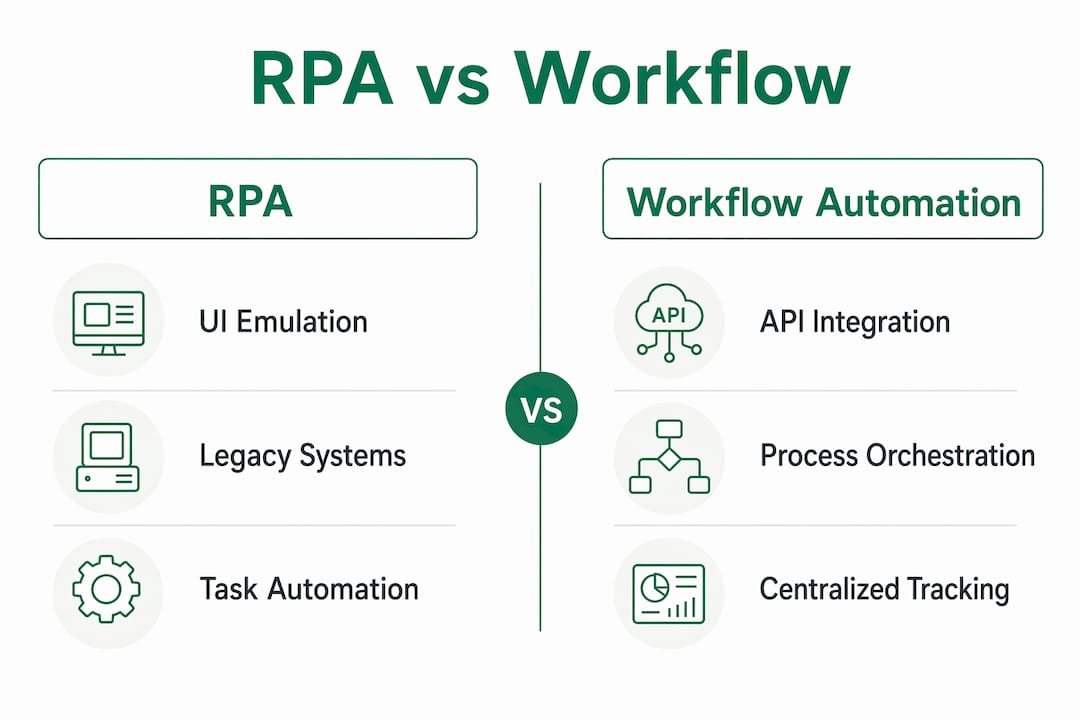
For Copilot adoption specifically, the visibility gap matters most. Workflow automation gives you centralized tracking and analytics that let you prove billable-time recovery to partners. RPA logs tell you a bot ran. They rarely tell you whether the outcome moved a business metric.
When should you use workflow automation vs. RPA?
Work through this checklist for each process you are considering automating during your Copilot pilot.
- Does the target system have a documented API or connector? If yes, use workflow automation. Stop here.
- Does the process cross more than one department or require human approvals? If yes, workflow automation is mandatory. RPA cannot manage hand-offs or conditional routing reliably.
- Is the process subject to audit, compliance, or partner reporting? Workflow automation provides the audit trail. RPA does not.
- Is the system a legacy desktop application or on-premise tool with no API? This is the one scenario where RPA earns its place. Use it as a discrete adapter, not the orchestration layer.
- Is this a quick proof-of-concept for a single repetitive task? RPA can deliver a fast win, but plan to replace it with an API-based workflow before you scale.
Representative scenarios:
- Employee onboarding: Spans HR, IT, and finance with approvals at each stage. Workflow automation with Power Automate or n8n. Copilot can draft the welcome pack and provision access automatically.
- Time-entry reconciliation: If your time-billing system has an API, use workflow automation. If it is a legacy desktop tool, an RPA bot extracts the data and hands it to a workflow for processing and reporting.
- Legacy ERP invoice posting: Classic RPA use case. The bot posts the invoice; a workflow automation layer handles the approval chain, notification, and audit log.
- Hybrid pattern: Use RPA to extract data from legacy systems and pass it to workflow automation for cloud-based processing. This is the architecture most mid-market firms land on after their first honest audit.
For accounting teams, the month-end close workflow is a good test case: most of the orchestration belongs in workflow automation, with RPA reserved only for any legacy general-ledger system that has no modern connector.
What pitfalls should you avoid when automating?
The single most expensive mistake is automating a broken process. Automation experts consistently flag this: if your invoice approval process has three redundant steps and unclear ownership, automating it multiplies the problem at machine speed. Workflow automation forces you to define the business logic explicitly before you build, which is a feature, not a burden. RPA skips that discipline and bots inherit the dysfunction.
Common pitfalls and governance controls:
- UI fragility: Application layout changes break RPA bots immediately. Budget for ongoing developer maintenance or the bot becomes shelfware.
- Technical debt accumulation: Over-reliance on RPA creates a growing portfolio of brittle bots that no one wants to touch. Set a policy: RPA is approved only when no API exists and the process is stable.
- No change-control process: Any application update that touches a bot’s UI must trigger a bot-review ticket. Without this, bots fail silently.
- Missing SLA for bot upkeep: Define who owns each bot, what the acceptable downtime is, and who gets paged when it breaks.
- No telemetry on workflow outcomes: Execution logs are not enough. Track whether the workflow produced the intended business result.
Pro Tip: Before approving any RPA deployment, require the process owner to document the workflow in plain language first. If they cannot describe it clearly, the process is not ready to automate.
How do you implement automation for a Copilot pilot?
Start with measurement. Every other step depends on knowing what is actually happening in your environment today.
- Audit Copilot license utilization via telemetry. Pull usage data from the Microsoft 365 admin center. Identify which licenses are active, which are dormant, and which users are running Copilot prompts that touch automatable processes. Gozera’s Copilot workflow guide covers the telemetry setup in detail.
- Map the highest-value processes. Focus on processes where time saved translates directly to billable hours recovered. Client intake, matter setup, document review routing, and time-entry reconciliation are the usual leaders in professional-services firms.
- Define the process logic before touching a tool. Write out every step, decision point, and exception. This is where broken processes surface.
- Choose orchestration-first tooling. Microsoft Power Automate for anything inside the Microsoft 365 ecosystem. n8n or Python for custom integrations or processes that span non-Microsoft systems. Reserve UiPath or Automation Anywhere for the specific legacy endpoints that have no API.
- Pilot on one process, one team. Measure cycle time and error rate before and after. Collect Copilot usage logs and workflow execution logs side by side.
- Validate ROI with finance before scaling. Show the billable-time calculation to a partner or CFO. If the number holds, scale to the next process.
Workflow automation examples from professional-services deployments show that client onboarding and document routing consistently deliver the fastest measurable returns.
Pro Tip: Non-technical staff can build and maintain workflow automations in Power Automate without IT involvement. Business-user ownership of workflows reduces your IT backlog and speeds adoption.
How do you measure ROI for Copilot automation?
Tie every automation to a metric finance can validate. Vague productivity claims do not survive partner reviews.
| Metric | Definition | Data source |
|---|---|---|
| Billable time recovered (hrs/month) | Hours previously spent on manual tasks now handled by automation | Time-entry system, workflow execution logs |
| Copilot active-user rate | Percentage of licensed users running at least one Copilot prompt per week | Microsoft 365 admin center telemetry |
| License utilization rate | Active licenses ÷ total purchased licenses | Microsoft 365 admin center |
| Task cycle time | Average time from process trigger to completion, before and after automation | Workflow execution logs |
| Error rate reduction | Manual errors before and after automation | Process audit logs, rework tickets |
Example calculation: A small firm recovers significant hours per attorney weekly through automated matter setup and document routing, translating to substantial recoverable billable time against a workflow automation and Copilot integration cost that is a fraction of that figure. Track this in your billable hour recovery reporting from month one.
What does the recommended hybrid architecture look like?
The pattern that works for most mid-market professional-services firms is orchestration-first with RPA as a last-resort adapter.
- Layer 1: Copilot prompts and actions. Users interact with Microsoft 365 Copilot. Copilot triggers actions via Graph API connectors.
- Layer 2: Workflow orchestrator. Power Automate or n8n receives the trigger, applies business logic, routes approvals, and calls downstream systems via API.
- Layer 3: RPA adapters. Where a legacy system has no API, an RPA bot handles that discrete interaction and returns the result to the workflow orchestrator. The bot is a component, not the architecture.
Operational responsibilities:
- Workflow automation is owned by the business process owner, with IT governance oversight.
- RPA bots are owned by IT or a designated automation CoE, with documented change-control and SLA.
- Both layers feed a shared telemetry dashboard so you can report Copilot ROI in one view.
This architecture keeps visibility centralized, limits RPA’s blast radius, and gives you a clean upgrade path when a legacy system eventually gets an API.
Key Takeaways
Workflow automation is the right default for Copilot adoption; RPA earns its place only at legacy system boundaries where no API exists.
| Point | Details |
|---|---|
| Orchestration-first approach | Build Copilot integrations on API-based workflow automation; add RPA only for legacy gaps. |
| Telemetry before automation | Audit Copilot license usage and process bottlenecks before building anything. |
| Governance for RPA | Require documented change-control, SLA, and bot ownership for every RPA deployment. |
| ROI metric to track | Measure billable time recovered monthly and tie it to a dollar figure finance can validate. |
| Gozera’s role | Gozera audits Copilot telemetry, rebuilds high-value workflows, and bridges legacy gaps with Python and n8n to deliver measurable billable-time recovery. |
How Gozera approaches RPA vs. workflow automation for Copilot pilots
The firms that get the most from Copilot are not the ones that deployed the most bots. They are the ones that measured first, automated the right processes, and built workflows their teams actually use. That is the pattern Gozera follows: telemetry audit before any build, orchestration-first architecture using Python and n8n, and RPA reserved for the specific legacy endpoints where there is genuinely no alternative. The billable-time recovery calculation is not a slide-deck estimate. It comes from workflow execution logs and time-entry data, the kind of number a managing partner can take to a partner meeting. Copilot pilots that skip the measurement step tend to stall at the proof-of-concept stage because no one can prove the value. The ones that start with telemetry scale.
Gozera’s Copilot ROI consulting can recover billable time fast
Most mid-market firms are sitting on underused Copilot licenses and manual processes that are costing them billable hours every week. Gozera’s fixed-price consulting engagements start with a telemetry audit that shows exactly which licenses are active, which workflows are bottlenecks, and where automation will recover the most time. From there, Gozera’s team rebuilds the highest-value workflows using Power Automate, n8n, and Python, bridging any legacy gaps without building a fragile bot portfolio.

No lengthy change management. No open-ended retainer before you see results. The audit delivers a prioritized ROI roadmap in weeks, not months. Request a Copilot ROI audit and find out exactly how much billable time your firm is leaving on the table.
Useful sources and further reading
- RPA vs Workflow Automation | Automation Atlas: Detailed comparison of UI vs API integration, cost bands, and deployment trade-offs. Good reference for cost modeling.
- Workflow vs. RPA | Kissflow: Practical breakdown of when each approach fits, with scenario examples useful for decision checklists.
- RPA vs. Workflow Automation | Coursera: Accessible overview of how RPA and workflow automation relate within business process automation.
- Workflow Automation vs. RPA | Zoho Creator: Covers scalability, visibility, and hybrid strategy with clear definitions.
- What Is Workflow Automation? | IBM: IBM’s technical framing of workflow types and the role of RPA within broader automation programs.
- Workflow Automation vs. RPA | Techelix: Focused on maintenance risks and UI fragility; useful for governance planning.
- RPA vs Workflow Automation | Turbotic: Covers technical debt risks from over-reliance on RPA and when to plan a migration to API-based workflows.
- RPA vs. Workflow Automation | Workato: Strong on business-user ownership and the case for low-code workflow tools in mid-market firms.
- Workflow Automation Examples for Professional Services | Gozera: Practical Copilot workflow playbooks and Python/n8n examples from professional-services deployments.
- Copilot Workflows for Professional Services | Gozera: Telemetry setup and Copilot integration guidance for law, accounting, and consulting firms.
- Workflow Automation for Law Firms | Gozera: Sector-specific ROI measurement and billable-time recovery examples for legal practices.