
Using a public consumer AI chatbot on privileged matters will likely waive solicitor-client privilege in Canada. Counsel-directed, closed enterprise AI deployed under strict contractual controls is far less likely to do so. That single distinction is what two landmark U.S. decisions handed down in early 2026 make clear, and Canadian practitioners should treat those rulings as a preview of where domestic courts are heading.
Three variables determine most outcomes: the type of AI platform and its data-retention or training policies; whether a lawyer directed the use of the tool; and how the material was shared or disclosed to the platform. Get all three right and privilege likely survives. Get any one wrong and you may have handed opposing counsel a gift.
If you have already used AI on a privileged matter, take these steps before anything else:
- Stop uploading further privileged material to the platform immediately.
- Preserve all session logs, prompts, and outputs before they are auto-deleted.
- Notify supervising counsel so a privilege assessment can begin.
Key Takeaways
Counsel-directed, enterprise AI used under documented controls is the single most effective way to preserve solicitor-client privilege while capturing the productivity benefits of tools like Microsoft 365 Copilot.
| Point | Details |
|---|---|
| Public AI waives privilege | Uploading privileged material to a public consumer chatbot risks waiver under Canadian doctrine and the Heppner reasoning. |
| Enterprise controls are the fix | Tenant isolation, training opt-outs, and documented counsel direction address the three factors courts have found dispositive. |
| Governance is not optional | An AI Acceptable Use Policy, engagement letter language, and telemetry logging are the minimum viable governance stack. |
| Incident response must be immediate | Stop uploads, preserve logs, and notify counsel within 24 hours of any potential disclosure to an AI vendor. |
| Gozera audits and fixes Copilot deployments | Gozera’s governance-first Copilot engagements give Canadian law firms the documentation and controls needed to defend privilege claims. |
Table of Contents
- How solicitor-client privilege and AI interact under Canadian law
- What the Heppner and Warner decisions say — and why they reached opposite results
- When AI use is likely to destroy privilege — and when it might not
- Concrete steps to reduce privilege risk when using AI
- Implementing Microsoft 365 Copilot safely in Canadian law practices
- If privileged material was shared with an AI vendor: what to do immediately
- The governance gap most firms are ignoring
- Gozera helps Canadian law firms deploy Copilot with privilege protection built in
- Selected primary sources and further reading
- Sources
How solicitor-client privilege and AI interact under Canadian law
Courts in Canada and abroad are not inventing new privilege doctrine for AI. They are applying the same tests that have governed solicitor-client privilege for decades to a new set of facts. That framing matters, because it tells you exactly which elements to protect.
The Canadian test for solicitor-client privilege requires: (1) a communication between a client and a lawyer acting in a professional capacity; (2) made in confidence; and (3) for the purpose of obtaining or giving legal advice. Litigation privilege (the Canadian equivalent of work-product protection) requires that the dominant purpose of the document be preparation for anticipated or ongoing litigation, and it extends to third parties who assist counsel in that preparation.
Both forms of privilege are owned by the client, not the lawyer. That ownership principle matters when an AI platform’s terms of service allow the vendor to retain, review, or train on user inputs, because the client’s confidential communications may be flowing to a third party without the client’s informed consent.
The elements that AI use most directly implicates are confidentiality and counsel direction. A communication that leaves the solicitor-client relationship and enters a platform that can retain, share, or train on it is no longer confidential in any meaningful sense. And a document that an employee generates by querying a public chatbot without any lawyer involvement fails the “communication with counsel” element entirely.
Canadian commentary, including analysis published by Hull and Hull LLP, warns that uploading privileged material to open AI platforms is analogous to posting it online and can trigger waiver under Canadian fairness and consistency principles. No Canadian court has issued a definitive ruling yet, but the doctrinal path is well-lit.
What the Heppner and Warner decisions say — and why they reached opposite results
Two U.S. federal decisions issued in February 2026 are the most instructive data points available. Neither creates new law. Both apply existing privilege doctrine to AI-generated materials, and the contrast between them is the lesson.
United States v. Heppner (S.D.N.Y.)
The defendant generated documents using a publicly available AI chatbot and later claimed those materials were protected by attorney-client privilege and the work-product doctrine. The court rejected both claims on three grounds: the communications were not with an attorney; the platform’s privacy terms permitted retention and potential third-party disclosure of user inputs; and no lawyer had directed or supervised the use of the tool. As Goodwin’s analysis of the decision explains, the lack of confidentiality under the platform’s own terms was independently dispositive. The defendant could not claim a reasonable expectation of confidentiality while using a tool whose terms explicitly disclaimed it.
Warner v. Gilbarco, Inc. (E.D. Mich.)
A pro se litigant used AI to help prepare litigation materials. The opposing party moved to compel production. The court denied the motion and held the materials protected as work product. The key distinction, as Sidley’s Data Matters analysis explains, was that the materials reflected the litigant’s own mental impressions prepared in anticipation of litigation, and disclosure to the AI platform did not meaningfully increase the likelihood that the adversary would obtain them. The court applied the standard work-product waiver test: does the disclosure materially increase adversary access? On those facts, it did not.
The two decisions sit at opposite ends of the risk spectrum. Heppner represents the worst-case scenario: public platform, no counsel direction, no confidentiality. Warner represents a narrow safe harbor: materials reflecting the user’s own litigation strategy, disclosed to a tool that did not route them to the adversary. Most real-world law firm scenarios fall somewhere between these poles, which is precisely why governance controls matter.
White & Case’s guidance on this point is direct: controlled, confidential, counsel-directed use of enterprise AI platforms that prohibit retention and training on client inputs is more likely to preserve privilege than public consumer AI. Courts are not treating AI as a special category. They are asking the same questions they always ask.
When AI use is likely to destroy privilege — and when it might not
The risk is not uniform across all AI tools or all use cases. Platform type, data-handling terms, and the presence or absence of counsel direction produce very different outcomes.
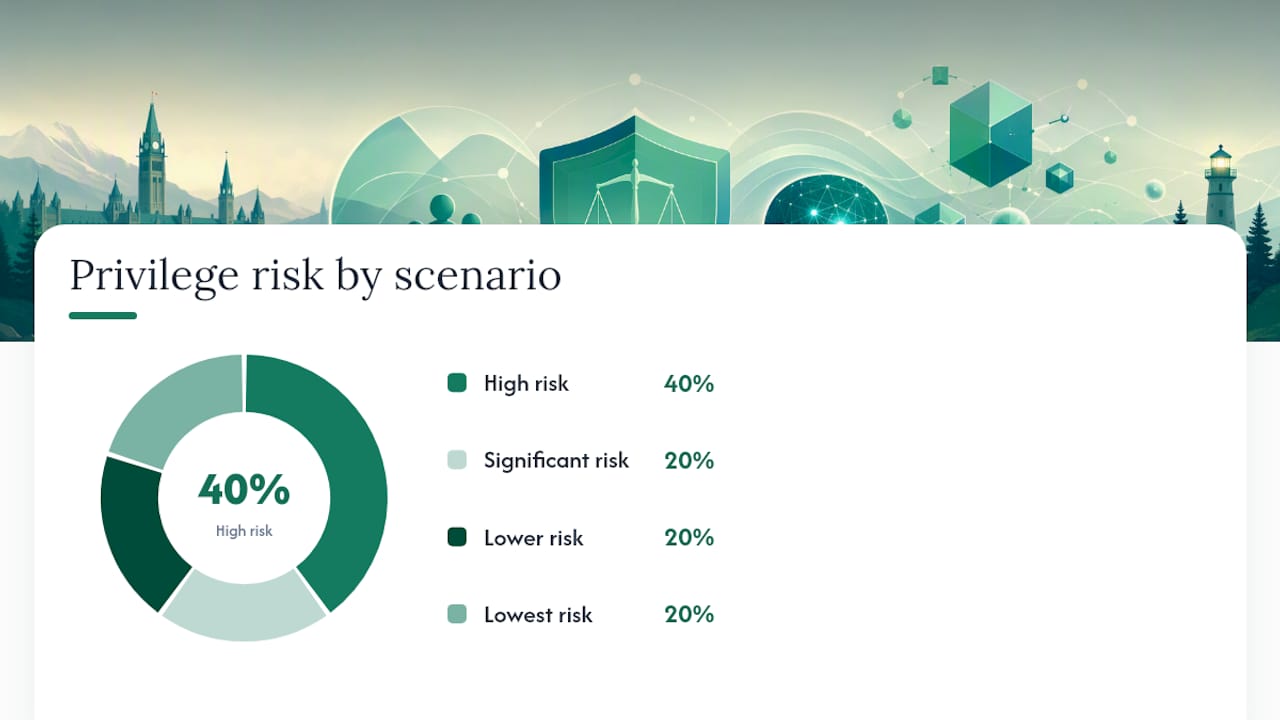
| Scenario | Platform Type | Counsel Direction | Data Retention / Training | Privilege Outcome |
|---|---|---|---|---|
| Employee queries public chatbot on client matter | Public consumer (e.g., free-tier ChatGPT) | None | Inputs may be retained and used for training | High risk of waiver |
| Lawyer uses public chatbot to draft legal memo | Public consumer | Partial (lawyer is user) | Inputs may be retained | Significant risk; confidentiality element likely fails |
| Lawyer uses enterprise AI with no-training contract | Enterprise (e.g., Microsoft 365 Copilot for M365 tenant) | Yes | No retention; no training on client data | Lower risk; privilege more likely to survive |
| In-house counsel directs IT to run AI analysis on privileged docs | Enterprise, isolated tenant | Yes, documented | Logs escrowed; no external training | Lowest risk with proper documentation |
| Any user shares AI output via public “share” link | Any | Irrelevant | Output indexed by web archives | High risk of permanent waiver |
The last row deserves particular attention. Share and export features that generate public URLs are a silent privilege killer. The NYC Bar Association’s report flags these features explicitly: links can be archived by services like the Wayback Machine and persist even after the original user deletes them. A single accidental “share” click can create a permanent public disclosure.
Vendor privacy and training policies are not boilerplate. Courts in Heppner treated the platform’s terms as direct evidence that the user had no reasonable expectation of confidentiality. Before any AI tool touches a privileged matter, someone needs to read those terms and confirm in writing that the vendor does not retain, review, or train on client inputs.
Pro Tip: The single most effective technical control is deploying AI exclusively within a dedicated Microsoft 365 tenant with data residency set to Canada, training opt-outs confirmed in writing with Microsoft, and a documented counsel-direction policy. That combination addresses the three factors courts have found dispositive in Heppner and Warner simultaneously.
Concrete steps to reduce privilege risk when using AI
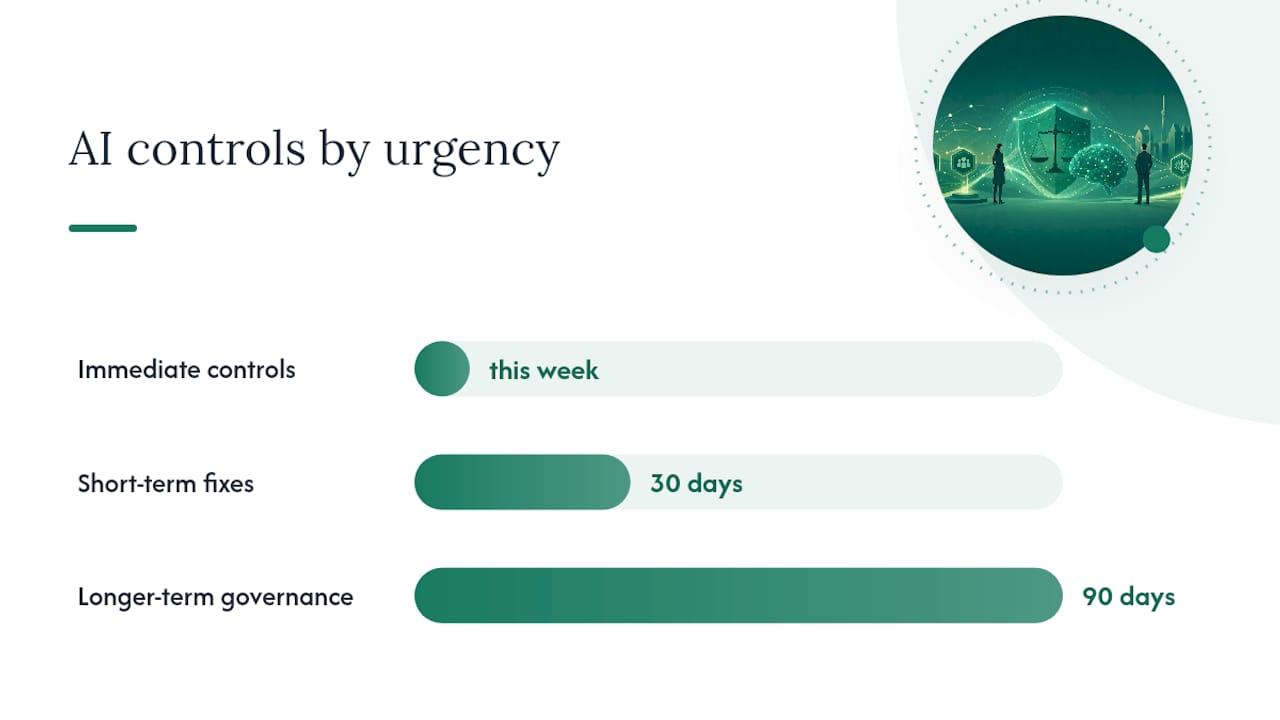
The following checklist is organized by urgency. Immediate controls can be implemented today. Short-term fixes require a policy sprint. Longer-term governance requires IT and legal working together.
Immediate controls (this week)
- Audit which AI tools your firm currently uses on client matters. Include free-tier tools, browser extensions, and any AI features embedded in existing software.
- Suspend use of any public consumer AI tool for privileged work until a platform review is complete.
- Identify all matters where AI has already been used and flag them for a privilege assessment by supervising counsel.
- Preserve all existing AI session logs, prompts, and outputs before any auto-deletion window closes.
Short-term fixes (30 days)
- Draft and circulate an AI Acceptable Use Policy that distinguishes permitted enterprise tools from prohibited public tools, and requires counsel direction for any AI use on privileged matters.
- Add a short AI disclosure clause to engagement letters: “This firm may use AI tools in the delivery of legal services. All AI use on your matter will be conducted using enterprise-grade platforms that prohibit retention and training on client data, under the direction of supervising counsel.”
- Review vendor contracts for every AI tool in use. Confirm no-training, no-retention, and data-deletion provisions in writing. If those provisions are absent, negotiate them or stop using the tool on privileged matters.
- Confirm that Microsoft 365 Copilot (if deployed) is configured with your firm’s own tenant isolation, Canadian data residency, and training opt-outs enabled.
Longer-term governance (90 days)
- Implement telemetry and audit logging for all Copilot and AI tool usage, so you can reconstruct who used what tool, on which matter, under whose direction, and when.
- Run a structured training session for all lawyers and paralegals covering the Heppner and Warner decisions, the firm’s AI policy, and the specific steps required before using AI on a privileged matter.
- Build a privilege-review checkpoint into your matter-opening workflow: before AI is used on any new matter, a supervising lawyer must confirm the tool, the scope, and the data-handling terms.
- Establish a vendor-review cycle (at least annually) to reassess AI tool terms as platforms update their privacy and training policies.
Stikeman Elliott’s guidance for Canadian firms aligns with this checklist: enterprise deployment features, no training on client data, data retention controls, and documented counsel direction are the practical steps that reduce privilege risk. Practical governance, including engagement letters, training, and technical tenancy controls, is the primary way firms can use Copilot productively while reducing that risk, as Hull and Hull’s analysis confirms.
Implementing Microsoft 365 Copilot safely in Canadian law practices
Enterprise AI deployed correctly is not the enemy of privilege. It is the answer to the public-chatbot problem. The key is that “deployed correctly” requires deliberate configuration, not just a license purchase.
For mid-market Canadian law firms, a safe Copilot implementation follows four phases.
Phase 1: Governance design (before any rollout)
Confirm Canadian data residency in your Microsoft 365 tenant settings. Verify that the Microsoft Product Terms for your subscription include the commercial data protection commitments that prohibit Microsoft from training on your tenant data. Document this confirmation in writing and store it in your matter management system as a privilege-preservation record.
Phase 2: Pilot with telemetry
Run a controlled pilot on non-privileged administrative tasks first. Use Microsoft 365 usage analytics and Copilot telemetry to establish a baseline of what the tool is being used for, by whom, and on which document types. This baseline serves two purposes: it lets you measure productivity gains, and it creates the audit trail that supports a privilege argument if a dispute arises later.
| Governance Control | Implementation in Microsoft 365 Copilot | Privilege Benefit |
|---|---|---|
| Tenant isolation | Dedicated M365 tenant; no cross-tenant data sharing | Limits disclosure to adversarial parties |
| Training opt-out | Commercial data protection terms with Microsoft | Removes vendor-retention argument courts used in Heppner |
| Data residency | Canada region set in tenant admin | Supports Canadian privacy law compliance (PIPEDA) |
| Audit logging | Microsoft Purview audit logs enabled | Documents counsel direction and scope for privilege claims |
| Access controls | Role-based access; Copilot restricted to licensed, supervised users | Prevents unauthorized employee use on privileged matters |
Phase 3: Counsel-direction documentation
Every privileged matter where Copilot will be used needs a short written record: the supervising lawyer’s name, the scope of permitted AI use, the date, and a confirmation that the tool meets the firm’s approved platform criteria. This record does not need to be long. One paragraph in the matter file is enough. What it does is create contemporaneous evidence that AI use was counsel-directed, which is the factor that distinguished the losing party in Heppner from the winning party in Warner.
Phase 4: Ongoing optimization and review
Review telemetry quarterly. Track which workflows are generating the most productivity gains, and which users are still defaulting to non-approved tools. A Copilot workflows guide for professional services can help identify the highest-value use cases for law firms specifically.
Pro Tip: Create a one-page “AI Use Authorization” form that lawyers complete before using Copilot on any privileged matter. The form captures: matter number, supervising lawyer, permitted scope, platform confirmation, and date. File it in the matter record. If privilege is ever challenged, that form is your first line of defense.
If privileged material was shared with an AI vendor: what to do immediately
Incident response for a potential privilege waiver follows the same logic as any data breach: contain first, assess second, document everything.
Immediate steps (within 24 hours)
- Stop all further uploads or queries to the platform on the affected matter.
- Capture forensic screenshots or exports of all sessions, prompts, and outputs before any auto-deletion window closes. Do this before contacting the vendor, because vendor notification can sometimes trigger automated data-handling processes.
- Identify every piece of privileged material that was shared: document names, dates, content categories, and the name of the person who made the upload.
- Notify supervising counsel and, if applicable, the firm’s privacy officer. This step is not optional. The privilege assessment and any waiver argument must be led by a lawyer.
- Check the platform’s privacy policy and terms of service as they stood on the date of disclosure. Screenshot and preserve the current version as well, in case terms have changed.
Short-term steps (within 72 hours)
- Contact the vendor in writing and request: (a) confirmation of whether the material was retained; (b) whether it was used for training; © deletion or isolation of all copies; and (d) a written certification of deletion. Keep all correspondence.
- Check whether any “share” or “export” links were generated during the session. If so, disable them immediately and check whether the URLs have been indexed. The NYC Bar’s guidance is explicit: archived links can persist even after deletion, so speed matters.
- Prepare a privilege-hold memorandum documenting: who authorized the AI use, whether counsel directed it, what the platform’s data terms were, what steps were taken to contain the disclosure, and the timeline of events.
Documentation that strengthens a privilege argument after the fact
- Contemporaneous notes from the lawyer who directed (or should have directed) the use.
- Written confirmation from the vendor of no retention or training.
- Evidence that the platform was enterprise-grade with contractual data protections.
- The firm’s AI Acceptable Use Policy, showing the incident was a deviation from policy rather than standard practice.
A court assessing whether privilege was waived will look at the totality of circumstances. Prompt containment, vendor cooperation, and thorough documentation all support an argument that any disclosure was inadvertent and that reasonable steps were taken to remedy it.
The governance gap most firms are ignoring
The conversation about AI and privilege tends to focus on the dramatic scenario: a lawyer accidentally uploads a confidential memo to ChatGPT and opposing counsel finds out. That scenario is real, but it is not where most Canadian firms are actually losing privilege.
The more common failure is quieter. A paralegal uses a free AI writing tool to draft a discovery summary. An associate pastes a client email into a public chatbot to check grammar. An in-house analyst uses a consumer AI tool to summarize board minutes. None of these people think they are doing anything wrong, because no one has told them the rules.
The Heppner decision did not turn on bad intent. It turned on the absence of governance. The defendant used a public tool, the tool’s terms permitted disclosure, and no lawyer was directing the work. Three ordinary facts, each individually unremarkable, combined to defeat privilege entirely.
Canadian firms that have deployed Microsoft 365 Copilot under proper enterprise controls are in a materially better position than firms relying on ad hoc consumer tools. But even a well-configured Copilot deployment fails if lawyers and staff are not trained on when and how to use it, and if no one is monitoring actual usage against policy. Telemetry is not just an ROI tool. It is a privilege-preservation tool. Knowing that a user queried Copilot on a specific matter, under a specific lawyer’s supervision, using a platform with confirmed no-training terms, is exactly the kind of contemporaneous record that supports a privilege argument in court.
The firms that will navigate this well are not the ones that ban AI entirely. They are the ones that treat governance as a first-class deliverable of any AI deployment, not an afterthought.
Gozera helps Canadian law firms deploy Copilot with privilege protection built in
Law firms that want the productivity gains from Microsoft 365 Copilot without the privilege exposure need more than a license. They need a deployment that is configured correctly from day one, with telemetry to prove it.

Gozera works with mid-market Canadian law firms and professional-services practices to audit existing Copilot deployments, identify governance gaps, rebuild workflows with privilege-safe configurations, and deliver the audit logs and documentation that support privilege claims if they are ever challenged. The engagement covers tenant isolation, training opt-outs, counsel-direction documentation, and staff enablement, all tied to measurable productivity outcomes. For firms with dormant Copilot licenses, Gozera’s telemetry-first approach identifies exactly where value is being left on the table and what it would take to recover it.
If your firm is using AI on privileged matters without a documented governance framework, the risk is real and the fix is not complicated. Book a Copilot governance audit with Gozera to get a clear picture of your current exposure and a prioritized remediation plan.
Selected primary sources and further reading
The sources below are the primary authorities cited in this article. They are listed for reference and further reading. This list is not legal advice. Firms should consult qualified counsel for guidance on their specific circumstances.
- Goodwin: AI Chatbots, Privilege, and Pitfalls — Best for: detailed analysis of the Heppner decision and the three factors the court found dispositive.
- Sidley Data Matters: Generative AI and Privilege — Best for: comparison of Heppner and Warner, and the work-product adversary-access standard.
- White & Case: Attorney-Client Privilege and Work Product in the Age of Generative AI — Best for: enterprise deployment recommendations and the counsel-direction framework.
- Hull and Hull LLP: Preserving Solicitor-Client Privilege in the Age of Generative AI — Best for: Canada-specific waiver doctrine analysis and engagement letter guidance.
- Stikeman Elliott: Privilege and AI-Generated Documents — Best for: Canadian practitioner-focused implementation checklist and vendor contract recommendations.
This article provides general information only and does not constitute legal advice. Canadian firms should consult qualified legal counsel for guidance on their specific privilege and AI-use circumstances, and should verify current platform terms and regulatory requirements directly with their providers.
This article is general information, not a substitute for advice from a qualified lawyer. Consult a qualified legal professional about your own circumstances before acting on anything here.
Sources
- Attorney-client privilege and work product in the age of generative AI | White & Case
- AI Chatbots, Privilege, and Pitfalls: Lessons for Keeping Generative AI Exchanges Out of the Hands of Legal Adversaries | Goodwin
- Generative AI and Privilege: Practical Lessons from Two Early Decisions and What Comes Next | Data Matters Privacy Blog (Sidley)
- The Intersection of Artificial Intelligence, Privacy, and Privilege | New York City Bar Association
- The Probater, Vol. 32, No. 2, June 2026: Preserving solicitor-client privilege in the age of generative AI: Emerging lessons from abroad and potential implications for Canadian law – Hull and Hull LLP
- Privilege and AI-generated Documents: Lessons for Canada from Recent U.S. Rulings | Stikeman Elliott