Author: zeraconsulting

  • Workflow Automation for Law Firms: A 2026 ROI Guide

    Workflow Automation for Law Firms: A 2026 ROI Guide

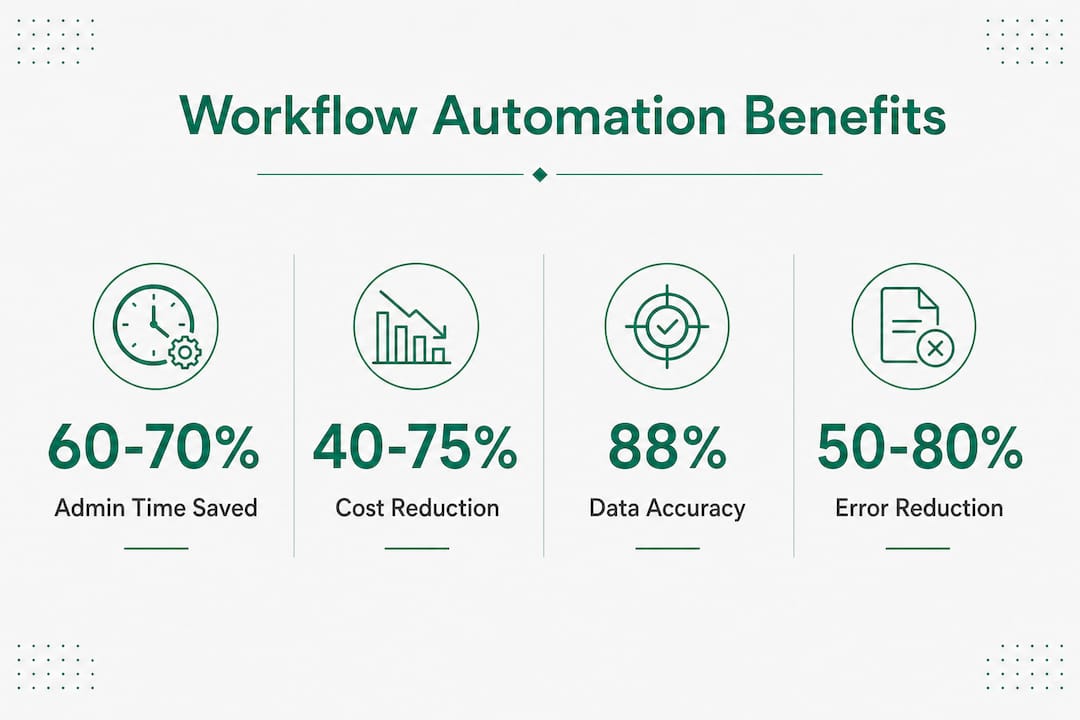
    Workflow automation for law firms is the use of specialized software to replace manual, repetitive legal and administrative tasks with rule-based or AI-driven processes. Firms that implement legal workflow automation software reduce administrative time by up to 40% and increase billable hours by an average of 30%. Those numbers represent real revenue recovery, not theoretical efficiency gains. The four operational areas driving the most value in 2026 are automated client intake, jurisdictional calendar management, document generation from templates, and task escalation for overdue work. For managing partners and operations directors at mid-market firms, the question is no longer whether to automate. The question is where to start and how to measure the return.

    What is workflow automation for law firms?

    Legal workflow automation, also called legal process automation, is the practice of mapping a firm’s repeatable processes into software that executes steps automatically, routes tasks to the right people, and flags exceptions without human intervention. The term “workflow automation” is the common search phrase, but the industry standard term is legal process automation or legal operations automation. Both describe the same outcome: fewer manual handoffs, fewer missed deadlines, and more attorney time spent on billable work.

    The distinction from generic business automation matters. Generic tools lack the specialized compliance logic, document handling rules, and jurisdictional calendar calculations that legal work requires. A general-purpose workflow tool cannot calculate a response deadline based on court rules in a specific jurisdiction. A legal-specific platform can.

    The core value proposition is straightforward. Attorneys and paralegals spend a significant portion of their day on tasks that do not require legal judgment: chasing signatures, sending status updates, reformatting documents, and manually entering matter data. Automating those tasks returns that time to the timesheet.

    Legal team collaborating on workflow automation

    Legal workflow automation software covers the full matter lifecycle, from the moment a potential client contacts the firm to the final file closure. The features that deliver the most measurable value fall into six categories.

    • Visual no-code workflow builders. Legal operations teams design and modify workflows without writing code or waiting for IT. Mid-market firms prioritize no-code tools because they give legal staff direct control over process changes.
    • Automated client intake and matter triage. Intake forms capture structured data, classify the matter type, assign it to the right practice group, and trigger the opening checklist automatically.
    • Jurisdictional calendar and deadline management. The system calculates deadlines based on court rules for the relevant jurisdiction and pushes them to attorney calendars without manual entry.
    • Document generation with conditional templates. A matter type triggers the correct template. Variable fields populate from the matter record. The attorney receives a draft ready for review, not a blank page.
    • Task assignment and escalation automation. Automated task assignment routes work to the right person based on role, workload, or matter type. Overdue tasks escalate automatically to supervisors.
    • Integration with document management and Outlook/Office. The workflow engine connects to the firm’s document management system and Microsoft 365 so that files, emails, and calendar entries stay synchronized.

    Pro Tip: Before selecting a platform, map your three highest-volume matter types end to end on paper. Every step you cannot describe clearly is a step the software cannot automate reliably.

    The integration point deserves emphasis. Native integration with document and calendar systems is as important as the workflow engine itself. Firms that skip integration end up with attorneys maintaining parallel manual processes, which defeats the purpose of automation entirely.

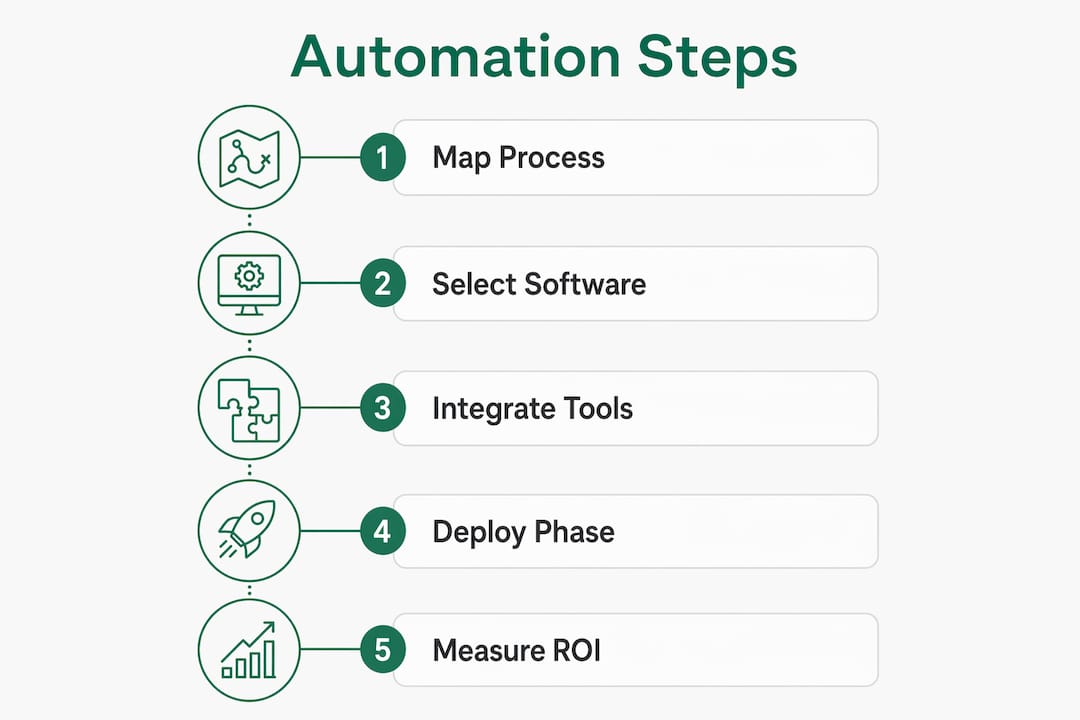
    Infographic illustrating steps of legal workflow automation

    Agentic AI represents the leading edge of legal workflow automation in 2026. Agentic AI workflows handle end-to-end legal tasks autonomously within secure firm environments, replacing reactive administrative functions with proactive, self-executing processes. The shift from rule-based automation to AI-driven automation is significant because AI can handle unstructured inputs, not just structured form data.

    Practical AI applications that drive measurable value include:

    • Document data extraction. AI reads incoming contracts, court filings, or client documents and extracts key dates, parties, and obligations into the matter record automatically.
    • Structured brief generation. AI applications in legal workflows generate structured summaries of incoming documents for attorney review, cutting the time spent reading raw source material.
    • Conditional document drafting. AI selects the correct clauses based on matter type, jurisdiction, and client profile, producing a first draft that attorneys refine rather than write from scratch.
    • Case file validation. The system checks whether all required documents are present in the matter file and triggers a request for missing items without attorney involvement.
    • Audit trail generation. Every automated action is logged with a timestamp and actor, creating a compliance record that supports both internal governance and external audits.

    The critical design principle is the human-in-the-loop gate. Human-in-the-loop frameworks stop automation at critical legal decision points and require attorney review before the process continues. Routine steps run automatically. Judgment calls require a human. That balance is what makes AI-driven legal automation compliant and defensible.

    Pro Tip: Build human-in-the-loop gates into your AI workflows from day one. Retrofitting attorney review checkpoints into a fully automated process is far harder than designing them in at the start.

    Microsoft 365 Copilot fits directly into this model. When integrated into legal workflows through a consulting engagement like those Gozera delivers, Copilot handles drafting, summarization, and email triage inside the tools attorneys already use, without requiring them to switch platforms or learn new interfaces.

    The technology is rarely the hardest part of a legal automation project. Mapping informal, unwritten workflows into standardized formats is consistently the greatest implementation hurdle. Most law firms have never documented how a matter actually moves through the office. Senior attorneys carry the process in their heads. Junior staff learn by watching. Automation requires that knowledge to be explicit, written, and agreed upon.

    Automation projects fail most often because firms underestimate the culture shift required. Attorneys who have practiced a certain way for 20 years resist having software dictate their process. That resistance is not irrational. It reflects legitimate concern about accountability and quality. The answer is not to override that concern but to design workflows that give attorneys visibility and control at the points that matter.

    Four practices separate successful implementations from failed ones:

    1. Start with high-volume, low-complexity processes. Client intake, standard contract generation, and routine calendaring are the right starting points. They affect every matter, they are well-understood, and they produce visible time savings quickly.
    2. Standardize before you automate. A process that varies by attorney cannot be automated reliably. Agree on the standard process first, then build the workflow.
    3. Integrate or expect workarounds. Attorneys will revert to email and spreadsheets the moment the automated system creates friction. Integration with Microsoft 365 and the firm’s document management system removes that friction.
    4. Empower legal ops with no-code tools. Legal operations staff who can modify workflows without IT support respond faster to process changes and sustain adoption over time.

    The firms that achieve the strongest ROI treat automation as an ongoing practice, not a one-time project. They assign ownership of each workflow to a specific person, review performance quarterly, and adjust based on what the data shows.

    How to select workflow software for law firms and measure ROI

    Selecting the right platform starts with a clear picture of the firm’s current process gaps. Decision-makers should evaluate platforms across five dimensions.

    Evaluation criterion What to look for
    Legal-specific compliance logic Jurisdictional deadline calculation, matter-type templates, and audit trail generation built in
    No-code configurability Legal ops staff can build and modify workflows without developer support
    Microsoft 365 integration Native connection to Outlook, Teams, SharePoint, and Word without custom middleware
    AI capabilities Document extraction, conditional drafting, and agentic task handling within the platform
    Vendor support model Ongoing customization support and a clear roadmap for AI feature development

    Phased deployment targeting high-volume workflows avoids overreach and produces measurable early wins. A firm that automates client intake in month one has a concrete time-savings number to show partners before expanding to document generation in month three. That evidence builds internal support for broader adoption.

    Measuring ROI requires a baseline. Before deploying any automation, record how long each target process takes, how many errors occur, and how much attorney time the process consumes per month. After deployment, measure the same metrics. The difference is your return.

    Pro Tip: Track billable hour recovery, not just time saved. A paralegal who saves two hours per day on administrative tasks is only generating ROI if those two hours move to billable work. Confirm that shift in your time-tracking data.

    Generic business automation platforms do not belong in this evaluation. They lack the legal compliance logic, document handling rules, and jurisdictional calendar features that legal-specific platforms provide. The cost of building those capabilities on top of a generic tool exceeds the cost of buying a purpose-built solution.

    Gozera’s approach to Copilot adoption for law firms addresses exactly this gap. Rather than deploying Microsoft 365 Copilot as a standalone tool, Gozera integrates it into rebuilt legal workflows, measures actual usage through telemetry, and demonstrates ROI through recovered billable time.

    Key Takeaways

    Legal workflow automation delivers measurable ROI only when firms combine purpose-built software, standardized processes, AI-driven task handling, and human oversight at critical decision points.

    Point Details
    Start with high-volume processes Automate client intake and calendaring first to generate visible time savings before expanding.
    Require native integrations Connect automation to Microsoft 365 and document management systems to prevent manual workarounds.
    Use human-in-the-loop gates Build attorney review checkpoints into AI workflows from the start, not as an afterthought.
    Measure billable hour recovery Track whether saved administrative time converts to billable work, not just total hours saved.
    Standardize before automating Document and agree on the standard process before building any workflow in software.

    The cultural shift nobody talks about

    The firms I have seen succeed with legal automation share one trait: they treated the process mapping phase as seriously as the software selection phase. Every managing partner I have spoken with underestimated how much institutional knowledge lived in people’s heads rather than in documented procedures. When that knowledge finally gets written down, attorneys often discover that their “standard” process has five different versions running simultaneously across the firm.

    AI tools like Microsoft 365 Copilot accelerate the automation payoff significantly, but only when they are integrated into actual workflows rather than handed to attorneys as a standalone chat interface. The firms that see the strongest productivity gains are the ones that rebuilt their intake, drafting, and review processes around Copilot’s capabilities, not the ones that simply gave everyone a license and hoped for adoption.

    The human-in-the-loop principle is not a limitation of current AI. It is the correct design for legal work. Attorneys are accountable for their advice in ways that software never will be. The goal of automation is to remove the work that does not require that accountability, not to replace the judgment that does. Firms that internalize that distinction build automation programs that attorneys actually trust and use.

    The next frontier is agentic AI handling multi-step legal processes end to end, with attorneys reviewing outputs rather than managing steps. That shift is already happening in early-adopter firms. Mid-market firms that build the foundational workflow infrastructure now will be positioned to adopt agentic capabilities as they mature, without starting over.

    — Mad

    How Gozera helps law firms get real ROI from Copilot

    Law firms that invest in Microsoft 365 Copilot licenses without a structured adoption plan consistently see low utilization and no measurable return. Gozera specializes in fixing exactly that problem.

    https://gozera.ai

    Gozera measures actual Copilot usage through telemetry, identifies dormant licenses, and rebuilds legal workflows around the platform’s AI capabilities. The result is recovered billable time and a clear ROI number that managing partners can present to the partnership. Gozera’s engagements are designed to produce measurable outcomes quickly, without lengthy change management programs. If your firm’s Copilot licenses are sitting idle, Gozera can show you exactly why and build the workflows that change that.

    FAQ

    Legal workflow automation is the use of software to execute repeatable legal and administrative tasks automatically, including client intake, deadline calculation, document generation, and task escalation. It replaces manual handoffs with rule-based or AI-driven processes that run without attorney intervention.

    How much time can law firms save with workflow automation?

    Firms that implement legal workflow automation software reduce administrative time by up to 40% and increase billable hours by an average of 30%, based on 2026 industry data. Actual results depend on which processes are automated and how completely they are integrated into existing systems.

    What processes should a law firm automate first?

    Client intake, standard contract generation, and jurisdictional calendar management are the highest-value starting points. They are high-volume, well-understood, and produce measurable time savings without requiring complex legal judgment.

    Microsoft 365 Copilot handles drafting, summarization, and email triage within the tools attorneys already use, making it a strong fit for legal workflows when integrated properly. Gozera’s consulting engagements rebuild legal processes around Copilot’s capabilities to ensure adoption and measurable ROI.

    A human-in-the-loop gate is a checkpoint in an automated workflow where the process pauses and requires attorney review before continuing. It ensures that AI handles routine steps while attorneys retain control over decisions that require legal judgment and professional accountability.

  • AI Automation Consulting for Mid-Market Firms in 2026

    AI Automation Consulting for Mid-Market Firms in 2026

    AI automation consulting is a strategic, execution-focused service that helps mid-market professional services firms identify, design, and implement AI workflows that automate high-impact business processes for measurable productivity and cost benefits. The industry term for this discipline is intelligent process automation consulting, though “AI automation consulting” has become the working shorthand across law, accounting, and consulting firms. Firms that apply this approach correctly report 40–90% cost reductions on targeted workflows and reclaim 10–20 hours per professional per week. That is not a rounding error. It is the difference between a firm that competes on capacity and one that competes on price. The NIST AI Risk Management Framework provides the governance backbone that responsible automation consultants build around, ensuring that speed does not come at the cost of compliance.

    1. What are the critical phases in AI automation consulting?

    Every credible AI automation consulting engagement follows a phased structure. The goal is to deliver working automation fast while managing risk at each gate.

    Phase 1: Discovery (2–3 weeks)

    Two consultants discussing discovery phase workflows

    The discovery phase is a fixed-price readiness assessment. Automation consultants map your current workflows, measure baseline cost and cycle time, and score each process for automation fit. The output is a prioritized roadmap covering 6–12 months of automation work, sequenced by ROI, risk, and team capacity. Readiness scoring produces this sequenced roadmap and prevents firms from committing budget to the wrong processes first.

    Phase 2: Build (6–10 weeks)

    The build phase delivers production-grade automation workflows with measurable KPIs baked in from day one. A well-run engagement deploys initial automation by week four, using a thin-slice approach. That means one real workflow runs in production early, generating actual data before the full build completes. This validates accuracy and builds internal confidence simultaneously.

    Phase 3: Run and optimize (ongoing)

    The optional run phase covers monitoring, retraining, and workflow expansion. Not every firm needs it. Firms with internal IT capacity often absorb this function after handoff.

    Pro Tip: Never sign a build contract without a completed discovery phase. Skipping discovery is the single fastest way to automate the wrong process at full cost.

    The most dangerous failure mode in AI automation consulting is the handoff gap. When a strategy team designs a solution and passes it to a separate build team, context evaporates. 60–70% of AI initiatives fail because of exactly this gap. The fix is simple: use the same team from discovery through deployment.

    2. Which workflows are the best candidates for automation?

    Not every workflow belongs in an automation program. The best candidates share three traits: high volume, a measurable cost or time baseline, and repetitive manual steps with low exception rates.

    The highest-value targets in professional services firms include:

    • Document review and contract analysis. Law and accounting firms spend enormous hours on first-pass document review. AI extracts clauses, flags anomalies, and routes exceptions to reviewers in a fraction of the time.
    • Support triage and intake routing. Firms that handle high volumes of client inquiries benefit from AI classification that routes requests before a human ever reads them.
    • Proposal drafting. AI pulls from past proposals, populates standard sections, and flags gaps for partner review. The professional still approves. The AI does the assembly.
    • Data reconciliation. Matching entries across systems, flagging discrepancies, and generating exception reports are deterministic tasks that AI handles with high accuracy.
    • Knowledge base retrieval. AI surfaces relevant precedents, templates, and prior work products during active engagements, reducing research time per matter.

    Common automation targets across professional services consistently include document review, support triage, and data extraction. These are not coincidental choices. They share the traits that make automation reliable: structured inputs, clear success criteria, and low tolerance for ambiguity.

    Pro Tip: Score every candidate workflow on three dimensions before committing: estimated ROI, exception density (how often the process breaks from the standard path), and reversibility (how easily you can roll back if the automation underperforms).

    Avoid automating processes that are heavily exception-driven or that sit inside regulated decision points without a clear human review layer. Intelligent Process Automation works best when it orchestrates entire process flows, not just isolated tasks. A firm that automates only the data entry step of a five-step process captures a fraction of the available value.

    3. How do automation consultants ensure measurable ROI?

    ROI accountability starts before the build phase begins. Effective process automation consulting uses pre-commitment decision support: a structured evaluation of cost, throughput, and cycle time metrics that determines whether automation is worth pursuing at all.

    The evaluation framework covers four areas:

    Evaluation area What consultants measure
    Cost baseline Fully loaded labor cost per process execution
    Cycle time End-to-end time from trigger to completion
    Exception rate Percentage of cases that require human intervention
    Integration complexity Number of systems the workflow touches

    Vendor-neutral assessments prevent firms from committing to a platform before the data confirms it is the right fit. This matters because the most expensive mistake in automation is locking into a vendor before a thorough readiness assessment confirms scope and scalability. A good automation consultant will sometimes recommend not automating a process. That recommendation is worth as much as any build engagement.

    KPI dashboards track automation impact against labeled baseline data sets. Firms measure reduction in labor hours, error rates, and cycle time before and after deployment. Success criteria and exit criteria are defined before the build starts, not after. This removes ambiguity about whether the engagement delivered value.

    4. What technical architecture does AI workflow automation use?

    Business leaders do not need to become engineers. They do need to understand the architecture decisions that affect cost, risk, and maintainability.

    Most AI workflow automation consulting engagements today use a combination of large language models and deterministic automation. The LLM layer handles judgment-heavy steps: reading documents, classifying intent, drafting text. The deterministic layer handles rules-based steps: routing, data validation, system writes.

    Model selection depends on the task. Claude, GPT, and Gemini each perform differently on structured extraction versus open-ended generation. Multi-LLM routing sends each task to the model best suited for it, rather than forcing one model to handle everything. This is a more maintainable architecture than single-model deployments.

    Retrieval-Augmented Generation, known as RAG, connects AI models to firm-specific knowledge bases. Instead of relying on general training data, the model retrieves relevant documents from your own systems before generating a response. This is the architecture that makes AI useful for matter-specific legal research or client-specific accounting analysis.

    Deployment surfaces include cloud APIs such as OpenAI API, AWS Bedrock, and Google Vertex AI, as well as self-hosted options for firms with strict data residency requirements. Integration with existing systems including CRMs, project management tools, and knowledge bases is non-negotiable for production-grade automation. Automation that cannot write back to your systems of record creates manual reconciliation work that erases the efficiency gain.

    Governance design based on NIST AI RMF includes prompt versioning, audit logs, and human review queues. These are not optional extras for regulated industries. They are the minimum viable governance layer for any firm that handles client data.

    5. How does Microsoft 365 Copilot fit into an AI automation strategy?

    Microsoft 365 Copilot is the most widely deployed AI tool in mid-market professional services firms right now. Most firms have purchased licenses. Most of those licenses sit idle. That is not a Copilot problem. It is an adoption and workflow integration problem.

    Effective Copilot adoption consulting treats Copilot as one component of a broader automation architecture, not as a standalone productivity tool. Copilot handles in-application tasks: drafting emails in Outlook, summarizing meetings in Teams, generating first drafts in Word. The automation layer around it handles the routing, triggering, and system integration that Copilot cannot do alone.

    Telemetry is the measurement mechanism that separates firms that know Copilot is working from firms that assume it is. Microsoft Copilot telemetry tracks actual usage at the feature level, identifies dormant licenses, and surfaces which workflows are generating productivity gains. Without telemetry, license spend is unaccountable. With it, firms can redirect unused licenses to high-adoption users and build the ROI case for expansion.

    The firms that extract the most value from Copilot are the ones that rebuild workflows around it, not the ones that hand out licenses and wait. Measuring Copilot ROI requires baseline data collected before deployment, not after.

    Key takeaways

    The most effective AI automation consulting model for mid-market professional services firms combines vendor-neutral readiness assessment, phased delivery by a single team, and governance built on NIST AI RMF standards to produce measurable, accountable ROI.

    Point Details
    Phase before you build A 2–3 week discovery phase prevents costly wrong-scope automation commitments.
    Same team, start to finish Single-team strategy and delivery eliminates the handoff gaps that cause 60–70% of AI project failures.
    Score workflows before committing Evaluate every candidate by ROI potential, exception density, and reversibility before approving a build.
    Governance is not optional NIST AI RMF-aligned audit logs and review queues are the minimum standard for client-data environments.
    Copilot needs workflow integration Idle Copilot licenses become productive only when rebuilt workflows give them a defined role.

    The uncomfortable truth about AI automation consulting

    Most AI automation consulting engagements fail before the build phase starts. The failure is not technical. It is structural. A strategy team produces a polished deck, hands it to a separate implementation team, and the context that made the strategy coherent disappears in the transfer. I have seen this pattern repeat across firms of every size. The deck says “automate contract review.” The build team delivers a document classifier. The partners expected something that drafts the summary memo. Nobody is lying. The handoff just destroyed the shared understanding.

    The firms that get real results from AI automation consulting are the ones that insist on a single team owning discovery through deployment. They also insist on seeing production automation by week four, not a demo. A demo proves the technology works in a controlled environment. A thin-slice production deployment proves it works in yours.

    The other pattern I find consistently undervalued is the recommendation to not automate. A good readiness assessment will identify processes that look like automation candidates but carry exception rates or regulatory constraints that make automation more expensive than manual handling. Firms that skip this step and go straight to build often spend $100,000 to automate a process that saves $20,000 annually. The math only works if someone did the math first.

    Vendor neutrality is not a marketing position. It is a structural requirement for honest consulting. A consultant who sells a specific platform has a financial incentive to recommend that platform regardless of fit. Independent benchmarking of AI models and automation tools against your specific workflows is the only way to know what actually performs.

    — Mad

    Gozera’s approach to Microsoft 365 Copilot ROI

    Mid-market professional services firms that have purchased Microsoft 365 Copilot licenses and are not seeing measurable productivity gains have a specific, solvable problem. Gozera’s Copilot ROI consulting starts with telemetry-based baseline measurement to identify exactly where licenses sit idle and where workflows can be rebuilt to generate recoverable billable time. The engagement is phased, data-driven, and designed to produce measurable outcomes without lengthy change management programs.

    https://gozera.ai

    Gozera works with law firms, accounting practices, and consulting organizations with 50–500 employees. The focus is on turning existing Copilot investments into documented productivity gains, not on selling additional software. If your firm has licenses and is not measuring their impact, the first step is a readiness assessment that tells you exactly what you have and what it is worth.

    FAQ

    What is AI automation consulting?

    AI automation consulting is a professional service that helps organizations identify, design, and implement AI-powered workflows to automate high-impact business processes. Engagements typically include a readiness assessment, workflow prioritization, and production deployment with measurable KPIs.

    How long does an AI automation consulting engagement take?

    A standard engagement runs 8–13 weeks: a 2–3 week discovery phase followed by a 6–10 week build phase. Initial production automation typically deploys by week four of the build phase.

    How do automation consultants measure ROI?

    Consultants establish baseline metrics for labor cost, cycle time, and error rate before deployment, then measure the same metrics after. The delta between baseline and post-deployment performance is the documented ROI.

    What workflows are best suited for AI automation in professional services?

    Document review, contract analysis, support triage, proposal drafting, and data reconciliation consistently deliver the highest ROI. These workflows share high volume, measurable baselines, and low exception rates.

    Why do so many AI automation projects fail?

    The primary cause is the handoff gap between strategy and delivery teams. When separate teams own design and build, context is lost and projects stall. Single-team engagements that own both phases reduce failure rates by 60–70%.

  • AI in Professional Services: What Firms Need to Know in 2026

    AI in Professional Services: What Firms Need to Know in 2026

    AI in professional services is the strategic application of artificial intelligence to improve productivity, client outcomes, and competitive positioning across consulting, legal, accounting, and technical firms. The industry term for this shift is “AI-enabled service delivery,” and it covers everything from automated document drafting to real-time compliance monitoring. 62% of US professional and technical services firms actively use generative AI in production workflows in 2026, making the sector the second-highest adopter nationally. That number dwarfs the 17.3% national average across all industries. Adoption is no longer the question. Value realization is.


    What are the main benefits and use cases of AI in professional services?

    AI in professional services firms delivers the most measurable gains in three areas: speed, consistency, and analyst capacity. A lawyer who once spent four hours reviewing a 200-page contract can now complete a first-pass review in under 30 minutes using AI-assisted contract analysis. A consulting team that manually compiled market data across 12 sources can now generate a structured briefing in minutes. These are not hypothetical gains. They are the baseline expectations firms set when deploying AI in a professional setting.

    The most common production use cases across legal, accounting, and consulting firms include:

    • Document drafting and review: AI generates first drafts of contracts, memos, and reports, which professionals then refine and approve.
    • Compliance monitoring: Automated tools flag regulatory changes and map them against existing client obligations in real time.
    • Financial analysis: AI processes large datasets to surface anomalies, trends, and forecasts that would take analysts days to produce manually.
    • Client intake and matter management: AI classifies incoming requests, routes them to the right team, and populates matter management systems automatically.
    • Research synthesis: Legal and consulting professionals use AI to summarize case law, precedent, and market intelligence across thousands of documents simultaneously.

    The critical distinction is that AI augments professional judgment. It does not replace it. A senior partner still makes the call on litigation strategy. A managing director still owns the client relationship. AI handles the volume work so professionals can focus on the judgment work.

    Pro Tip: Use domain-specific AI tools rather than general-purpose models. A legal AI trained on case law and contract language will outperform a generic tool on contract review every time. The same principle applies to tax, audit, and engineering workflows.

    Legal professional typing on laptop in conference room


    Why do many professional services firms struggle to capture full value from AI?

    The adoption rate is high, but the value realization rate is not. 91% of firms report that their organizations fail to capture AI’s full potential. That gap exists because most firms treat AI as a tool purchase rather than an operational change.

    The most common barriers to full value capture include:

    • No named AI strategy: Firms without a formal AI strategy see dramatically worse outcomes. In firms with a defined strategy, 66% of staff say AI meets or exceeds expectations, compared to just 22% in firms without one.
    • Shadow AI usage: Professionals use unsanctioned AI tools outside firm-approved systems. This creates data security risks, inconsistent outputs, and governance blind spots that undermine firm-wide confidence in AI.
    • No ROI measurement: Only 18% of professional services organizations track ROI on their AI investments. 42% do not measure it at all. Without measurement, firms cannot identify which AI deployments work and which waste budget.
    • Talent development concerns: 48% of professionals worry that AI undermines the development of independent judgment in early-career staff. 71% say structured mentoring from experienced peers is necessary to offset this risk.

    “Nearly one-quarter of professionals who experience AI value gaps are considering leaving their firms within two years, at a replacement cost estimated at $232,000 per professional. The cost of a poor AI strategy is not just lost productivity. It is lost people.”

    The governance problem is particularly acute. Shadow AI usage is not a fringe behavior. It happens when firms deploy licenses without training, without workflow integration, and without clear policies. Professionals fill the gap with whatever tool works, regardless of whether it is approved. A structured AI literacy program and a published governance framework are the two fastest ways to close this gap.

    Pro Tip: Publish a one-page AI acceptable use policy before you expand any AI license deployment. It does not need to be a legal document. It needs to answer three questions: what tools are approved, what data can be used, and who owns the output.


    How are commercial models evolving to monetize AI in professional services?

    The traditional time-and-materials billing model breaks down when AI compresses delivery time. A task that once took 10 hours at $300 per hour generates $3,000 in fees. The same task completed in 2 hours with AI generates $600. The primary bottleneck to scaling AI in professional services is not technical integration. It is commercial model modernization.

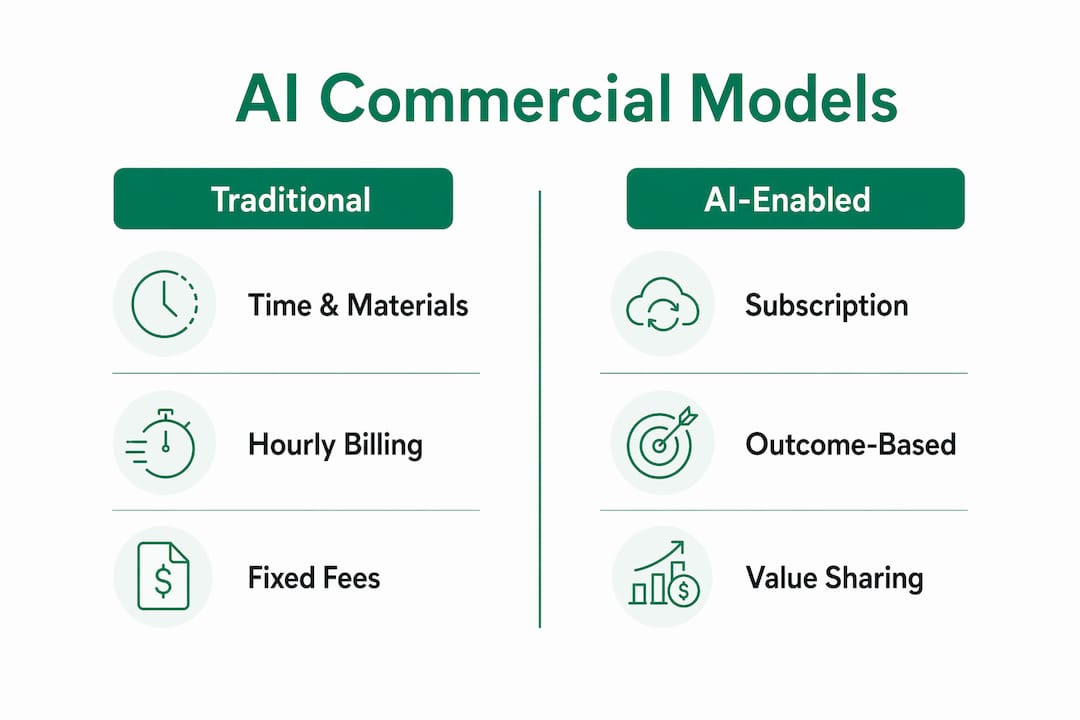
    Infographic comparing AI commercial models

    Leading firms are experimenting with three alternative structures:

    Commercial model How it works AI advantage
    Time and materials Billed by hours worked Penalizes AI efficiency gains
    Subscription Fixed monthly fee for defined service scope Rewards AI-driven delivery speed
    Outcome-based pricing Fee tied to a measurable client result Aligns firm incentives with client value
    Virtual FTE Client pays for AI-augmented capacity as a headcount equivalent Scales delivery without headcount growth

    Front-runner firms are moving fastest. 30% of leading firms use subscription pricing for AI-enabled offerings, compared to 14% across the market overall. That gap reflects a structural advantage. Firms that reprice AI-enabled services capture the efficiency gain as margin. Firms that do not reprice effectively subsidize their clients’ AI benefit.

    The shift to outcome-based and subscription models also changes the client conversation. Clients no longer buy hours. They buy results. That requires firms to define deliverables precisely, measure outcomes consistently, and build the internal infrastructure to deliver at scale. The Services as Software model, where AI-enabled delivery is packaged and priced like a product, requires investment in operational infrastructure, not just AI tools.

    Client transparency is also a factor. 60% of tax professionals and 67% of legal professionals say their clients do not know how AI is used in their work. Yet 74% of tax clients expect their providers to use generative AI. Closing that transparency gap is a sales and trust issue, not just an operational one.


    What practical steps can firms take to integrate AI successfully?

    AI maturity in professional services follows a predictable progression. Most firms overestimate where they sit on that curve. True integration requires governance, AI literacy, and measurable operational outcomes, not just a strategy document and a few active licenses.

    The four stages of AI maturity are:

    1. Curious: Individual professionals experiment with AI tools independently. No firm-wide policy exists. Usage is inconsistent and ungoverned.
    2. Experimenting: The firm runs structured pilots in one or two practice areas. Success criteria exist but are not yet tied to firm-wide KPIs.
    3. Operational: AI is embedded in defined workflows across multiple teams. Governance policies are published. ROI is tracked quarterly.
    4. Strategic: AI informs recruitment, pricing, service design, and competitive positioning. Firms at this level report measurable productivity improvements and conduct quarterly AI performance reviews as standard practice.

    Most mid-market firms sit between Curious and Experimenting. Moving to Operational requires three specific actions. First, identify two or three high-volume workflows where AI can reduce time-to-delivery by at least 30%. Second, assign a named owner for AI governance, even if that person is not a full-time role. Third, define what success looks like before the pilot starts, whether that is hours saved per matter, reduction in review cycles, or client satisfaction scores.

    The Copilot coaching approach used by firms deploying Microsoft 365 Copilot illustrates this well. Firms that pair license deployment with structured workflow coaching see adoption rates that are materially higher than firms that deploy licenses alone. The tool is the same. The difference is the process built around it.

    Pro Tip: Run your first AI pilot on a workflow that already has a measurable baseline. If contract review currently takes an average of 6 hours per matter, you can quantify the AI impact precisely. Pilots without baselines produce anecdotes, not evidence.


    Key Takeaways

    AI in professional services creates measurable value only when firms pair adoption with governance, ROI tracking, and deliberate workflow integration.

    Point Details
    Adoption is high but value is not 62% of firms use AI in production, yet 91% say they fail to capture its full potential.
    Strategy drives outcomes Firms with a named AI strategy see 66% staff satisfaction with AI versus 22% in firms without one.
    ROI measurement is rare Only 18% of firms track AI ROI, making it impossible to identify what works and what wastes budget.
    Commercial models must evolve Time-based billing penalizes AI efficiency; subscription and outcome-based models capture the gain.
    Maturity requires governance Moving from experimentation to operational AI requires published policies, named owners, and quarterly reviews.

    The uncomfortable truth about AI maturity in professional services

    Most firms I work with believe they are further along the AI maturity curve than they actually are. They have licenses. They have a few enthusiastic users. They may even have a slide deck titled “AI Strategy.” What they rarely have is a governance policy anyone has read, a workflow that has been rebuilt around AI rather than bolted onto it, or a single metric that proves the investment is paying off.

    The firms that are pulling ahead are not the ones with the most tools. They are the ones that treated AI adoption as an operational problem, not a technology problem. They asked: what does this workflow look like when AI does the volume work? Then they rebuilt the workflow. They did not just hand professionals a new tool and hope for the best.

    The talent risk is also underappreciated. When professionals experience AI that does not work well, or that creates more friction than it removes, they disengage. They find workarounds. They leave. The $232,000 replacement cost per departing professional is not a hypothetical. It is the cost of a poor implementation strategy expressed in human terms.

    The firms that will define the next five years of professional services are the ones making deliberate, measured bets on AI right now. Not the biggest bets. The most disciplined ones. Start with a workflow that has a baseline. Measure the outcome. Build from there. That is not a slow approach. It is the only approach that compounds.

    — Mad


    How Gozera helps professional services firms get real ROI from AI

    Mid-market professional services firms often have Microsoft 365 Copilot licenses sitting idle. The technology is deployed, but the workflows have not changed, the governance is absent, and the ROI is invisible.

    https://gozera.ai

    Gozera specializes in exactly this problem. Using telemetry to measure actual Copilot usage, identifying dormant licenses, and rebuilding workflows around AI-enabled delivery, Gozera turns a licensing cost into a productivity asset. The approach is data-driven and outcome-anchored, with measurable Copilot ROI tracked from day one. For firms ready to move from experimentation to operational AI maturity, Gozera provides the governance frameworks, workflow integration, and adoption coaching that make the difference between a tool that sits unused and one that generates recoverable billable time.


    FAQ

    What is AI in professional services?

    AI in professional services is the application of artificial intelligence to automate routine tasks, accelerate analysis, and improve client outcomes in consulting, legal, accounting, and technical firms. It covers tools for document drafting, compliance monitoring, financial analysis, and research synthesis.

    How widely is AI adopted in professional services in 2026?

    62% of US professional and technical services firms use generative AI in production workflows in 2026, according to US Census Bureau data. That makes professional services the second-highest adopting sector in the country.

    Why do most firms fail to capture AI’s full value?

    91% of firms report that they fail to realize AI’s full potential, primarily because they lack a formal AI strategy, do not measure ROI, and deploy tools without rebuilding the workflows around them.

    How should firms measure AI ROI?

    Firms should establish a measurable baseline for target workflows before deployment, then track time saved, error rates, and client satisfaction scores after AI is introduced. Only 18% of professional services firms currently track AI ROI in any form.

    What commercial model works best for AI-enabled professional services?

    Subscription and outcome-based pricing models capture AI efficiency gains better than time-and-materials billing. Leading firms are 2x more likely to use subscription pricing for AI-enabled services than the market average.

  • Copilot Workflows for Professional Services: 2026 Guide

    Copilot Workflows for Professional Services: 2026 Guide

    Copilot workflows are defined as AI-driven automation sequences that coordinate multi-step business processes across tools, data sources, and team members within the Microsoft 365 ecosystem. For mid-market professional services firms, these workflows represent the clearest path from idle Copilot licenses to measurable productivity gains. Microsoft’s plan-to-action loop distinguishes effective automation from simple chat: Copilot moves from generating content to executing coordinated work across emails, meetings, and files. Gozera works with law, accounting, and consulting firms to build exactly these kinds of outcome-driven systems, turning Copilot from a novelty into a billable-time recovery engine.

    What are copilot workflows and how do they work?

    Copilot workflows are structured automation sequences that combine AI agents with defined triggers and actions to complete complex, repeatable tasks without constant human input. The industry term for the broader category is “agentic process automation,” and Microsoft 365 Copilot implements it through tools like Copilot Studio and Copilot Cowork. Understanding the distinction between these two layers is the first step toward getting real value from your Microsoft 365 investment.

    Copilot Studio provides the visual designer where teams build, edit, and automate workflows using AI-driven suggestions for triggers and actions. That means a non-developer can map out a client intake process, a contract review cycle, or a weekly status report without writing a line of code. Copilot Cowork, generally available as of mid-2026, extends this by running long-horizon tasks that span multiple tools and files simultaneously.

    Diverse team collaborating on copilot workflows

    The practical result is significant. Copilot Cowork can collapse weeks of manual work into hours by coordinating file comparisons, document drafts, and communication tasks in a single session. One documented case compared nearly 4,000 files across two product versions in a single morning. That kind of throughput is not achievable with prompt-by-prompt interaction.

    How agents and workflows combine to automate business processes

    The most powerful copilot workflow automation patterns use agents and structured workflows together, not separately. Agents handle ambiguity and judgment. Workflows handle consistency and sequence. Combining the two lets firms automate processes that are too complex for a simple rule-based system but too risky to leave entirely to an AI making unguided decisions.

    The two core interaction patterns are:

    • Workflows calling agents: A structured workflow reaches a decision point, such as evaluating a vendor proposal or classifying a legal document, and hands off to an agent that reasons through the ambiguity before returning a result.
    • Agents invoking workflows: An agent identifies a repeatable subprocess, such as generating a client status email or routing an approval request, and triggers a defined workflow to execute it consistently.
    • Human checkpoints embedded in both: Successful automation includes explicit review points where team members can correct course before the next stage runs.

    This hybrid approach reduces two common failure modes. Pure workflow automation breaks when inputs vary. Pure agent automation drifts when there are no guardrails. Together, they cover the full range of professional services work: structured enough for compliance, flexible enough for client-specific judgment calls.

    Real-world examples span procurement, customer service, and sales quoting. A consulting firm can route vendor evaluations through an agent that scores proposals against defined criteria, then trigger a workflow that formats the output, routes it for approval, and logs the decision. An accounting firm can automate client onboarding by combining a document classification agent with a workflow that populates CRM fields and sends a welcome sequence.

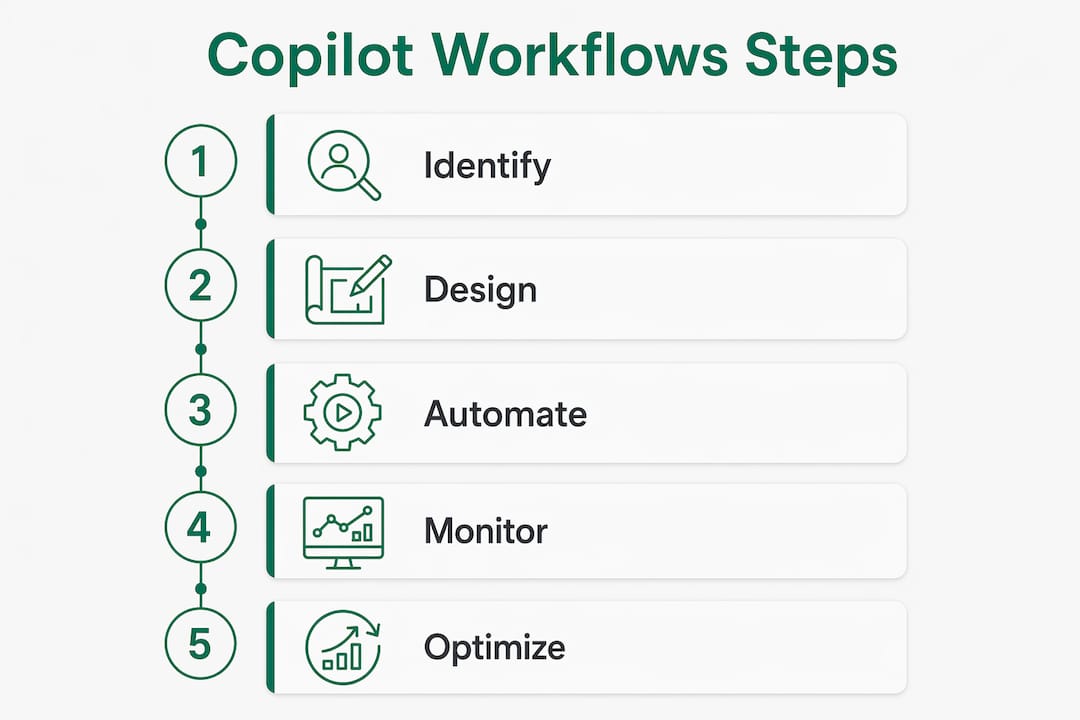
    Infographic illustrating copilot workflow automation steps

    How to design and implement effective automation with Copilot

    Building a workflow that actually gets used requires starting with the right process, not the most impressive one. The firms that see the fastest ROI pick one high-frequency, low-variance task and automate it completely before expanding.

    1. Identify repeatable processes. Map tasks your team performs more than twice a week with predictable inputs and outputs. Meeting prep, status reports, contract summaries, and invoice reviews are strong starting points for mid-market firms.
    2. Use Copilot Studio’s visual designer. Build the workflow visually, using AI-driven trigger and action suggestions to accelerate development. Test with real data before deploying to the full team.
    3. Encode team expertise in custom agents. GitHub Copilot CLI custom agents use Markdown files with YAML frontmatter to capture team knowledge as structured, reusable instructions. This turns one expert’s approach into a consistent team standard.
    4. Embed human review checkpoints. Define at least one point in each workflow where a team member reviews output before the next stage runs. This maintains control without eliminating the time savings.
    5. Set spending controls from day one. Usage-based billing means costs scale with activity. Configure spending limits and alerts in Copilot Studio before workflows go live.

    Pro Tip: Standardize agent naming conventions and store all agent definitions in a centralized, version-controlled directory. This prevents context drift across teams and makes it easy to audit what each agent is authorized to do.

    The centralized agent approach also solves a problem most firms discover too late: tribal knowledge locked in one person’s prompt history. When that person leaves or is unavailable, the workflow breaks. Version-controlled Markdown definitions make the knowledge portable and auditable.

    How do you measure ROI from copilot workflow automation?

    ROI from copilot process automation comes from two sources: time recovered and errors avoided. Both are measurable, but only if you establish a baseline before deploying workflows.

    Gozera’s approach starts with telemetry. Before building any workflow, the team measures how long the target process currently takes, how often it produces errors, and which team members are involved. That baseline becomes the benchmark against which workflow performance is measured.

    On the cost side, Copilot Credit consumption is driven by four factors: model use, context retrieval, tool calls, and runtime. Each factor is controllable. Choosing a lighter model for low-complexity tasks, limiting context window size, and batching tool calls all reduce per-workflow costs without reducing output quality. The table below maps each cost factor to its primary control lever.

    Cost factor Control lever Impact
    Model use Model selector in Copilot Studio Largest cost variable; use lighter models for routine tasks
    Context retrieval Scope of data sources connected Narrower scope reduces retrieval cost and latency
    Tool calls Workflow design efficiency Fewer redundant calls lower per-run cost
    Runtime Workflow complexity and length Shorter, focused workflows cost less per execution

    Security and compliance fit into this picture directly. Workflow outputs and prompts flow through existing Microsoft 365 compliance frameworks, including audit logs and data retention policies. For law and accounting firms operating under strict data governance requirements, this means automation does not create a new compliance surface. It runs inside the one you already manage.

    The Copilot ROI picture for mid-market firms becomes clearest when you tie workflow outputs to billable time. A workflow that saves a senior associate two hours per week on status reports recovers roughly 100 billable hours per year per person. At standard professional services rates, that number justifies the implementation cost within weeks.

    Common copilot workflow automation examples in professional services

    The most adopted workflows in mid-market professional services firms fall into five categories. Each maps to a high-frequency task that currently consumes disproportionate senior time.

    • Meeting and calendar triage: Copilot Cowork automates schedule reviews, flags conflicts, and prepares agenda summaries before meetings start. Partners and directors recover 30–60 minutes per day that previously went to inbox and calendar management.
    • Briefing documents and pitch decks: Workflows pull relevant content from SharePoint, recent emails, and meeting notes to generate first drafts of client-facing documents. Consulting firms use this to cut deck preparation time from half a day to under an hour.
    • Research compilation: Multi-source research workflows query internal knowledge bases, connected data sources, and document libraries, then return a cited summary. Legal teams use this for case background research; accounting teams use it for client industry briefings.
    • Procurement and vendor evaluation: An agent scores vendor proposals against defined criteria, then a workflow formats the output and routes it through the approval chain. This replaces a process that typically involves three to five people over several days.
    • Compliance and security checks: Custom GitHub Copilot CLI agents run structured audits against defined standards, then generate a findings report in a consistent format. Engineering and IT teams use this for release reviews and security assessments.
    • Incident response and release notes: Agents pull from incident logs, commit histories, and communication threads to generate structured post-incident reports and release documentation automatically.

    The pattern across all of these is the same. A task that required a skilled person to gather, synthesize, and format information now runs as a defined workflow with a human reviewing the output rather than producing it.

    Key Takeaways

    Copilot workflows deliver measurable ROI when firms combine structured automation with intelligent agents, human checkpoints, and usage-based cost controls from the start.

    Point Details
    Define before you build Identify high-frequency, low-variance processes before designing any workflow.
    Combine agents and workflows Use agents for judgment-heavy steps and workflows for consistent, repeatable subprocesses.
    Embed human checkpoints Build explicit review points into every workflow to maintain control and catch errors early.
    Control costs by design Manage Copilot Credit spend by choosing the right model, limiting context scope, and batching tool calls.
    Measure against a baseline Establish time and error benchmarks before deployment so ROI is concrete, not estimated.

    Why most firms are still thinking about this the wrong way

    The firms I see getting the most from Copilot are not the ones with the most licenses. They are the ones that stopped treating Copilot as a chat tool and started treating it as a process owner.

    The shift sounds simple, but it requires a real change in how teams define work. Most professionals are trained to think in terms of tasks: write this email, summarize this document, prepare this report. Copilot workflows require thinking in terms of outcomes: what does “done” look like, what inputs are needed, and where does a human need to review before the next step runs. That framing is closer to process engineering than to using a search engine.

    The firms that get this right tend to have one thing in common: they document the workflow before they build it. They write down the current process, identify the decision points, and define what “good output” looks like at each stage. That documentation becomes the specification for the workflow and the benchmark for measuring whether it is working.

    The other pattern I see consistently is that mid-market firms have a structural advantage here that larger organizations do not. A 100-person consulting firm can standardize a workflow across the entire team in a week. A 10,000-person enterprise takes months to clear governance and change management. The firms that move fast and build clean, well-documented workflows in 2026 will have a compounding productivity advantage that is very hard for slower-moving competitors to close.

    — Mad

    How Gozera helps firms get real results from Copilot

    Mid-market professional services firms often have Copilot licenses that sit underused because no one has mapped the right workflows to the right processes.

    https://gozera.ai

    Gozera specializes in exactly this problem. The team measures actual Copilot usage through telemetry, identifies dormant licenses, and builds tailored workflow automation that connects directly to your firm’s billable processes. Every engagement starts with a baseline measurement and ends with a documented ROI figure. If you are an IT leader, managing partner, or operations director at a firm with 50–500 employees, Gozera’s Copilot adoption consulting gives you a clear path from idle licenses to recoverable billable time, without lengthy change management or expensive infrastructure changes.

    FAQ

    What are copilot workflows?

    Copilot workflows are AI-driven automation sequences within Microsoft 365 that combine structured triggers, actions, and intelligent agents to complete complex, multi-step business processes with minimal manual input.

    How does Copilot Studio workflow automation differ from basic Copilot chat?

    Copilot Studio workflow automation executes defined, repeatable processes across multiple tools and data sources, while basic Copilot chat responds to individual prompts without coordinating ongoing tasks.

    What are the best examples of copilot workflow automation in professional services?

    The most common examples include meeting triage and agenda preparation, briefing document generation, multi-source research compilation, vendor evaluation routing, and automated compliance checks.

    How do you control costs in copilot process automation?

    Copilot Credit costs are driven by model use, context retrieval, tool calls, and runtime. Setting spending limits, choosing lighter models for routine tasks, and narrowing data source scope are the primary cost controls.

    How do you measure ROI from Microsoft Copilot workflow automation?

    Establish a time and error baseline for the target process before deployment, then compare post-workflow performance against that benchmark. Gozera uses telemetry to track actual usage and ROI at the user and team level.

  • Top 4 Power Automate Alternatives Agencies 2026

    Top 4 Power Automate Alternatives Agencies 2026

    Matching Microsoft 365 Copilot adoption strategy to measurable ROI often stalls when Power Automate customization is too rigid for operational workflows. Power Automate vendors typically push generic templates or require bespoke builds that make ROI measurement slow and unpredictable. You can select a consulting agency whose Microsoft 365 and Copilot workflow approach fits your firm’s billable operations, pricing method, and ROI tracking needs.

    Table of Contents

    Zera.ai

    Zera.ai

    At a Glance

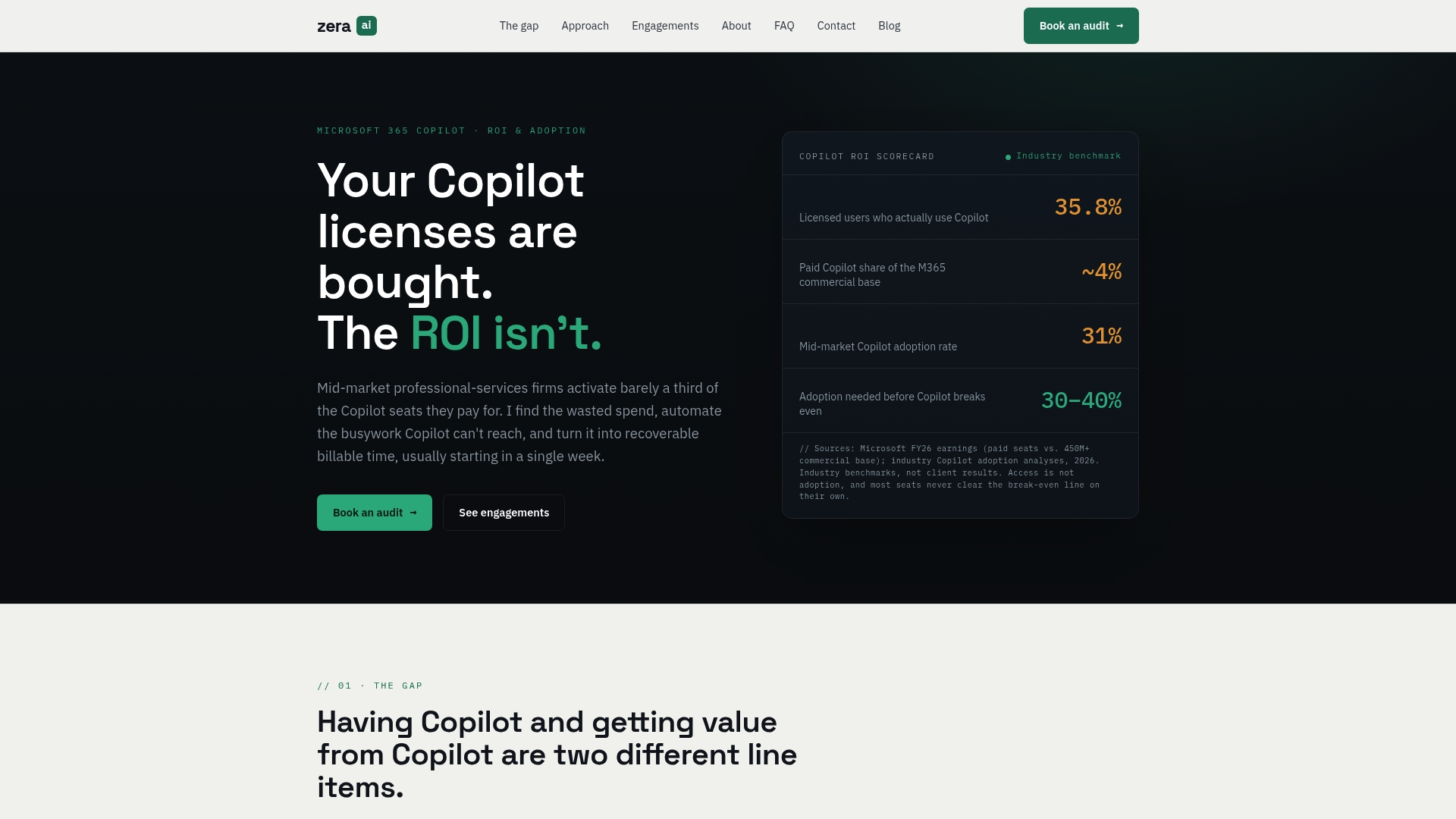
    Zera.ai’s baseline measurement process identifies dormant Copilot seats by reading actual usage telemetry. The firm pairs that telemetry with targeted workflow rebuilds for proposal, document review, and onboarding. Zera.ai’s marketing materials state clients see measurable results in weeks. That claim explains why firms hire Zera.ai to recover billable time from idle licenses.

    Core Features

    Zera.ai begins with baseline measurement of actual usage telemetry to map license waste and high-value workflows. The team then identifies dormant seats and rebuilds core processes such as proposals, document review, onboarding, and CRM tasks. Role-specific enablement uses Copilot Studio plus automation scripts written in Python and n8n, followed by ongoing ROI measurement and optimization.

    Key Differentiator

    The firm pairs enterprise-quality measurement with hands-on automation to prove ROI inside real workflows. Zera.ai focuses on fixed-scope, outcome-anchored engagements that target specific processes likely to return billable time. Leadership combines governance rigor and practical AI development to reduce the time between assessment and measurable outcomes.

    Pros

    Zera.ai delivers a data-first diagnosis that lets you see where Copilot licenses sit idle and why. The team produces an actionable roadmap with rebuilds of critical workflows that directly affect fee-earning work. Engagements are scoped for mid-market professional-services firms and run quickly so project sponsors can use results in renewal decisions. Technical work includes Copilot Studio customization and script-based automation using Python and n8n, which keeps deliverables concrete and testable.

    Cons

    Services target mid-market professional-services firms, not very small firms or large enterprises.

    Who It’s For

    Mid-market law, accounting, consulting, and other knowledge-based firms with existing Microsoft 365 Copilot seats. You should have an operations sponsor and measurable billable work to protect. Firms with no telemetry or no appetite for short scoped projects will get less value.

    Unique Value Proposition

    Baseline usage telemetry that finds dormant seats and then converts that insight into recoverable billable time. Zera.ai ties each workflow rebuild to measurable ROI and ongoing telemetry so you can quantify license value during renewal negotiations. The method reduces wasted Copilot spend by shifting focus from feature lists to recoverable hours.

    Real World Use Case

    A mid-sized consulting firm hired Zera.ai to audit Copilot usage. The audit found underused licenses and mapped slow document review steps. Zera.ai rebuilt the review workflow, deployed Copilot Studio prompts, and added Python and n8n automation. The firm reported measurable time savings within weeks and used that evidence in renewal talks.

    Pricing

    Zera.ai reports engagement pricing that ranges from CA$2,500 to over CA$25,000 depending on scope and deliverables. The vendor provides custom quotes after an initial assessment and scoping conversation. Project size drives whether the work is a short proof of value or a broader optimization program.

    Website: https://gozera.ai

    Candent Solutions

    Candent Solutions

    At a Glance

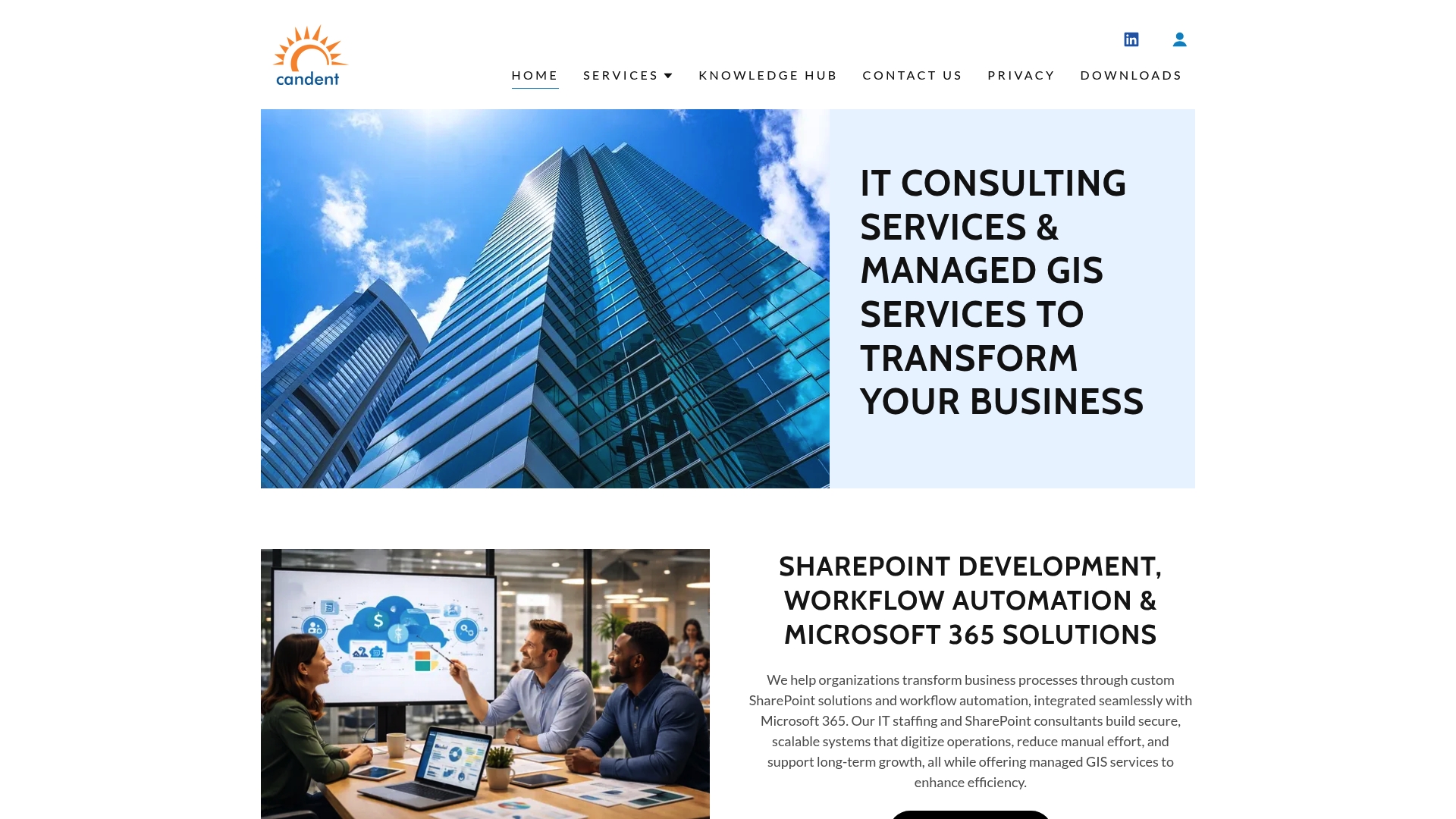
    Zero Footprint℠ delivers managed GIS with no hardware or software to buy, so field crews access maps and assets from standard browsers. The model aims to cut setup complexity for municipalities and mid sized organizations. Candent pairs that model with custom SharePoint workflows and Microsoft 365 integrations for internal coordination.

    Core Features

    Candent builds custom SharePoint solutions for workflow automation and document management, and it migrates legacy SharePoint sites to modern frameworks. The firm operates managed GIS services under its Zero Footprint℠ approach so staff use maps and asset data in the field and office. Consulting services cover cybersecurity and digital transformation work that ties Microsoft Teams, Power Apps, and Power BI into operational workflows.

    Key Differentiator

    The defining feature is the Zero Footprint℠ delivery model that removes the need for local GIS servers or client installs. That approach reduces upfront hardware and software complexity for public works and utilities teams. For organizations already invested in Microsoft 365, the model lets GIS and SharePoint workflows share identity and reporting without adding separate infrastructure.

    Pros

    Candent specializes in tailored SharePoint and GIS work that fits public sector and commercial needs. The company offers end to end services from planning to deployment and ongoing support so teams do not need multiple vendors. Its managed GIS model positions small and mid sized clients to scale without new capital purchases. Deep experience with Microsoft 365, Power Automate, and Power BI helps tie maps to dashboards and operational workflows.

    Cons

    Pricing is not listed publicly. Potential clients must contact the vendor for detailed quotes. Heavy emphasis on Microsoft technologies may not suit organizations invested in non Microsoft stacks. Technical scope can be complex. Smaller teams may need thorough scoping to match solutions to business processes.

    Who It’s For

    Public sector organizations, small to mid sized enterprises, and municipal IT teams that need custom digital workflows and GIS management. Teams that already use Microsoft 365 and SharePoint will extract the most value. Operations directors and GIS managers planning modernization projects will find the service model aligned with field and back office needs.

    Real World Use Case

    A municipality deployed managed GIS to publish trash collection routes, capture citizen reports, and track assets. SharePoint workflows coordinated crew assignments and permit approvals. Power BI dashboards combined map data with operational KPIs for department leadership.

    Pricing

    Candent lists pricing as Contact Us. Project costs appear to be quoted per engagement and depend on scope, migration needs, and managed service levels. Prospective clients should request a detailed proposal to compare total cost against in house or hosted alternatives.

    Website: https://candentsolutions.com

    Talanoa Group

    Talanoa Group Microsoft 365 Workflow Solutions

    At a Glance

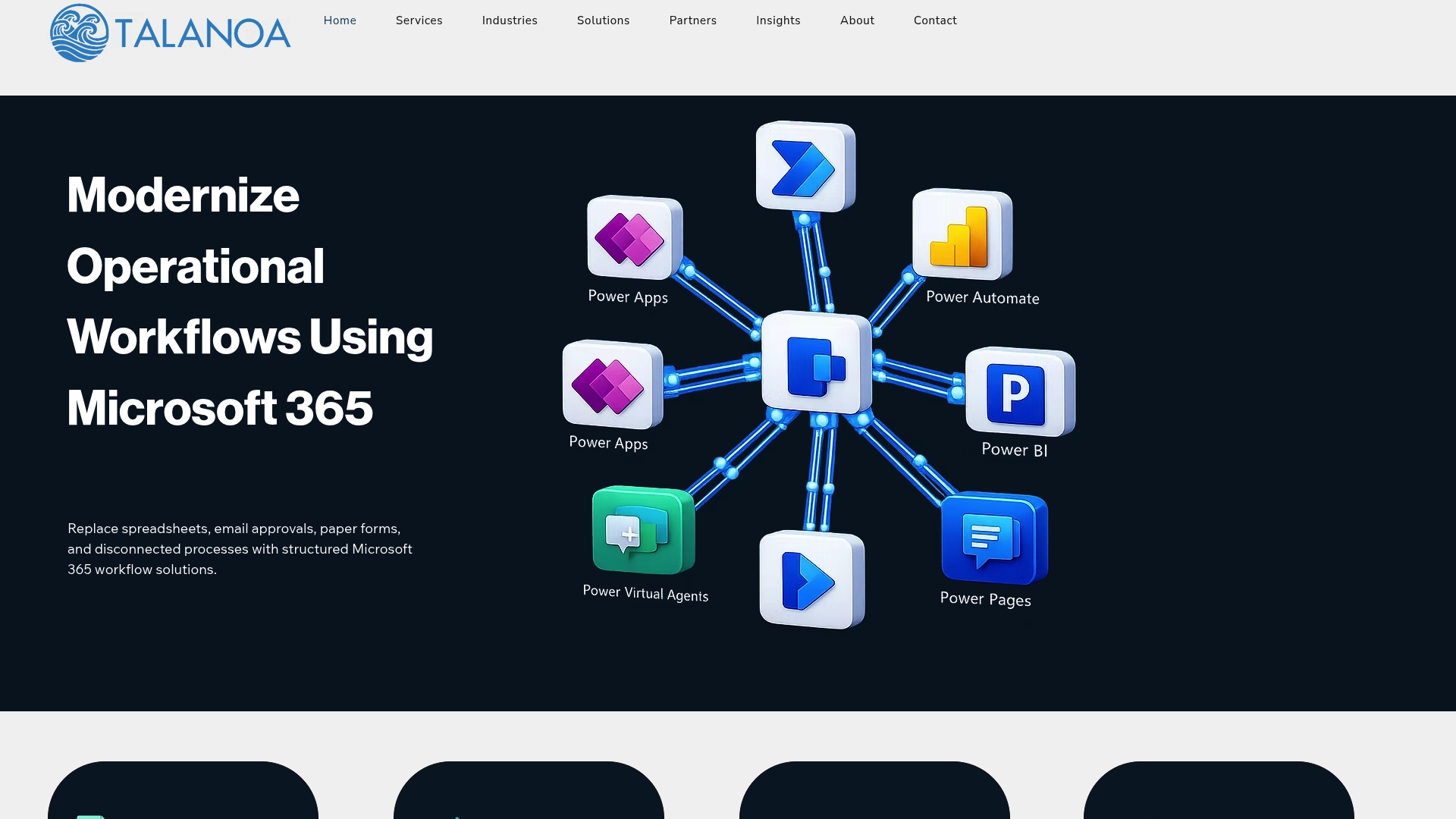
    SharePoint, Power Apps, Power Automate, Power BI, and Teams are combined to convert legacy manual processes into Microsoft 365 workflows across healthcare, manufacturing, finance, and HR. The consultancy emphasizes moving approvals, document management, and compliance checks into live operational flows. That focus targets organizations with existing Microsoft 365 estates seeking faster operational visibility.

    Core Features

    Talanoa Group designs Microsoft 365 workflow automation that handles approvals, notifications, and escalations while centralizing document collaboration in SharePoint. The team builds custom business applications with Power Apps and connects reporting through Power BI to deliver process tracking and dashboards. These elements work together to replace ad hoc processes with visible, audit-ready workflows.

    Key Differentiator

    The standout capability is the team’s emphasis on connecting legacy systems into Microsoft 365 tools to produce automated, real time workflows. That approach reduces the need to rip out existing systems. Talanoa Group positions its work as modernization rather than full system replacement.

    Pros

    Deep integration with SharePoint, Power Apps, Power Automate, and Power BI makes it practical to move approvals and document control into the Microsoft 365 surface your staff already use. Industry-specific templates for healthcare, manufacturing, finance, and HR reduce discovery time and lower rework during build. Real time dashboards and conditional workflow routing help managers see outstanding approvals and compliance gaps without manual status calls.

    Cons

    Limited pricing transparency. The site does not publish implementation costs or package rates, which makes budgeting early in procurement harder. Sparse details on specific integration options or customization limits. Prospective buyers must ask for technical scopes during scoping calls.

    Who It’s For

    MSP and enterprise IT teams in mid-market firms that already use Microsoft 365 and need to modernize operational workflows. This fits business managers and operations leads who want approvals, contract reminders, or inspection tracking built into SharePoint and Teams. It also suits firms that prefer phased modernization over wholesale system replacement.

    Real World Use Case

    A healthcare provider digitized vendor management and compliance reporting by replacing spreadsheets with Power Apps forms and approval flows. The implementation moved manual signoffs into Teams notifications and populated Power BI dashboards for audit trails. That change reduced repetitive paperwork and centralized compliance visibility for clinical and procurement teams.

    Pricing

    Not applicable. The offering is presented as informational and consultative rather than a product with published rates. Buyers should request a scoped proposal to get implementation estimates, licenses, and ongoing support fees.

    Website: https://talanoagroup.com

    365 Digital Consulting

    365 Digital Consulting

    At a Glance

    AI agents automate timesheet management, document extraction, and customer service on Microsoft 365 and Azure. The firm is based in Sydney and serves clients in Australia, the UK, Ireland, and Canada. 365 Digital Consulting reports strong client satisfaction and offers transparent fixed price projects.

    Core Features

    Consulting covers Microsoft 365 strategy, migrations, and SharePoint intranet and document management development. The team customizes Power Platform components including Power Apps and Power Automate workflows and builds AI agents to orchestrate approvals and data extraction. Clients receive fixed price projects, migration support, and rapid ongoing help across time zones.

    Key Differentiator

    The main differentiator is blending deep Microsoft ecosystem skills with multi agent workflow orchestration. They combine SharePoint, Power Platform, and Azure services to chain AI agents that handle specific business tasks. That approach targets organizations that need tailored orchestration rather than off the shelf templates.

    Pros

    Deep expertise in Microsoft 365, SharePoint, Dynamics 365, and AI automation supports complex migrations and integrations. Global coverage across Australia, Europe, and the Middle East lets teams receive follow the sun support and shorter response windows. Transparent fixed price delivery helps budget planning for project based rollouts. Their solutions adapt to existing systems to limit rework during migration.

    Cons

    Limited public detail on constraints makes scoping harder for procurement teams. Highly customized solutions may take longer and require higher initial investment. No standard pricing tiers are published, so you may need a scoping call to get estimates.

    Who It’s For

    IT leaders, operations directors, and business process managers at mid sized to large firms will get the most value. Teams that rely on Microsoft 365 and want tailored AI agent orchestration will benefit from their end to end delivery. Procurement leads who prefer fixed price projects can plan budgets more predictably with their approach.

    Real World Use Case

    A healthcare provider automated patient document processing and staff onboarding using SharePoint and Power Automate. AI agents extracted data, routed documents for approval, and reduced manual handoffs. That cut error rates and freed clinical staff for billable work.

    Pricing

    Pricing varies by project scope and complexity. They offer fixed price projects and custom estimates on service pages after a scoping conversation. Expect budgeting to depend on integration depth and required AI agent design.

    Website: https://365digitalconsulting.com

    Comparison of Alternatives

    Choosing between these alternatives requires understanding their distinct priorities and the contexts best suited to realize their strengths.

    Specialized Support and Features

    Zera.ai focuses intensely on optimizing Microsoft 365 Copilot licenses through telemetry data collection and ROI-driven process rebuilding. Their targeted capabilities streamline operations specifically for mid-sized professional services firms. Meanwhile, Candent Solutions provides unique GIS integrations alongside their SharePoint optimizations—ideal for municipalities and utilities aiming to enhance field and office collaboration. Talanoa Group brings legacy systems into the fold with Microsoft 365 enhancements, ensuring their clients’ workflows gain modern operational visibility. 365 Digital Consulting excels in combining AI-driven agent workflows with Microsoft tools to handle repetitive processes efficiently.

    Cost and Transparency

    Zera.ai and Candent Solutions approach pricing on a custom-quote basis tailored to project scope, while Talanoa Group emphasizes consultative scoping for detailed solution building. On a practical level, fixed-rate project offerings from 365 Digital Consulting make budgeting straightforward, appealing to hands-on planners eager for predictable outlays. Prospective users should account for the contrast in pricing models and transparency when narrowing their preferred choices.

    Best Fit

    Mid-market professional services firms that rely on Microsoft 365 Copilot for measurable productivity gains will appreciate Zera.ai’s telemetry-based ROI approach. Public sector teams benefiting from highly integrated GIS workflows will find Candent Solutions’ capabilities more adaptable to their operational needs. Firms seeking personalized Microsoft 365 workflows optimized for compliance improvements and visibility will benefit from Talanoa Group’s transformation expertise. Enterprises looking to orchestrate AI agents for dimensional automation tasks spanning multiple functions will prefer what 365 Digital Consulting uniquely offers.

    Our Pick

    Choosing Zera.ai is informed by its telemetry insights for recovering license value and enabling short-term billable hour growth for Copilot-seat-enabled Microsoft 365 stacks. However, users prioritizing expansive GIS applications or predefined AI workflows may find alternatives appealing based on their unique needs.

    Provider Key Strength Best For Pricing Limitation
    Gozera Data-driven performance analysis and automation optimization Knowledge-based firms using Microsoft 365 CA$2,500–CA$25,000 Best suited for mid-sized firms with measurable billable work
    Candent Solutions Zero Footprint℠ delivery model Public sector and Microsoft 365 organizations Price not published Heavy reliance on Microsoft ecosystems
    Talanoa Group Legacy system modernization through Microsoft 365 integration Enterprises adopting Microsoft 365 workflows Price not published Lacks pricing transparency
    365 Digital Consulting AI agent-based approvals and automation Mid-to-large firms using Microsoft 365 Price not published Higher initial investment

    How to Address Power Automate Alternatives for Mid-Market Professional Services

    Choosing the right automation tool matters for IT leaders, managing partners, and operations directors in law, accounting, and consulting firms. Many face challenges like low adoption of Microsoft 365 Copilot licenses that result in wasted spend. Gozera specializes in identifying dormant Copilot seats through precise usage telemetry and rebuilding critical workflows that directly recover billable time. Their data-driven method moves beyond feature checklists to show clear ROI within weeks.

    Key benefits include:

    • Baseline measurement of actual license use
    • Custom workflow automation with Python and n8n
    • Measurable savings that support license renewal decisions

    Explore how Gozera helps professional services firms improve Copilot adoption and optimize automation investments.

    See how Gozera’s approach converts underused Copilot seats into measurable productivity gains. Visit gozera.ai to start measuring inactive licenses and rebuild workflows that add billable hours.

    FAQ

    What specific feature makes Gozera a good choice for mid-market firms?

    Gozera offers baseline measurement of actual usage telemetry to find dormant Copilot licenses, which helps firms recover billable time. This feature allows for targeted workflow rebuilds that directly affect fee-earning work. Mid-market firms can expect actionable insights to optimize their billable hours effectively.

    How does Gozera compare to Candent Solutions in terms of GIS and SharePoint integration?

    Candent Solutions excels in delivering managed GIS services with no hardware or software for municipalities, which simplifies setup complexities. Gozera, on the other hand, focuses specifically on the recovery of idle Copilot licenses through targeted workflow automation. Mid-market firms with Microsoft 365 Copilot can benefit more from Gozera’s tailored approach to billable time recovery.

    Which features help Gozera deliver measurable results quickly?

    Gozera’s capability to rebuild critical workflows rapidly enables clients to see measurable results in weeks, directly tied to ROI metrics. The firm’s methodology focuses on fixed-scope engagements that target critical processes, helping firms quickly demonstrate the impact to leadership during renewal talks.

    Can Gozera support larger enterprises using Microsoft 365?

    Gozera is optimized for mid-market professional services firms and may not provide the same level of support and features designed specifically for large enterprises. Organizations with very large teams should evaluate their specific needs and might find that Gozera’s approach is better suited for firms with 50-500 employees.

    What is the pricing range for Gozera’s consulting services?

    Gozera’s engagement pricing typically ranges from CA$2,500 to over CA$25,000 depending on the scope of the project and deliverables. Mid-market firms interested in optimizing their workflows should discuss their specific needs for a tailored quote.

  • Top 3 Copilot License Usage Report Agencies 2026

    Top 3 Copilot License Usage Report Agencies 2026

    Measuring the true ROI of Microsoft 365 Copilot licenses and linking usage to billable outcomes is harder than expected for mid-market professional services firms. Most agencies stick to high-level reporting or generic policy suggestions without delivering workflow rebuilds or automation tied to measurable financial gains. This comparison lets IT leaders, managing partners, and operations directors pick a consulting agency that translates license usage into concrete productivity and renewal decisions.

    Table of Contents

    ZeraAI Copilot consulting

    ZeraAI

    At a Glance

    Audits of Microsoft 365 Copilot telemetry identify dormant licenses and map them to recoverable billable time. The company says its audits and workflow rebuilds produce clearer ROI signals within weeks. That focus turns license cleanup into a measurable renewal conversation.

    Core Features

    ZeraAI performs baseline measurement using Copilot telemetry, then rebuilds high value workflows to embed role specific Copilot use. The service layers automation into those workflows and re measures usage to produce ROI reports for renewal discussions. Ongoing optimization and maintenance keep workflows aligned with billable tasks.

    Key Differentiator

    Combines enterprise delivery rigor with hands on AI development so measurement, workflow engineering, and automation tie directly to billable time. That mix makes ROI evidence the primary deliverable rather than slides or generic recommendations.

    Pros

    The service centers on telemetry driven decisions and clear deliverables, which helps you stop paying for idle Copilot seats. ZeraAI lets engagements start small and scale once the baseline shows benefits, reducing upfront risk. Founder experience from enterprise governance and AI development brings practical engineering ability to automation and re measurement.

    Cons

    Public technical integration details are limited in public pages, which makes scope discovery slower for teams that need upfront technical diagrams.

    Who It’s For

    IT leaders, managing partners, and operations directors at mid market professional services firms that bill by the hour will benefit most. This includes law, accounting, consulting, and other knowledge firms that already have Microsoft 365 Copilot licenses. Firms without any Copilot rollout or broader AI initiatives are a poorer fit.

    Unique Value Proposition

    Baseline telemetry plus targeted workflow rebuilds that include automation using Python and n8n give you a repeatable path from license cleanup to recovered billable time. That approach converts measurement into cash recoveries you can present at renewal time and ties engineering work directly to client facing productivity gains.

    Real World Use Case

    A mid sized consulting firm used ZeraAI to flag underused Copilot seats, then rebuilt document review and proposal workflows with automation. They re measured usage and reported the recovered billable minutes during vendor renewal, allowing the firm to reallocate or cancel unused seats.

    Pricing

    Engagements run on a scoped project basis. The vendor lists pricing from CA$2,500 to CA$25,000 and up depending on scope and ongoing maintenance. Smaller proof of concept engagements sit at the low end and full delivery programs occupy the high end.

    Website: https://gozera.ai

    Empower M365 training

    Empower M365

    At a Glance

    Empower M365 provides Copilot training and adoption programs that focus on teaching organizations how to use Microsoft 365 Copilot effectively. The company positions itself as a training first consultancy that helps teams build prompt fluency and daily Copilot habits.

    Core Features

    Empower M365 delivers role based Copilot training sessions, prompt engineering workshops, and adoption roadmaps. Their programs cover Word, Excel, PowerPoint, Outlook, and Teams Copilot features with hands on exercises. They also offer train the trainer programs and executive briefings on Copilot capabilities.

    Key Differentiator

    Training first approach that prioritizes user adoption and prompt fluency over technical implementation. The focus on building daily habits means teams start using Copilot consistently rather than abandoning it after initial rollout.

    Pros

    Strong focus on practical adoption means teams actually use Copilot after training. Role based sessions ensure relevance for different departments. The train the trainer model helps organizations scale adoption internally without ongoing consulting fees.

    Cons

    Training alone may not address underlying workflow inefficiencies or license optimization. Organizations that need technical integration, automation, or telemetry driven analysis may need to supplement with additional consulting. Limited public case studies showing measurable ROI from training programs.

    Who It’s For

    Organizations that have already deployed Copilot licenses but struggle with low adoption rates. Best suited for firms where the primary barrier is user knowledge and comfort rather than technical integration or workflow design challenges.

    Unique Value Proposition

    Makes Copilot accessible through structured training that builds confidence and daily usage habits. The emphasis on prompt engineering gives users practical skills they can apply immediately rather than theoretical knowledge.

    Real World Use Case

    A professional services firm with 200 Copilot licenses found that fewer than 30 percent of users engaged with the tool regularly. After Empower M365 delivered role based training sessions, active daily usage increased as teams learned to apply Copilot to their specific document review and client communication workflows.

    Pricing

    Pricing is typically project based and varies by organization size and training scope. Contact Empower M365 directly for current rates.

    Website: https://empowerm365.com

    Nulia Works skills analytics

    Nulia Works

    At a Glance

    Nulia Works offers a skills analytics platform that measures Microsoft 365 proficiency across an organization. The platform tracks individual and team skill levels to guide targeted training and adoption efforts for tools including Copilot.

    Core Features

    Nulia Works provides a dashboard that scores employee proficiency across Microsoft 365 applications. It identifies skill gaps, recommends learning paths, and tracks progress over time. The platform integrates with Microsoft 365 usage data to correlate training completion with actual tool adoption.

    Key Differentiator

    Data driven skills measurement that goes beyond simple usage metrics to assess actual proficiency. The platform quantifies what employees can do with Microsoft 365 tools rather than just tracking whether they open them.

    Pros

    Granular visibility into skill gaps helps target training budgets effectively. Progress tracking motivates employees and gives managers clear adoption metrics. The platform approach scales well across large organizations without proportional consulting costs.

    Cons

    Platform measures skills and usage but does not rebuild workflows or implement automation. Organizations still need consulting support to translate skill data into operational improvements. Copilot specific measurement capabilities may lag behind broader Microsoft 365 proficiency tracking.

    Who It’s For

    Large organizations with significant Microsoft 365 deployments that want to measure and improve digital skills systematically. IT leaders and L&D teams that need data to justify training investments and track adoption program effectiveness.

    Unique Value Proposition

    Turns Microsoft 365 adoption from a subjective assessment into a measurable program with clear metrics. The skills scoring approach provides a baseline and ongoing measurement that training programs alone cannot deliver.

    Real World Use Case

    An enterprise organization used Nulia Works to benchmark Microsoft 365 proficiency across 5,000 employees. The skill gap analysis revealed that specific departments needed targeted Excel and Teams training, allowing the L&D team to allocate budget precisely rather than running blanket training programs.

    Pricing

    Nulia Works uses a per user subscription model. Pricing varies by organization size and feature tier. Contact Nulia Works for current pricing.

    Website: https://nuliaworks.com

    Comparison Table

    Feature ZeraAI Empower M365 Nulia Works
    Primary Focus License audit + workflow rebuild + automation Training + adoption coaching Skills analytics platform
    Copilot Telemetry Analysis Yes Limited Partial
    Workflow Automation Yes (Python, n8n) No No
    ROI Measurement Direct (billable time recovery) Indirect (adoption rates) Indirect (skill scores)
    Best For Mid-market professional services Organizations with low adoption Large enterprises needing skill metrics
    Engagement Model Project-based Project-based Per-user subscription

    How to Choose the Right Agency

    Start by identifying your primary challenge. If you need to justify Copilot renewal costs with concrete ROI evidence and want workflow automation tied to billable outcomes, ZeraAI addresses that directly. If your main barrier is user adoption and your team needs structured training to build Copilot habits, Empower M365 focuses on that gap. If you need ongoing skill measurement across a large workforce to guide training investments, Nulia Works provides the analytics platform.

    Consider combining approaches for comprehensive results. A telemetry audit and workflow rebuild paired with targeted training and ongoing measurement covers the full adoption lifecycle from license optimization through sustained usage.

    Frequently Asked Questions

    What is a Copilot license usage report?

    A Copilot license usage report shows how actively your organization uses Microsoft 365 Copilot licenses. It tracks metrics like active users, feature adoption rates, and usage patterns across applications to help IT leaders identify underused licenses and optimize spending.

    How do I measure Copilot ROI?

    Measure Copilot ROI by establishing baseline productivity metrics before deployment, then tracking changes in task completion time, billable hours recovered, and license utilization rates. The most accurate approach combines telemetry data with workflow specific measurements tied to business outcomes.

    Can I audit Copilot usage without a consulting agency?

    Microsoft provides basic usage reports in the Microsoft 365 admin center. However, these reports show surface level metrics like active users and sessions. Converting that data into actionable insights about workflow efficiency and billable time recovery typically requires specialized analysis.

    How long does a Copilot optimization engagement take?

    Timeline varies by scope. A focused license audit and initial recommendations can take two to four weeks. Full workflow rebuilds with automation and re measurement typically run eight to twelve weeks. Training programs can be delivered in days but sustained adoption takes months to establish.

  • Microsoft Copilot Telemetry: IT Manager’s 2026 Guide

    Microsoft Copilot Telemetry: IT Manager’s 2026 Guide

    Microsoft Copilot telemetry is the unified system that captures usage, performance, and interaction data from Copilot agents to give IT managers and business leaders a complete picture of software adoption. It combines client-side signals with server-side data collection, using open standards like OpenTelemetry (OTel) and the W3C Trace Context protocol to produce accurate, auditable metrics. For professional services firms paying per seat, this data is not optional reporting. It is the foundation for proving ROI, identifying dormant licenses, and making defensible decisions about Copilot investment. Without it, you are guessing at adoption rates and writing checks you cannot reconcile.

    What is Microsoft Copilot telemetry and how does it collect data?

    Microsoft Copilot telemetry operates across two distinct collection layers: client-side and server-side. Understanding both is the starting point for any serious adoption measurement program.

    Client-side telemetry captures signals directly from the user’s environment, such as editor events in Visual Studio Code, prompt submissions, and completion acceptance rates. The problem is that network proxies and strict enterprise security configurations frequently block these signals before they reach Microsoft’s collection endpoints. Client-side telemetry alone misses users due to network proxies and strict security settings, causing active users to go uncounted and ROI calculations to understate actual adoption.

    Server-side telemetry addresses this gap directly. When client signals are blocked, server-side data still records that a user interacted with Copilot, because the interaction reaches Microsoft’s infrastructure regardless of local network restrictions. GitHub Copilot enterprise usage reports now integrate both layers to produce more accurate active user counts, including daily and 28-day active user metrics that previously undercounted real adoption.

    Developer typing for client-side telemetry gathering

    OpenTelemetry is the third layer, and it is where IT teams gain the deepest operational visibility. OTel is a vendor-neutral, open-source observability framework that exports traces, metrics, and events from Copilot agents to any compatible backend. Enabling OTel export in Visual Studio Code or via the Copilot SDK TelemetryConfig provides traces and metrics compliant with GenAI semantic conventions, which means your data speaks the same language as the rest of your observability stack.

    • Client-side telemetry: Captures editor events and user interactions; vulnerable to proxy and firewall interference.
    • Server-side telemetry: Records interactions at the infrastructure level; compensates for blocked client signals.
    • OpenTelemetry (OTel): Exports structured traces, metrics, and events to platforms like Azure Application Insights or Grafana.
    • W3C Trace Context: Propagates trace identifiers across distributed systems, enabling end-to-end request tracking across SDKs.

    Pro Tip: Enable server-side telemetry before you run your first adoption baseline. If you start with client-side data only, your initial numbers will undercount real usage, and every subsequent comparison will be skewed.

    Usage metrics vs. observability telemetry: what IT leaders need to know

    These two telemetry types serve different audiences and answer different questions. Conflating them is the most common mistake IT managers make when building a Copilot reporting program.

    Usage metrics and observability traces serve distinct purposes: usage metrics support business reporting, while OTel traces enable IT troubleshooting and performance monitoring. Usage metrics come from the GitHub REST API and include daily active users (DAU), 28-day active users, AI credit consumption, and feature-level engagement. These numbers belong in executive dashboards and license optimization reviews. Observability telemetry, by contrast, captures spans, latency, tool call sequences, and error rates inside individual agent workflows. That data belongs with your engineering team, not in a board presentation.

    Telemetry typePrimary audienceKey data pointsPrimary use
    Usage metrics (REST API)IT managers, executivesDAU, 28-day active users, AI creditsAdoption reporting, license ROI
    Observability telemetry (OTel)IT engineers, developersTraces, spans, latency, tool callsDebugging, performance monitoring
    Infographic comparing usage metrics and observability telemetry

    A mature telemetry strategy uses both. Usage metrics tell you who is using Copilot and how often. Observability telemetry tells you why a workflow is slow or failing. Firms that rely only on usage metrics miss the operational signals that predict churn and adoption stalls. Firms that rely only on OTel traces have no executive-ready story to tell about ROI.

    Pro Tip: Pull usage metrics on a weekly cadence for executive reporting, and review OTel traces reactively when adoption dips or users report degraded performance. Mixing the two cadences creates noise without adding clarity.

    How to implement Copilot telemetry in professional services environments

    Getting telemetry configured correctly requires a deliberate sequence. Skipping steps creates data gaps that are hard to diagnose later.

    1. Enable server-side telemetry in your GitHub enterprise settings. This is the single highest-impact configuration change available. It closes the proxy-related visibility gap immediately and gives you a more accurate baseline from day one.
    2. Configure OTel export via TelemetryConfig in the Copilot SDK. Set your OTel endpoint to point to Azure Application Insights, Grafana, or your existing observability platform. Grafana dashboards combined with OTel collectors provide effective visualization for Copilot metrics including sessions, tool calls, and model usage latency.
    3. Connect the GitHub REST API for automated usage reporting. The copilot/copilot-usage-metrics endpoint returns CSV-formatted reports with user-level activity data. Schedule this pull weekly using a Python script or an n8n workflow to feed your executive dashboard automatically.
    4. Verify W3C Trace Context propagation across your SDK stack. Copilot SDKs across Node.js, Python, Go, and .NET support W3C Trace Context propagation, enabling distributed tracing across tools and platforms. Confirm that trace IDs flow correctly end-to-end before you trust latency data.
    5. Establish a telemetry governance policy. Define data retention periods, access controls, and privacy compliance requirements before you start collecting. Professional services firms handling client data under attorney-client privilege or CPA confidentiality rules need documented policies for any telemetry that touches billable work.

    Beyond configuration, the real value comes from interpretation. Telemetry data points to adoption gaps, but it does not explain them. When DAU drops for a specific team, cross-reference OTel traces to check for latency spikes or failed tool calls. When AI credit consumption is high but active user counts are low, that signals a small group of power users carrying the load while others sit idle. Both patterns require different interventions.

    • Review Copilot ROI metrics alongside telemetry data to connect usage patterns to billable time recovered.
    • Segment usage metrics by department or practice group to identify where adoption is strong and where training is needed.
    • Set threshold alerts in Azure Application Insights or Grafana so your team gets notified when active user counts fall below expected ranges.

    Common challenges in Copilot telemetry data and how to fix them

    Telemetry data is only as reliable as the infrastructure collecting it. Several failure modes appear consistently across professional services deployments.

    • Proxy and firewall interference: Client-side signals blocked by network security tools create undercounts. The fix is enabling server-side telemetry, which previously under-reported users now appear in reports after this configuration change, improving measurement consistency.
    • Session telemetry disabled by configuration: Setting EnableSessionTelemetry: false in the Copilot SDK stops internal session telemetry but does not block OTel trace exports. BYOK (Bring Your Own Key) configurations disable all internal telemetry regardless of session settings. Know which configuration your firm uses before interpreting gaps in session data.
    • SDK-specific tracing differences: Node.js developers must manually implement an onGetTraceContext callback to inject trace context into distributed requests. Python, Go, and .NET SDKs handle trace context injection and restoration automatically. If your Copilot agent is built in Node.js and you see broken trace chains, this is the first place to check.
    • Data discrepancies between client and server metrics: Small differences between client-side and server-side counts are normal. Large discrepancies indicate a configuration problem, usually a misconfigured proxy allowlist or an OTel endpoint that is not receiving data. Reconcile counts monthly and document the delta as a known variance.
    • Telemetry stack misalignment: Firms that run Datadog, Splunk, or Azure Monitor as their primary observability platform need to confirm that their Copilot OTel configuration exports to the same backend. W3C Trace Context standardization makes this possible, but it requires deliberate setup.

    Pro Tip: Run a telemetry audit every quarter. Compare your REST API active user counts against your OTel session counts. A growing gap between the two numbers is an early warning sign of a configuration drift or a new network policy that is blocking client signals.

    Key Takeaways

    Accurate Microsoft Copilot telemetry requires both server-side and client-side data collection, structured around OpenTelemetry standards, to give IT managers and business leaders a defensible view of adoption and ROI.

    PointDetails
    Enable server-side telemetry firstIt closes proxy-related visibility gaps and produces more accurate active user counts immediately.
    Separate usage metrics from OTel tracesUsage metrics serve executive reporting; OTel traces serve engineering and debugging workflows.
    Automate REST API reportingUse the copilot/copilot-usage-metrics endpoint with Python or n8n to feed dashboards weekly.
    Know your SDK tracing differencesNode.js requires a manual callback for trace context; Python, Go, and .NET handle it automatically.
    Audit telemetry quarterlyCompare REST API counts against OTel session data to catch configuration drift early.

    Telemetry is the discipline most firms skip, and it shows

    The firms getting the most from Copilot are not the ones with the most licenses. They are the ones that treat telemetry as a first-class operational discipline, not an afterthought.

    The pattern that appears repeatedly in professional services is this: a firm buys 150 Copilot seats, rolls them out with minimal configuration, and then six months later cannot answer a basic question about how many people actually used it last week. The telemetry was never set up correctly. Client-side data was blocked by the firm’s security stack. Nobody connected the REST API to a dashboard. The result is a license renewal conversation with no data to support it.

    What works is treating the telemetry setup as part of the deployment, not a follow-on project. That means configuring server-side collection before the first user logs in, connecting OTel to whatever observability platform the IT team already uses, and scheduling a weekly automated pull from the usage metrics API. The licensing and telemetry implications for IT managers are significant enough that this setup deserves the same attention as the Copilot rollout itself.

    Usage metrics translated into plain language, such as “42 of your 80 licensed users were active last month,” are exactly the kind of data that drives partner-level decisions about whether to expand, retrain, or restructure the deployment. Telemetry is not a technical report. It is a business instrument.


    Zera helps professional services firms get real value from Copilot telemetry

    Copilot telemetry is only useful if someone is reading it, interpreting it, and acting on it. Zera works with law firms, accounting practices, and consulting groups to configure telemetry correctly from day one, connect usage data to executive reporting, and identify exactly where adoption is stalling.

    Zera’s approach starts with a baseline measurement of actual Copilot usage across your licensed seats, using both server-side metrics and OTel data. From there, the team identifies dormant licenses, rebuilds workflows where Copilot can recover billable time, and delivers a clear ROI picture your partners can act on. If your Copilot investment is not producing measurable results, Zera’s adoption consulting gives you the data and the plan to change that.

    FAQ

    What is Microsoft Copilot telemetry?

    Microsoft Copilot telemetry is the collection of usage, performance, and interaction data from Copilot agents, gathered through client-side signals, server-side infrastructure, and OpenTelemetry exports to give IT managers a complete view of adoption and system behavior.

    Why does my Copilot telemetry undercount active users?

    Client-side telemetry is frequently blocked by enterprise proxies and security configurations, causing active users to go unrecorded. Enabling server-side telemetry in your GitHub enterprise settings corrects this undercounting.

    What is the Copilot telemetry API?

    The GitHub REST API endpoint copilot/copilot-usage-metrics returns CSV-formatted, user-level activity reports that IT managers can pull programmatically for automated ROI tracking and executive dashboards.

    How does OpenTelemetry work with Copilot?

    OpenTelemetry exports traces, metrics, and events from Copilot agents to platforms like Azure Application Insights or Grafana, following GenAI semantic conventions and W3C Trace Context standards for distributed tracing across SDKs.

    Does disabling session telemetry stop all Copilot data collection?

    Setting EnableSessionTelemetry: false stops internal session telemetry but does not block OpenTelemetry trace exports. BYOK configurations, however, disable all internal telemetry regardless of session settings.

  • ROI of Microsoft Copilot: What Mid-Market Firms Must Know

    ROI of Microsoft Copilot: What Mid-Market Firms Must Know

    The ROI of Microsoft Copilot is defined as measured time saved per user, multiplied by active adoption rate and fully loaded hourly cost, minus total deployment cost. A government trial of 3,549 staff found users saved 19 minutes per day on average across routine tasks. Enterprise deployments with strong governance and structured adoption report 150–400% first-year ROI, while those without structured programs yield roughly 0%. For mid-market professional services firms, that gap is not theoretical. It is the difference between a license that pays for itself and one that quietly drains budget.

    1. What are the top measurable productivity gains driving Copilot ROI?

    Copilot delivers the strongest productivity gains in three task categories: email management, information retrieval, and meeting summarization. Each category produces time savings that translate directly into billable hours recovered or overhead reduced.

    • Email drafting and triage: The same government trial recorded email time savings of 25 minutes per day per user. For a 10-person team billing at $200 per hour, that is roughly $8,300 in recovered time per month.
    • Information retrieval: Users saved approximately 26 minutes per day searching for documents, policies, and prior work. In law and accounting firms, where research is billable, this gain is immediate and measurable.
    • Meeting summarization: Copilot’s Teams integration generates meeting recaps, action items, and follow-up drafts automatically. This reduces the need for full attendance and cuts post-meeting documentation time.
    • Workflow automation: Integration with Power Automate extends Copilot’s reach into document routing, approval chains, and client intake processes. These gains compound over time as workflows mature.
    • Role-specific variance: Administrative staff report the highest early gains, while knowledge workers in scientific or analytical roles show productivity improvements after longer adoption periods. This pattern matters for sequencing your rollout.

    Pro Tip: Track time savings by role, not just by department. A paralegal and a senior partner use Copilot differently, and blending their data obscures where the real ROI lives.

    Beyond time savings, the trial also found statistically significant improvements in job satisfaction and perceived work quality. That qualitative lift matters for retention, which carries its own financial value in professional services.

    Team discussing Copilot productivity gains

    2. How to accurately measure ROI of Microsoft Copilot in your organization

    Measuring the ROI of Microsoft Copilot requires outcome-based metrics, not usage counts. Seat activation and login frequency tell you nothing about whether Copilot is producing results. Experts recommend outcome-based performance metrics over usage volume to prove ROI to executives and CFOs.

    1. Establish a baseline before deployment. Run a time allocation study across target roles for at least two weeks before go-live. Document how long staff spend on email, document drafting, meeting prep, and research. This baseline is your control data.
    2. Use telemetry, not surveys. Microsoft 365 and Viva Insights provide telemetry data on meeting time, email volume, and document activity. Self-reported savings overstate actual gains by a factor of 3–7x, so applying a deflation factor of approximately 0.5 produces defensible ROI figures.
    3. Run a pilot with a control group. Deploy Copilot to one team while a comparable team continues without it. Measure both groups over at least 12 weeks. The productivity tipping point typically arrives around week 11 of consistent use.
    4. Track the right metrics. Key indicators include time saved on emails, meeting recap accuracy, document drafting speed, workflow automation lift, and governance improvement rates.
    5. Include governance and risk reduction. Compliance improvements from Copilot, such as reduced data exposure and better information labeling, represent indirect ROI that finance teams often miss entirely.

    Pro Tip: Build your ROI model in a spreadsheet before deployment. Assign a dollar value to each task category based on role-specific hourly rates. Then apply the 0.5 deflation factor to self-reported savings before presenting to leadership.

    3. What costs impact the ROI of Microsoft Copilot and how to account for them

    The license fee is only the starting point. Full deployment costs for Microsoft Copilot extend well beyond the per-seat charge, and ignoring them produces an ROI calculation that falls apart under CFO scrutiny.

    Cost categoryTypical range
    Base Copilot license$30 per user per month
    Readiness assessment and pilot services40–80% of annual license spend
    Governance and data prep (Purview, SharePoint)Variable; often significant for firms with unstructured data
    Full deployment servicesBrings total to 1.4–1.8x license costs
    Ongoing management and optimizationRecurring; often underbudgeted

    Full deployment costs run 1.4 to 1.8 times the license cost when you include readiness work, governance remediation, and partner services. A firm paying $30 per user per month for 100 seats spends $36,000 annually on licenses. The fully loaded cost reaches $50,000–$65,000 once implementation and governance are included.

    The most common budget mistake is separating the procurement decision from the adoption budget. Firms that buy licenses without funding training and change management consistently see active user rates below 30–35%. At that adoption level, ROI approaches zero regardless of how capable the tool is.

    4. Which adoption strategies maximize active user rates and thus ROI for Copilot

    Active user rate is the single biggest lever on Copilot ROI. Increasing active use from 35% to 75% can double returns without adding a single license. The math is straightforward: more users producing measurable output means more time recovered per dollar spent.

    1. Segment your rollout by role. Start with roles that show the highest measurable gains, typically administrative staff, paralegals, and client-facing coordinators. A segmented rollout focused on high-gain roles produces significantly better ROI than broad enterprise licensing from day one.
    2. Fund adoption separately from procurement. Treat training, workflow integration, and change management as a distinct budget line. Firms that bundle adoption costs into the license decision consistently underfund it.
    3. Use telemetry to identify dormant licenses. Microsoft 365 admin telemetry shows exactly which seats are inactive. Redirect those licenses to higher-use roles before the renewal cycle.
    4. Share role-specific success stories internally. A partner who recovered six billable hours per week using Copilot for contract review is a more persuasive case than any vendor statistic. Internal proof points accelerate broader adoption.
    5. Measure and adjust every 30 days. Adoption is not a one-time event. Monthly telemetry reviews catch declining usage early and allow targeted retraining before ROI erodes.

    Pro Tip: Set a minimum active-use threshold before expanding licenses. The break-even active user rate is approximately 28%. Do not add seats until your existing cohort clears that threshold consistently.

    5. What are common pitfalls and how to avoid overestimating Copilot ROI

    Most Copilot ROI projections fail not because the tool underperforms, but because the measurement is wrong from the start.

    • Overreliance on self-reported savings. Users consistently overstate time savings by 3–7x. Always apply a deflation factor before presenting ROI figures to leadership.
    • Ignoring real adoption rates. A firm with 100 licenses and 30 active users has a 30% adoption rate. That is the number that drives ROI, not the license count.
    • Omitting total deployment costs. License-only cost models understate true investment by 40–80%. The ROI calculation must use fully loaded costs.
    • Assuming broad impact rather than role-specific gains. Copilot does not produce equal results across all roles. Averaging gains across a mixed workforce masks where the tool actually works.
    • Treating saved time as increased output. Time freed by Copilot becomes productive output only if it is redirected to billable or high-value work. Slack time does not appear on the income statement.

    “The firms that get real ROI from Copilot are the ones that treat adoption as a financial discipline, not an IT project. They measure before they deploy, they track after, and they cut licenses that are not producing. Everyone else is paying for a tool that sits idle.”

    Key takeaways

    The ROI of Microsoft Copilot is determined by active adoption rate, realistic time-saving measurement, and fully loaded deployment costs, not by license count or vendor projections alone.

    PointDetails
    Adoption rate drives ROIRaising active use from 35% to 75% doubles returns without adding licenses.
    Use telemetry, not surveysSelf-reported savings overstate actual gains by 3–7x; apply a 0.5 deflation factor.
    Account for full deployment costsTotal costs run 1.4–1.8x license fees when governance and services are included.
    Segment rollout by roleStart with administrative and client-facing roles that show the fastest measurable gains.
    Measure before and afterBaseline time studies plus a 12-week pilot with a control group produce defensible ROI data.

    What I’ve learned about Copilot ROI in professional services firms

    The firms I see getting real returns from Copilot share one habit: they treat governance as a prerequisite, not an afterthought. Before a single license goes live, they know which data is labeled, which SharePoint libraries are clean, and which roles will benefit most. That groundwork takes weeks, not months, but skipping it costs far more later.

    The second pattern is disciplined measurement. Firms that run proper baseline studies before deployment have something to compare against. Firms that skip the baseline are left arguing with anecdotes when the CFO asks for proof. Viva Insights and Microsoft 365 telemetry give you the data. You just have to set up the measurement before you need it.

    The third thing I’d push back on is the idea that Copilot ROI requires a long change management program. In my experience, a focused eight-week pilot with the right roles and clear success metrics tells you everything you need to know. You do not need a year-long transformation initiative. You need a controlled experiment, honest math, and the willingness to cut what is not working.

    For mid-market firms in law, accounting, and consulting, the opportunity is real. The time savings in document drafting and information retrieval alone can recover meaningful billable hours. But the firms that capture those gains are the ones that measure rigorously, deploy selectively, and treat adoption as an ongoing operational discipline.

    How Zera helps mid-market firms get measurable Copilot returns

    Mid-market professional services firms often buy Copilot licenses before they have the measurement infrastructure to prove value. Zera fixes that problem directly.

    Zera’s Copilot ROI consulting starts with a telemetry-based baseline assessment that identifies dormant licenses, maps active usage by role, and quantifies time savings in dollar terms your CFO will accept. From there, Zera builds adoption roadmaps tailored to your firm’s workflow, integrates automation using tools like Python and n8n, and validates ROI at every stage. The goal is not a report. It is a measurable, defensible return on the investment you have already made.

    FAQ

    What is a realistic ROI for Microsoft Copilot?

    Enterprise deployments with structured adoption and governance report 150–400% first-year ROI. Deployments without those elements typically yield returns near zero.

    How many minutes per day does Copilot save?

    A government trial of 3,549 staff found an average saving of 19 minutes per day, with information retrieval saving 26 minutes and email drafting saving 25 minutes per day.

    What is the break-even adoption rate for Copilot?

    The break-even active user rate is approximately 28%. Below that threshold, time savings do not offset the fully loaded cost of deployment.

    Why do Copilot ROI projections often disappoint?

    Users overstate time savings by 3–7x in self-reports, and most projections use license costs rather than fully loaded deployment costs, which run 1.4–1.8x the license fee.

    How long does it take to see Copilot productivity gains?

    Research shows the productivity tipping point arrives around week 11 of consistent use. Pilots should run for at least 12 weeks before drawing ROI conclusions.

  • Microsoft 365 Copilot User License: IT Manager’s Guide

    Microsoft 365 Copilot User License: IT Manager’s Guide

    A Microsoft 365 Copilot user license is a paid per-user add-on that activates AI-powered features inside Microsoft 365 applications for qualifying subscriptions. The standard price is $30 per user per month on an annual commitment, with a promotional rate of $28.80 per user per month available for Business Premium subscribers through September 30, 2026. This license is not bundled with any base Microsoft 365 plan, including enterprise tiers like E3 or E5. For IT managers and business leaders in professional services, understanding exactly what you are buying, who qualifies, and how to assign it correctly is the difference between a productive AI rollout and a budget line that delivers nothing.

    What are the Copilot user license prerequisites?

    The Copilot user license is an add-on, not a standalone product. It requires one of several qualifying base subscriptions: Microsoft 365 E3, E5, Business Basic, Business Standard, or Business Premium. Without one of these plans already active, you cannot purchase or assign the Copilot add-on.

    Microsoft offers two distinct add-on products based on organization size. Microsoft 365 Copilot Business targets small and midsize businesses on eligible Business plans and supports up to 300 seats. Organizations with more than 300 users must purchase the standard Copilot add-on instead. Choosing the wrong product for your headcount creates procurement delays and requires reprocessing through your Microsoft admin or reseller.

    Government and education tenants face additional eligibility constraints. Microsoft maintains separate licensing tracks for these sectors, and not all Copilot features are available across every government cloud configuration. Confirm your tenant type before purchasing.

    One restriction catches many firms off guard. Guest and cross-tenant users cannot be assigned a Copilot license. If your law firm or accounting practice relies on external consultants working inside your Microsoft 365 environment, those users will not have access to Copilot features regardless of how many licenses you hold.

    Pro Tip: Before purchasing, run a tenant audit to identify how many users are on qualifying base plans. Firms that skip this step often discover mid-rollout that a subset of employees is on legacy or non-qualifying plans, which delays deployment.

    How do you obtain and assign a Microsoft 365 Copilot license?

    Professionals discussing Microsoft 365 Copilot licenses

    License purchase and assignment both happen inside the Microsoft 365 admin center, under Billing, then Licenses. The process is straightforward once your base subscriptions are confirmed.

    A phased rollout is the most effective approach for professional services firms. Bulk assignment to every employee on day one produces low adoption and wastes spend. The recommended sequence is:

    1. Pilot group selection. Identify 10–20 power users across practice areas who will actively test Copilot in Word, Outlook, and Teams. Choose people who handle high-volume drafting, summarizing, or data work.
    2. License assignment. Assign licenses individually or via group-based licensing in Azure Active Directory. Group-based assignment scales better for firms with 100 or more users.
    3. Eligibility verification. Run the Copilot License Details diagnostic tool for each pilot user. This tool confirms whether the user’s account meets all technical requirements to access Copilot features.
    4. Feedback and adjustment. Collect usage data from the pilot group over 30–60 days before expanding. Microsoft 365 usage reports show which Copilot features are actually being used.
    5. Full deployment. Roll out to remaining eligible users based on role-specific need, not blanket assignment.

    Avoid assigning licenses to users who only need basic AI chat. Copilot Chat is included free in many Microsoft 365 plans and covers general-purpose AI queries. Paying for a full Copilot license for a user who will only ever use chat is unnecessary spend.

    Pro Tip: Use Microsoft Entra ID group-based licensing to tie Copilot access to job roles. When an employee changes roles, the license assignment updates automatically, which prevents orphaned licenses from accumulating.

    What features does the Microsoft 365 Copilot license unlock?

    The full Copilot user license activates AI assistance directly inside the Microsoft 365 applications your teams already use. The core capability set covers Word, Excel, PowerPoint, Outlook, and Teams, with each app receiving context-aware AI that draws on your organization’s own data through Microsoft Graph integration.

    In practice, this means a lawyer can ask Copilot in Word to draft a contract clause based on a prior agreement stored in SharePoint. An accountant can ask Copilot in Excel to identify anomalies across a financial dataset without writing a single formula. A consultant can ask Copilot in Teams to summarize a one-hour meeting and extract action items in under 30 seconds.

    The distinction between Copilot Chat and the full license matters for budgeting. Copilot Chat is included free in many Microsoft 365 plans and provides basic AI chat without access to organizational data or in-app integration. The paid license unlocks advanced in-app AI, Microsoft Graph data access, and the ability to build and deploy Copilot agents.

    Infographic comparing Microsoft 365 Copilot Chat and full license features
    CapabilityCopilot Chat (free)Full Copilot license
    General AI chatYesYes
    In-app AI in Word, Excel, PowerPointNoYes
    Microsoft Graph data accessNoYes
    Meeting summaries in TeamsNoYes
    Copilot agent creationNoYes
    Pay-as-you-go extensibility featuresNoAdditional cost

    Pay-as-you-go billing applies to extensibility scenarios, such as custom agents that connect to external data sources or third-party APIs. These costs sit on top of the fixed per-user subscription and can surprise firms that build out complex automation workflows without budgeting for consumption charges.

    Best practices for managing Copilot licenses and maximizing ROI

    The most common waste pattern in Copilot deployments is assigning licenses to users who never activate the features. Auditing actual user behavior before and after assignment is the single most effective way to control costs and prove value.

    Practical management practices for IT managers and business leaders include:

    • Segment users by role before purchasing. Paralegals, senior associates, and partners have different AI use cases. Assign licenses where the productivity gain is measurable, not where it feels logical.
    • Use Microsoft 365 usage reports. The admin center provides Copilot adoption reports that show feature activation rates by user. Review these monthly and reclaim licenses from inactive accounts.
    • Set a 90-day review cycle. Licenses assigned during a pilot that go unused after 90 days should be reassigned. Holding idle licenses at $30 per user per month adds up quickly across a 50-person firm.
    • Educate users on specific workflows, not general AI. Telling a team that “Copilot can help you work faster” produces no behavior change. Showing a billing associate exactly how to use Copilot in Outlook to draft client update emails produces measurable time savings.
    • Budget separately for extensibility. If your firm plans to build custom agents or integrate Copilot with practice management software, account for pay-as-you-go charges in addition to the per-user subscription.
    • Communicate the Copilot user agreement terms clearly. Users need to understand what organizational data Copilot can access and how Microsoft handles that data. Transparency reduces resistance and accelerates adoption.

    Pro Tip: Zera uses telemetry-based measurement to identify dormant Copilot licenses inside professional services firms. This approach pinpoints exactly which users are generating value and which seats are idle, giving IT managers the data they need to make reassignment decisions without guesswork.

    Licensing thresholds also affect which product you should purchase. If your firm is approaching 300 users, plan your Copilot licensing strategy before crossing that threshold. Migrating from the Business add-on to the standard enterprise add-on mid-year creates administrative friction and potential billing gaps.

    Key Takeaways

    A Microsoft 365 Copilot user license is always a separate paid add-on, and firms that treat it as included in their base enterprise plan will face procurement delays and budget shortfalls.

    PointDetails
    Always a paid add-onCopilot is never included in E3, E5, or Business plans; purchase it separately at $30/user/month.
    Base plan eligibility mattersOnly E3, E5, Business Basic, Standard, and Premium qualify as prerequisite subscriptions.
    Audit before you assignReview actual user behavior before bulk assignment to avoid paying for idle licenses.
    Guest users are excludedExternal consultants and cross-tenant users cannot receive a Copilot license assignment.
    Phased rollout outperforms bulk deploymentPilot groups generate adoption data that makes full deployment faster and more cost-effective.

    The licensing assumption that costs firms the most

    The single most expensive mistake I see professional services firms make is assuming Microsoft 365 E5 includes Copilot. It does not. E5 is a prerequisite, not a bundle. Firms that discover this after budget approval face a procurement cycle they did not plan for, and Copilot rollout stalls for months.

    The second mistake is buying licenses for everyone at once. I understand the appeal. You want the whole firm on AI, and bulk purchasing feels decisive. But a 100-person firm that assigns 100 licenses on day one and sees 30% activation after 60 days has just spent $21,600 on features nobody used. A phased approach with real usage data behind it produces better outcomes and costs less to correct when something does not work.

    The guest user restriction is also underestimated in professional services. Law firms and consulting practices routinely bring in external specialists who work inside the firm’s Microsoft 365 environment. Those users cannot hold a Copilot license. Misconceptions about licensing like this one cause procurement delays and frustrated partners who expected AI access for their entire project team. Know the boundary before you promise it.

    How Zera helps professional services firms get real value from Copilot

    Professional services firms that invest in Microsoft 365 Copilot without a structured adoption plan consistently underuse their licenses. Zera specializes in fixing exactly that problem.

    Zera measures actual Copilot usage through telemetry, identifies dormant licenses, and rebuilds workflows so that AI features generate recoverable billable time. Led by Cale Werake, the team combines enterprise governance expertise with hands-on automation using tools like Python and n8n. If your firm is paying for Copilot adoption consulting and not seeing measurable ROI, Zera delivers a data-driven path from idle licenses to productive daily use, without a lengthy change management process. Learn more about Zera’s Copilot consulting services.

    Related: Co Pilot Coaching for Microsoft 365: 2026 Guide

    FAQ

    What is a Microsoft 365 Copilot user license?

    A Microsoft 365 Copilot user license is a paid add-on that activates AI-powered features inside Word, Excel, PowerPoint, Outlook, and Teams. It costs $30 per user per month on an annual commitment and requires a qualifying base Microsoft 365 subscription.

    Which Microsoft 365 plans qualify for the Copilot add-on?

    Qualifying plans include Microsoft 365 E3, E5, Business Basic, Business Standard, and Business Premium. Without one of these active subscriptions, you cannot purchase or assign the Copilot add-on.

    Can guest users be assigned a Copilot license?

    No. Microsoft does not support assigning Copilot licenses to guest or cross-tenant accounts. External consultants working inside your Microsoft 365 environment will not have access to Copilot features.

    What is the difference between Copilot Chat and the full Copilot license?

    Copilot Chat is a basic AI chat tool included free in many Microsoft 365 plans. The full Copilot user license adds in-app AI across core Microsoft 365 apps, Microsoft Graph data access, and the ability to create and deploy Copilot agents.

    How do you assign a Microsoft 365 Copilot license?

    Licenses are purchased and assigned through the Microsoft 365 admin center under Billing, then Licenses. Use the Copilot License Details diagnostic tool to verify that each user meets eligibility requirements before activating access.

  • Co Pilot Coaching for Microsoft 365: 2026 Guide

    Co Pilot Coaching for Microsoft 365: 2026 Guide

    Co pilot coaching is defined as a structured partnership between a coach and a professional that uses proven performance frameworks to improve decision-making, output quality, and technology adoption. For mid-market teams running Microsoft 365 Copilot, this model solves a specific problem: licenses sit idle, productivity gains stay theoretical, and ROI never materializes. The industry term for this practice in leadership circles is “co-pilot coaching,” borrowed directly from aviation, where a co-pilot provides real-time support without taking the controls. Applied to Copilot adoption, it means pairing structured coaching with hands-on Copilot skill-building to turn a software investment into measurable business output.

    What does co pilot coaching require to work in Microsoft 365 environments?

    Technology and licensing

    Microsoft 365 Copilot requires a Microsoft 365 E3 or E5 license plus a Copilot add-on license. Teams also need access to Microsoft Teams, SharePoint, and Outlook, since Copilot works across these surfaces. Without proper license assignment and data permissions configured in Microsoft Entra ID, Copilot cannot access the organizational data it needs to generate useful outputs.

    Organizational readiness

    A readiness assessment covers three areas: current workflow documentation, team digital literacy, and data governance hygiene. Teams that have not documented their core workflows cannot identify where Copilot adds value. Data governance matters because Copilot surfaces content based on existing permissions. If sensitive files are over-shared internally, Copilot will surface them to the wrong people.

    Coach qualifications and tools

    The coach must understand both executive performance frameworks and the specific capabilities of Microsoft 365 Copilot. Coaches who treat this as pure technology training miss the behavioral change component. Coaches who treat it as pure leadership coaching miss the tool-specific skill gaps. The best coaches hold both.

    RequirementWhat to look for
    LicensingMicrosoft 365 E3/E5 plus Copilot add-on per user
    Data governanceEntra ID permissions reviewed and tightened
    Workflow documentationCore processes mapped before coaching begins
    Coach profileCombines performance framework knowledge with Copilot fluency
    Reporting toolsUsage telemetry dashboards to track adoption rates

    Pro Tip: Run a telemetry pull before your first coaching session. Knowing which Copilot features your team has actually used in the past 30 days tells you exactly where to focus the first coaching cycle.

    How to implement a co pilot coaching framework step by step

    Team reviewing copilot coaching readiness checklist

    The most reliable structure for Copilot coaching comes from aviation: the PBED framework, which stands for Plan, Brief, Execute, Debrief. This closed-loop system connects strategic vision with tactical delivery and creates a repeatable cycle of improvement. Each phase has a distinct purpose and a specific output.

    Set objectives aligned with business goals. Before any coaching begins, define what success looks like in measurable terms. For a law firm, that might mean recovering two billable hours per attorney per week through Copilot-assisted document drafting. For an accounting firm, it might mean cutting report preparation time by a defined percentage. Vague goals produce vague results.

    Plan: Map coaching cycles to Copilot workflows. Each coaching cycle should target one or two specific Copilot capabilities, such as meeting summarization in Teams or email drafting in Outlook. Assign each capability to a workflow the team already runs. This prevents the common mistake of training people on features they have no immediate reason to use.

    Brief: Align expectations before each session. The pre-session brief shares relevant usage data, sets the session agenda, and surfaces any blockers the team encountered since the last cycle. This step takes 15 minutes but prevents 45 minutes of wasted session time. Structured coaching engagements close the gap between what leaders intend and what teams actually execute.

    Execute: Run the coaching session with a dual focus. The session covers both the behavioral skill (decision-making, communication, prioritization) and the Copilot skill (prompt construction, output review, workflow integration). Co pilot coaching improves output quality without requiring additional headcount. That combination is what makes it a productivity multiplier rather than a training cost.

    Debrief: Analyze outcomes and refine the next cycle. The debrief is where ROI gets built. Teams review what Copilot outputs they used, what they discarded, and why. ROI from executive coaching depends directly on the rigor of this debrief process. Skipping it means repeating the same mistakes in the next cycle.

    Repeat with updated data. Each completed cycle generates new telemetry. Feed that data into the next planning phase. Over three to four cycles, patterns emerge: which prompts produce usable outputs, which workflows benefit most, and which team members need additional support.

    Pro Tip: Record a short screen capture during the Execute phase showing a real Copilot interaction. Reviewing it in the Debrief phase is far more useful than relying on memory or self-reported feedback.

    Infographic displaying co pilot coaching step-by-step process

    What are the most common challenges in co pilot coaching adoption?

    The biggest obstacle is not technology. It is perception. Teams that hear “coaching” often assume they are being flagged as underperformers. That framing kills adoption before the first session runs.

    Positioning co pilot coaching as a strategic partnership rather than a remedial technical program significantly improves adoption and outcomes. The reframe is simple: this is not training for people who are behind. It is a performance edge for people who want to stay ahead.

    Resistance to technology adoption shows up as passive non-use. Team members attend sessions, nod along, and then return to their existing workflows unchanged. The fix is accountability built into the debrief. When teams know they will review their actual Copilot usage data in the next session, passive non-use becomes visible and addressable.

    Weak debrief practices are the second most common failure point. Organizations run the Plan, Brief, and Execute phases well, then skip or rush the Debrief. Without a structured debrief, performance feedback loops break down and coaching cycles do not compound. Each session becomes a standalone event rather than a building block.

    Burnout risk is real in high-pressure professional services firms. Adding a coaching program on top of a full workload can feel like one more obligation. The solution is to position the coach as a pressure release, not a pressure source. Effective coaches help leaders maintain steadiness under pressure and protect against burnout by providing objective feedback rather than adding to the cognitive load.

    • Reframe coaching as a performance advantage, not a remediation program
    • Build usage telemetry review into every debrief so non-use becomes visible
    • Keep sessions focused on one or two Copilot workflows per cycle to prevent overload
    • Assign a single internal champion per team to sustain momentum between sessions
    • Treat the coach as a sounding board, not an evaluator, to reduce defensiveness

    How do you measure success and ROI from co pilot coaching?

    The measurement framework separates leading indicators from lagging indicators. Leading indicators tell you whether the coaching program is running correctly. Lagging indicators tell you whether it is producing results.

    High-performing leaders protect standards and guard against burnout by leaning on objective feedback. That same principle applies to measuring coaching programs: remove assumptions and measure what actually happened.

    Metric typeSpecific metricWhat it tells you
    LeadingCopilot feature activation rateWhether team members are using assigned features
    LeadingSession attendance and debrief completionWhether the coaching cycle is running as designed
    LaggingBillable hours recovered per user per weekDirect productivity impact in professional services
    LaggingDocument drafting time reductionOutput efficiency improvement
    LaggingSelf-reported cognitive load scoresBurnout risk reduction over time

    Zera measures Copilot adoption through telemetry pulled directly from Microsoft 365 usage data. This approach identifies dormant licenses, tracks feature activation by user, and maps usage patterns to specific workflows. The result is a clear picture of where coaching is working and where it is not.

    Pro Tip: Set a 90-day measurement window for your first coaching cohort. Shorter windows do not capture the compounding effect of the PBED cycle. Longer windows make it hard to course-correct before bad habits solidify.

    A useful scenario: a 20-person consulting firm runs three PBED coaching cycles over 12 weeks. By week 12, the team has shifted meeting summarization, email drafting, and proposal research to Copilot. The coach’s role is not to take control but to equip leaders with frameworks and the mental discipline needed for sustained high performance. That discipline shows up in the data as consistent feature use, reduced rework, and recovered time.

    Key Takeaways

    Effective co pilot coaching requires a structured PBED cycle, telemetry-based measurement, and a coach who treats Copilot adoption as a behavioral change program, not a software tutorial.

    PointDetails
    Define measurable goals firstSet specific productivity targets before the first coaching session begins.
    Use the PBED frameworkPlan, Brief, Execute, and Debrief creates a repeatable cycle that compounds over time.
    Reframe coaching as a performance edgeTeams adopt faster when coaching is positioned as a competitive advantage, not remediation.
    Measure with telemetryUsage data from Microsoft 365 removes guesswork and makes non-use visible.
    Protect against burnoutA good coach reduces cognitive load rather than adding to it.

    What I have learned about co pilot coaching in professional services

    The framing problem is the hardest part. Every mid-market firm I have seen struggle with Copilot adoption has the same root cause: the rollout was treated as an IT deployment, not a behavioral change program. People received licenses and a 30-minute demo. Then nothing changed.

    What actually works is treating the coach like a co-pilot in the original aviation sense. The coach does not fly the plane. The coach monitors, calls out hazards, and pressure-tests the pilot’s decisions in real time. Coaching builds clarity, intentionality, and resilience rather than volume or surface-level confidence. That distinction matters enormously in a law firm or accounting practice where the quality of output, not the quantity, determines client value.

    The PBED structure from aviation is not just a metaphor. It is a discipline. The Debrief phase in particular is where most organizations leave money on the table. Leaders are comfortable planning and executing. They are uncomfortable sitting with objective data about what did not work. A good coach makes that conversation productive rather than threatening.

    Executive coaching is a proactive performance tool for leaders seeking an edge, not a rescue program for struggling ones. The organizations that internalize this framing get adoption rates that justify the Copilot investment. The ones that do not end up with idle licenses and frustrated partners.

    Zera’s approach to Copilot adoption and coaching ROI

    Mid-market professional services firms face a specific problem: Copilot licenses that cost real money but generate no measurable return because adoption never took hold.

    Zera specializes in fixing exactly that. The team pulls telemetry from your Microsoft 365 environment to identify dormant licenses, maps your core workflows to specific Copilot capabilities, and builds a coaching program around the PBED cycle. Every engagement is anchored to recoverable billable time, not abstract productivity scores. If you want a clear picture of what your Copilot investment is actually returning, Zera’s consulting services give you the data and the structure to act on it. Learn more about Zera’s approach.

    Related: Microsoft 365 Copilot User License: IT Manager’s Guide

    FAQ

    What is co pilot coaching in a Microsoft 365 context?

    Co pilot coaching is a structured performance program that pairs executive coaching frameworks with hands-on Microsoft 365 Copilot skill-building. The goal is to improve both decision-making quality and Copilot adoption rates within a team.

    How does the PBED framework apply to Copilot coaching?

    PBED stands for Plan, Brief, Execute, Debrief. It creates a closed-loop coaching cycle where each session builds on telemetry and feedback from the previous one, compounding productivity gains over time.

    How long does it take to see ROI from co pilot coaching?

    A 90-day window covering three to four PBED cycles is the minimum needed to see compounding results. Shorter windows capture only initial behavior changes, not sustained workflow shifts.

    Why do co pilot coaching programs fail?

    The most common failure is skipping or rushing the Debrief phase, which breaks the feedback loop and prevents each cycle from improving on the last. Weak goal-setting and poor adoption framing are the next most frequent causes.

    What metrics should teams track during co pilot coaching?

    Track Copilot feature activation rates and session completion as leading indicators. Track recovered billable hours, document drafting time, and self-reported cognitive load as lagging indicators of real productivity impact.