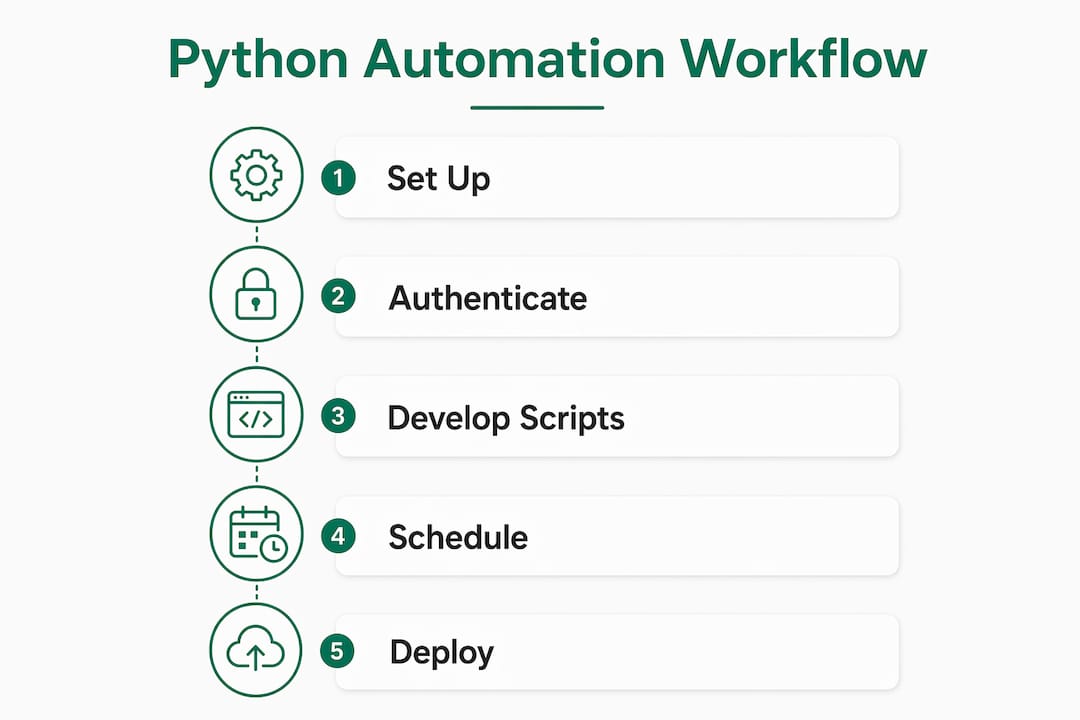
Start here: assign a named Copilot governance owner, enable Microsoft 365 telemetry, and run a 90-day GOVERN → MAP → MEASURE sprint. That sequence, drawn from the NIST AI Risk Management Framework, is the fastest path from idle licenses to provable billable-time recovery. Without it, most firms end up with Copilot seats that nobody uses and no data to explain why.
First-day actions:
- Assign one accountable owner (Head of IT or designated AI governance lead) with authority to set policy and pull telemetry reports.
- Enable Microsoft 365 admin center usage reports and confirm Graph API access for license utilization data.
- Pick one or two high-value workflows — partner intake drafting, contract review summaries — as your pilot scope.
Pro Tip: Don’t start with a governance committee. Start with a single owner and a telemetry baseline. Committees without data produce policy theater, not results.
Table of Contents
- What does governance actually mean for Copilot in your firm?
- Which standards should you base Copilot governance on?
- How to apply the four NIST AI RMF functions to Microsoft 365 Copilot
- Who should own AI governance for Copilot, and what does the RACI look like?
- How do you measure Microsoft 365 Copilot impact and prove ROI?
- What does a 90-day governance and ROI roadmap look like?
- What governance gaps do most mid-market firms miss?
- Governance checklist: what IT leaders can do this month
- Key Takeaways
- The real reason governance programs fail
- Gozera’s Copilot governance consulting gets you to ROI in 90 days
- Authoritative sources and further reading
What does governance actually mean for Copilot in your firm?
Governance, in operational terms, means accountability, policy, telemetry, and lifecycle management applied to every AI decision-making process your firm runs through Copilot. It is not a compliance checkbox. It covers who can use Copilot, what data it can touch, how prompts are logged, and what happens when something goes wrong.
For Microsoft 365 Copilot specifically, governance maps to four concrete concerns: data access controls at the tenant level, prompt leakage risk (Copilot can surface files users technically have access to but shouldn’t see in context), content retention settings, and license utilization. A firm that ignores tenant-level sensitivity labels, for example, risks Copilot surfacing confidential client files in a general document draft.
Governance is not a constraint on AI adoption — it is the prerequisite for it. Partnership on AI frames governance as the mechanism that builds the trust required for teams to actually use AI tools at scale. Firms with clear governance reduce stalled pilots and recover wasted license spend faster than those without it.
Governance outcomes that matter to IT and operations leaders:
- Reduced license waste: telemetry identifies dormant seats within days, not quarters.
- Provable billable-time recovery: baseline metrics let you show partners exactly how many hours Copilot saved per matter or engagement.
- Audit readiness: documented policies and telemetry logs satisfy both internal audit and client data-handling requirements.
Pro Tip: Map your Copilot governance scope to your existing data classification tiers. If your firm already labels documents as Confidential or Restricted, those labels should drive Copilot’s data access rules in the Microsoft Purview Compliance Portal — no new taxonomy needed.
Which standards should you base Copilot governance on?
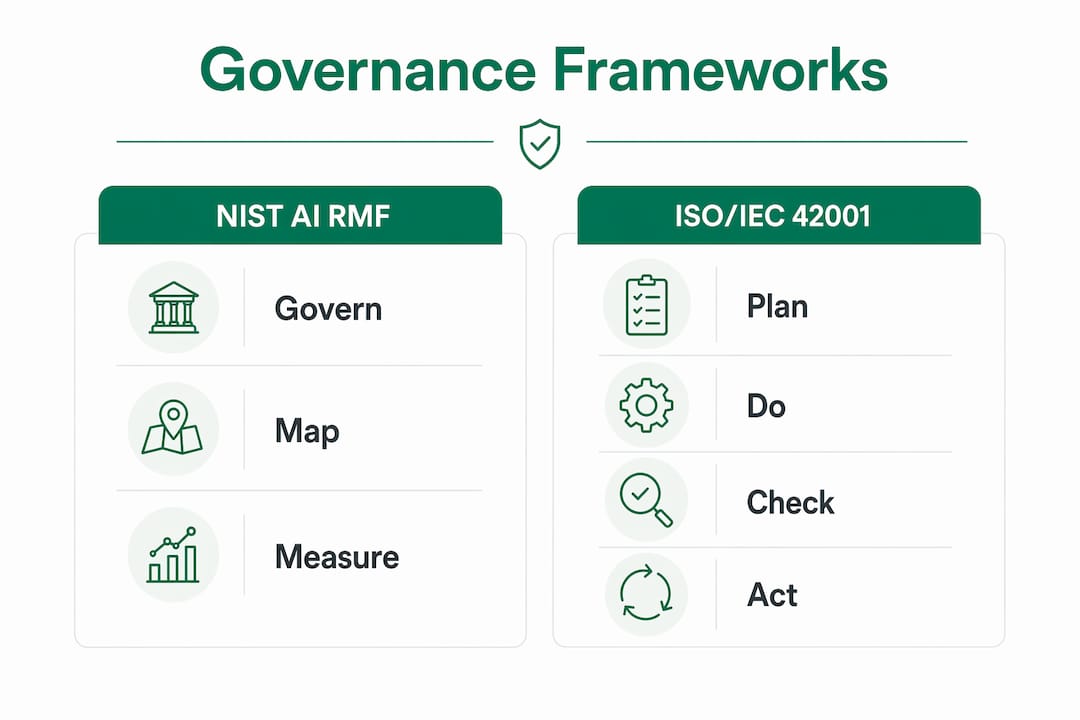
Two frameworks do the heavy lifting: the NIST AI RMF and ISO/IEC 42001.
The NIST AI RMF, released January 26, 2023, organizes AI risk management into four functions: GOVERN, MAP, MEASURE, and MANAGE. GOVERN is cross-cutting — it sets the policies, accountability structures, and risk-tolerance thresholds that the other three functions operate within. NIST also published a Generative AI Profile (NIST-AI-600-1) that translates those functions into actions specific to tools like Copilot.
ISO/IEC 42001 is the first international AI Management System (AIMS) standard. It uses a Plan-Do-Check-Act (PDCA) cycle to govern AI at the organizational level, not just the application level. For mid-market firms, formal certification is rarely necessary in year one. What matters is adopting the PDCA structure: plan your governance controls, deploy them, check telemetry to see whether they work, and adjust.
| Standard | Core element | Practical Copilot control |
|---|---|---|
| NIST AI RMF — GOVERN | Policy and accountability | Tenant settings, sensitivity labels, named owner |
| NIST AI RMF — MAP | Workflow and data inventory | Copilot use-case scoping, data flow documentation |
| NIST AI RMF — MEASURE | Metrics and telemetry | License utilization, prompt counts, billable-time delta |
| NIST AI RMF — MANAGE | Operational controls | Incident response runbook, remediation workflows |
| ISO/IEC 42001 — PDCA | Continuous improvement | Quarterly governance review cycle |
Both frameworks map cleanly onto existing enterprise risk management (ERM) controls. Your current audit cycle, risk register, and vendor review process are the right hooks. Add Copilot as a named AI system in your risk register and assign it to an existing ERM owner.
Pro Tip: Use these standards to define outcomes, not infinite checklists. Ask: “What evidence would prove this control is working?” If you can’t answer that in one sentence, the control is too vague to implement.
How to apply the four NIST AI RMF functions to Microsoft 365 Copilot
GOVERN: set policy and assign ownership
- Name one accountable owner with authority over Copilot policy.
- Document legal and regulatory requirements (HIPAA, CCPA, client NDAs) that constrain Copilot data use.
- Set risk-tolerance thresholds: which data classifications may Copilot access? Which are off-limits?
- Publish a one-page Copilot Acceptable Use Policy and distribute it before any pilot launch.
MAP: inventory workflows and data flows
- List every workflow where Copilot will be used (document drafting, meeting summaries, client intake).
- For each workflow, identify what data Copilot will access and whether that data carries sensitivity labels.
- Document the data flow: user prompt → Copilot → Microsoft 365 tenant → output. Note where data leaves the tenant boundary.
- Flag high-risk workflows (anything touching client PII or privileged matter files) for additional controls.
MEASURE: define telemetry and success metrics
- Enable Microsoft 365 admin center reports for Copilot activity.
- Pull license utilization via Graph API; export to a Python or n8n pipeline for weekly reporting.
- Define your baseline: average time per document review, billable hours per user per week, Copilot prompt counts.
- Set a measurement cadence — weekly during the pilot, monthly after scale-up.
MANAGE: operate controls and respond to incidents
- Configure admin alerts for anomalous Copilot activity (unusual prompt volumes, access to restricted SharePoint sites).
- Write a one-page incident response runbook: who gets notified, what gets logged, how access gets revoked.
- Schedule a quarterly review of telemetry data against your governance policy.
- For workflow automation gaps Copilot doesn’t cover natively, use Python or n8n to automate telemetry exports and alert routing.
Pro Tip: Prioritize governing high-value billable workflows first — document drafting and client intake templates — before tackling lower-stakes internal tasks. Governance effort should follow revenue risk.
Who should own AI governance for Copilot, and what does the RACI look like?
Assign a single named owner: your Head of IT or a designated AI governance lead. That person holds accountability. Responsibility distributes across legal, compliance, and practice leads, but accountability must not.

| Task | Accountable | Responsible | Consulted | Informed |
|---|---|---|---|---|
| Governance policy | Head of IT | IT + Legal | Practice leads | All staff |
| Telemetry reporting | Head of IT | IT analyst | Compliance | Managing partner |
| User training | Head of IT | HR + IT | Practice leads | All staff |
| Incident response | Head of IT | IT + Legal | External counsel | Managing partner |
| Vendor/supplier audits | Head of IT | Procurement | Legal | Compliance |
For law firm IT environments and similar regulated professional services settings, governance authority works best when it sits with IT but has a direct reporting line to the managing partner or COO. A matrix structure where governance is “everyone’s job” reliably produces the gaps the Ohio State Program on Data and Governance identified: no measurement, no vendor audits, and no employee adherence checks.
Vendor dos and don’ts:
- Do require Microsoft to provide tenant-level data residency confirmation in writing.
- Do review Microsoft’s Copilot data processing addendum annually.
- Don’t assume a vendor’s SOC 2 report covers your Copilot-specific data flows.
Pro Tip: Name a backup owner before you launch the pilot. Governance programs that depend on one person with no designated backup stall the moment that person changes roles.
How do you measure Microsoft 365 Copilot impact and prove ROI?
Measure before you optimize. Baseline what billable workflows look like today, instrument telemetry, then run a controlled pilot. The OECD finds that AI initiatives stall in pilot phase precisely because organizations lack impact measurement frameworks — and professional services firms are no exception.
| Metric | Baseline source | Measurement tool |
|---|---|---|
| Billable hours per user per week | Time-tracking system | Manual export or API |
| Avg. time per document review | Matter management system | Stopwatch audit or system log |
| License utilization rate | Microsoft 365 admin center | Graph API |
| Copilot prompt counts | M365 admin reports | Admin center + Python export |
| Dormant license count | Graph API query | n8n pipeline |
Sample ROI calculation: A 10-attorney firm pays for 10 Copilot licenses. Telemetry shows 4 are dormant. Recovering those 4 seats saves the license cost immediately. For the 6 active users, if Copilot saves 30 minutes per day on document drafting at a $300/hour billing rate, that’s $150 per attorney per day. Over 20 working days, that’s $3,000 per attorney per month in recoverable billable time. See Gozera’s Copilot ROI analysis for a fuller worked model.
- Run a two-week baseline before any Copilot use in the pilot cohort.
- Run the pilot for six weeks minimum with at least 8–10 users to get statistically meaningful data.
- Control for confounders: avoid running the pilot during a firm-wide system migration or a seasonal billing spike.
Pro Tip: Export your Graph API telemetry to a simple Python script that writes to a shared Excel or Power BI dashboard. Partners understand dashboards. Raw admin-center screenshots do not close budget conversations.
What does a 90-day governance and ROI roadmap look like?
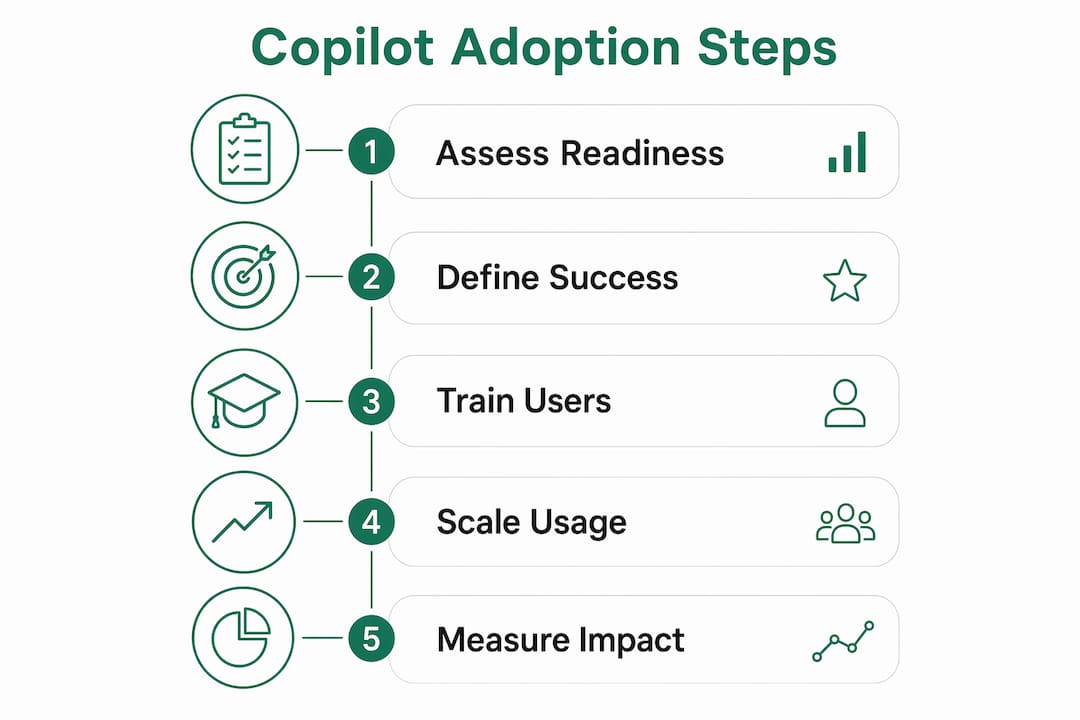
Sprint 1 — Discover (weeks 1–2):
- Assign governance owner and publish Acceptable Use Policy.
- Enable telemetry; run license utilization query; identify dormant seats.
- Select pilot cohort (8–12 users in one practice group).
- Document baseline metrics for chosen workflows.
Sprint 2 — Pilot (weeks 3–8):
- Deploy Copilot to pilot cohort with configured sensitivity labels and tenant controls.
- Run weekly telemetry reviews; log incidents in the runbook.
- Deliver mid-pilot check-in memo to managing partner with early utilization data.
Sprint 3 — Scale and govern (weeks 9–12):
- Publish pilot ROI memo with before/after metrics.
- Expand to additional practice groups based on pilot results.
- Conduct first vendor audit and update the risk register.
- Schedule quarterly governance review.
Key deliverables: RACI matrix, telemetry dashboard, pilot ROI memo, updated Acceptable Use Policy, incident response runbook.
Resource notes: expect 20–40 internal IT hours across the 90 days, plus a consulting engagement for telemetry setup and workflow automation if internal capacity is limited. For mid-market firms, fixed-price audit and sprint engagements typically cost less than one month of dormant license spend recovered.
What governance gaps do most mid-market firms miss?
Measurement, accountability, and vendor audits are the three most commonly missing items. The Ohio State RAIM report found that while most firms implement risk assessments and set up management structures, they rarely measure whether those programs change outcomes or audit their AI suppliers.
Common gaps and fixes:
- No telemetry baseline: In one week, enable Microsoft 365 admin reports and run a Graph API license query. Within 30 days, build a weekly export pipeline. By 90 days, you have a trend line.
- No named accountable owner: This week, assign the role. Within 30 days, document it in the RACI and communicate it firm-wide.
- No vendor audits: Within 30 days, request Microsoft’s data processing addendum. Within 90 days, add an annual Copilot vendor review to your audit calendar.
- Weak employee adherence: Within one week, schedule a 30-minute Copilot policy briefing for all users. Within 30 days, run a spot audit of prompt logs for policy violations.
- Untested incident response: Within 30 days, run a tabletop exercise using a simulated prompt-leakage scenario.
- Prioritize telemetry first — you cannot fix what you cannot see.
- Prioritize the named owner second — governance without accountability is a document, not a program.
- Address vendor audits third — they surface risks that internal controls miss entirely.
Governance checklist: what IT leaders can do this month
The three highest-impact actions for the next 30 days: assign your governance owner, enable telemetry, and select your pilot cohort.
- Assign a named Copilot governance owner with documented authority.
- Enable Microsoft 365 admin center usage reports and confirm Graph API access.
- Run a license utilization query; flag dormant seats for recovery or reallocation.
- Select a pilot cohort of 8–12 users in one practice group.
- Draft a one-page Copilot Acceptable Use Policy covering data classification and prohibited use cases.
- Configure sensitivity labels in Microsoft Purview to restrict Copilot access to confidential matter files.
- Schedule a 30-minute policy briefing for all Copilot users.
- Define three baseline metrics (billable hours, document review time, license utilization) and record current values.
- Set up admin alerts for anomalous Copilot activity.
- Book a 90-day governance review date on the managing partner’s calendar now.
Pro Tip: Run the license utilization query before you do anything else. Firms routinely find a significant portion of Copilot seats unused. That number, shown to a managing partner in the first week, funds the entire governance program.
Key Takeaways
Effective governance of AI for Microsoft 365 Copilot requires a named owner, baseline telemetry, and a 90-day GOVERN-MAP-MEASURE sprint before scaling adoption firm-wide.
| Point | Details |
|---|---|
| Assign one owner first | A named accountable owner with documented authority is the single most important governance action. |
| Baseline before you optimize | Measure billable hours, license utilization, and document review time before the pilot starts. |
| Frameworks anchor decisions | NIST AI RMF and ISO/IEC 42001 PDCA provide the structure; map them to your existing ERM controls. |
| Measurement gaps stall pilots | The Ohio State RAIM report found measuring performance and auditing suppliers are the least common governance activities. |
| Gozera accelerates the sprint | Gozera’s fixed-price audit and workflow automation engagements deliver telemetry baselines and pilot ROI memos within 90 days. |
The real reason governance programs fail
Most firms treat governance as a policy exercise and skip the measurement. They write an Acceptable Use Policy, form a committee, and call it done. Six months later, Copilot adoption is flat, licenses are still dormant, and no one can explain why.
The Ohio State RAIM findings make this concrete: risk assessments and management structures are common; measuring whether those structures actually change behavior is rare. That gap is where ROI disappears. A governance program that never checks its own telemetry is indistinguishable from one that doesn’t exist.
The contrarian view worth holding: governance done right is not a cost center. It is the mechanism that converts a software license into a measurable productivity asset. Firms that instrument telemetry in week one, assign a real owner, and run a structured pilot consistently recover dormant license costs and surface billable-time gains that justify the entire investment. The firms that skip governance to “move faster” are the ones still running the same stalled pilot a year later.
Gozera’s Copilot governance consulting gets you to ROI in 90 days
Most mid-market firms have the licenses. What they lack is the telemetry, the governance structure, and the workflow automation to turn those licenses into measurable output. Gozera closes that gap with fixed-price engagements: a telemetry audit that identifies dormant seats and baseline metrics in week one, a governed pilot sprint with workflow automation using Python and n8n, and a pilot ROI memo your managing partner can act on. No open-ended retainers, no months of change management before you see a number.

If your firm has Copilot licenses and no clear picture of what they’re producing, that’s the starting point. Book a Copilot ROI assessment with Gozera and get a baseline telemetry report and governance gap analysis within the first engagement week.
Authoritative sources and further reading
- NIST AI Risk Management Framework — The four functions (GOVERN, MAP, MEASURE, MANAGE) and the Generative AI Profile; the primary reference for operationalizing Copilot governance controls.
- NIST AI RMF 1.0 (PDF) — Full framework text including GOVERN subcategories on policy, roles, and risk-tolerance thresholds.
- ISO/IEC 42001: AI Management Systems — The PDCA-based AIMS standard; use it to structure your quarterly governance review cycle.
- Responsible AI Management — Ohio State Program on Data and Governance — Survey findings on which RAIM activities firms implement and which they skip; essential reading for gap analysis.
- Governing with Artificial Intelligence — OECD — Analysis of why AI pilots stall without measurement frameworks; directly applicable to Copilot ROI justification.
- Decoding AI Governance — Partnership on AI — Explains how governance enables trust and accelerates adoption rather than constraining it.
- Copilot ROI for Mid-Market Firms — Gozera — Worked ROI models and telemetry approaches specific to professional services Copilot deployments.
- IT Compliance Standards for Financial Services — 247Techify — Practical compliance controls for financial services IT; useful for mapping Copilot governance to industry-specific regulatory requirements.